# Open one of my tasks (open task as an Author)

| Steps                                                                                                                                                                                                                                                                                                                                                                                                                                                                                                                                                                                                                                                                                                                                                                                                                                                                                                                                                                                                                                                                                                                                                                                                                                                                                                                                                                                                     | References                                                                                                                                                                                                                                                                |
| --------------------------------------------------------------------------------------------------------------------------------------------------------------------------------------------------------------------------------------------------------------------------------------------------------------------------------------------------------------------------------------------------------------------------------------------------------------------------------------------------------------------------------------------------------------------------------------------------------------------------------------------------------------------------------------------------------------------------------------------------------------------------------------------------------------------------------------------------------------------------------------------------------------------------------------------------------------------------------------------------------------------------------------------------------------------------------------------------------------------------------------------------------------------------------------------------------------------------------------------------------------------------------------------------------------------------------------------------------------------------------------------------------- | ------------------------------------------------------------------------------------------------------------------------------------------------------------------------------------------------------------------------------------------------------------------------- |
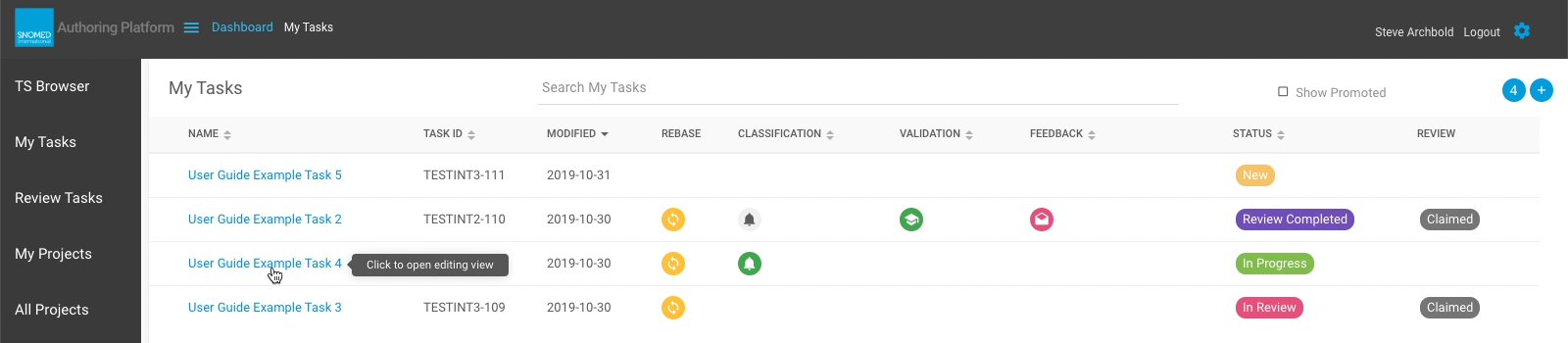
| <p><strong>EITHER</strong><br>In the <em>My Tasks</em> view, press the name link on the task you want to open. This opens the Task View to the context of the default Task Editing layout.</p>                                                                                                                                                                                                                                                                                                                                                                                                                                                                                                                                                                                                                                                                                                                                                                                                                                                                                                                                                                                                                                                                                                                                                                                                            | <div><figure><img src="https://956592758-files.gitbook.io/~/files/v0/b/gitbook-x-prod.appspot.com/o/spaces%2FO8kNzHFIgz2UFgwrcB08%2Fuploads%2Fgit-blob-75ba2c9614fd2a2b612115e212222968d782bbeb%2F96808191.png?alt=media" alt=""><figcaption></figcaption></figure></div> |
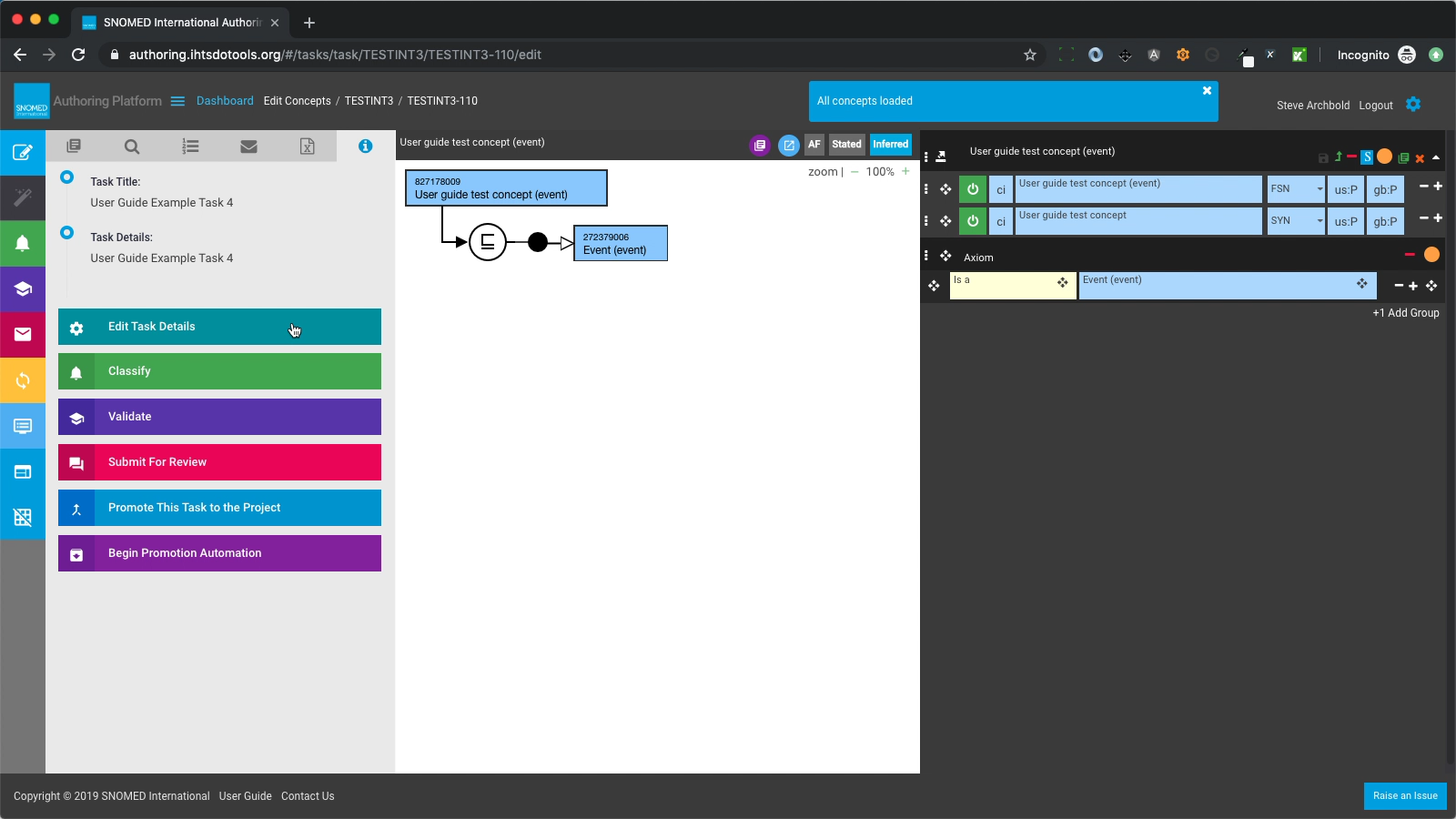
| <p>The Task View is presented with the default Task Editing layout, showing 4 key content regions below the site header:<br></p><ul><li>Edit panel, showing concepts loaded or created within the task (initially empty for a new task).</li><li>Concept Model panel, showing a SNOMED CT schematic representation (in SNOMED CT Diagramming Guideline notation) of concepts in the Edit panel (initially empty for a new task).</li><li><p>Activities (Left Sidebar) panel, containing tabs for:</p><ul><li>Taxonomy</li><li>Search</li><li>Saved List</li><li>Feedback</li><li>Create Batch</li><li>Task Details</li></ul></li><li><p>Options menu panel, containing buttons for:</p><ul><li>Create new concept</li><li>Create new concept from template</li><li>Task Classification</li><li>Task Validation</li><li>Task Rebase</li><li>Show Task Editing layout</li><li>Hide the Left Sidebar</li><li>Hide all concept models</li></ul></li></ul><p>On opening the task, any concepts previously loaded into the editor will be reloaded to restore the editing context from your most recent task editing session (the task state is automatically saved and restored by the application). After completing loading, a blue header notification will state "All concepts loaded" for a brief interval (or until you press the <code>X</code> in the upper right corner of the notification box).</p> | <div><figure><img src="https://956592758-files.gitbook.io/~/files/v0/b/gitbook-x-prod.appspot.com/o/spaces%2FO8kNzHFIgz2UFgwrcB08%2Fuploads%2Fgit-blob-a2577d82ad9aae1fbb90fab69fbe694ec5530d2e%2F96808193.png?alt=media" alt=""><figcaption></figcaption></figure></div> |
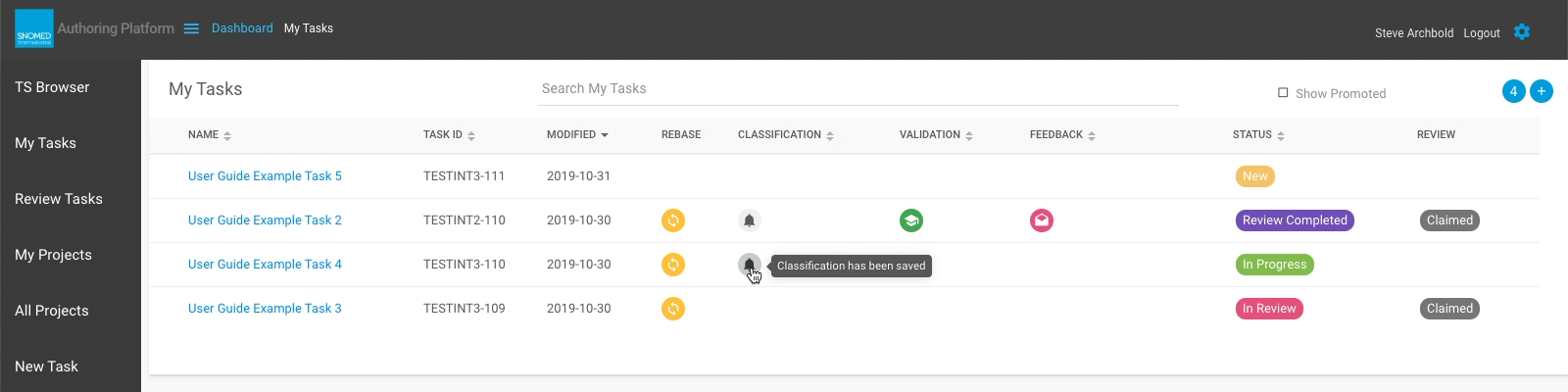
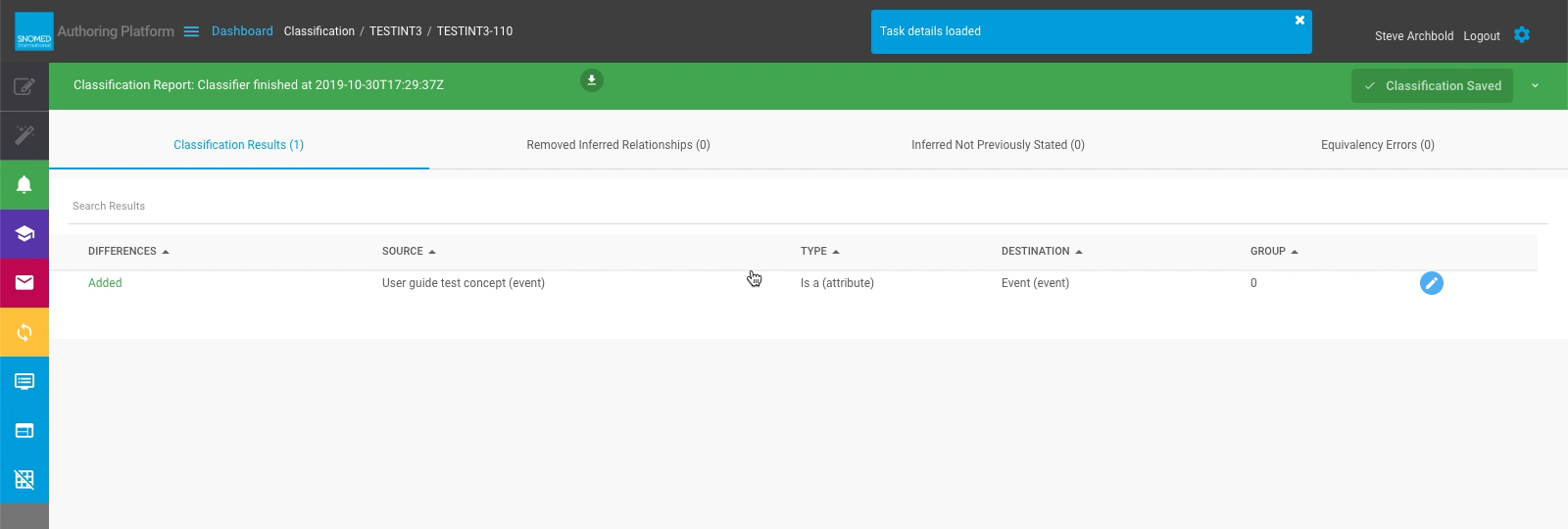
| <p><strong>OR</strong><br>In the <em>My Tasks</em> view, press the classification status icon (if present), on the task you want to open. This opens the Task View to the context of the current Classification report.</p>                                                                                                                                                                                                                                                                                                                                                                                                                                                                                                                                                                                                                                                                                                                                                                                                                                                                                                                                                                                                                                                                                                                                                                               | <div><figure><img src="https://956592758-files.gitbook.io/~/files/v0/b/gitbook-x-prod.appspot.com/o/spaces%2FO8kNzHFIgz2UFgwrcB08%2Fuploads%2Fgit-blob-a0291f7d60f2f041683f351cdc52af54960fd72c%2F96808194.png?alt=media" alt=""><figcaption></figcaption></figure></div> |
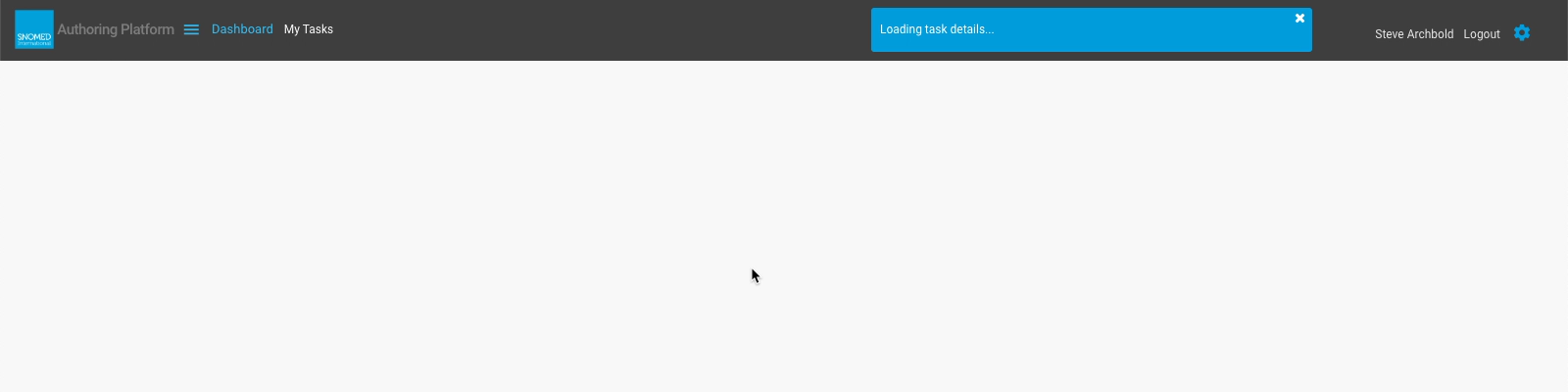
| Whilst loading, the main content panel is cleared, and a blue header notification stating "Loading task details..." is presented. When completed, the header notification changes to "Task details loaded".                                                                                                                                                                                                                                                                                                                                                                                                                                                                                                                                                                                                                                                                                                                                                                                                                                                                                                                                                                                                                                                                                                                                                                                               | <div><figure><img src="https://956592758-files.gitbook.io/~/files/v0/b/gitbook-x-prod.appspot.com/o/spaces%2FO8kNzHFIgz2UFgwrcB08%2Fuploads%2Fgit-blob-42951b01a685220e29a3dc59f835fd0e447411b4%2F96808195.png?alt=media" alt=""><figcaption></figcaption></figure></div> |
| The *Task Classification* layout is presented, showing the latest Classification report. This is a full-width layout, maintaining the Options panel menu for navigation back to other task contexts.                                                                                                                                                                                                                                                                                                                                                                                                                                                                                                                                                                                                                                                                                                                                                                                                                                                                                                                                                                                                                                                                                                                                                                                                      | <div><figure><img src="https://956592758-files.gitbook.io/~/files/v0/b/gitbook-x-prod.appspot.com/o/spaces%2FO8kNzHFIgz2UFgwrcB08%2Fuploads%2Fgit-blob-c4d74b4efb90d22b65db85e4d17def921e07f191%2F96808197.png?alt=media" alt=""><figcaption></figcaption></figure></div> |
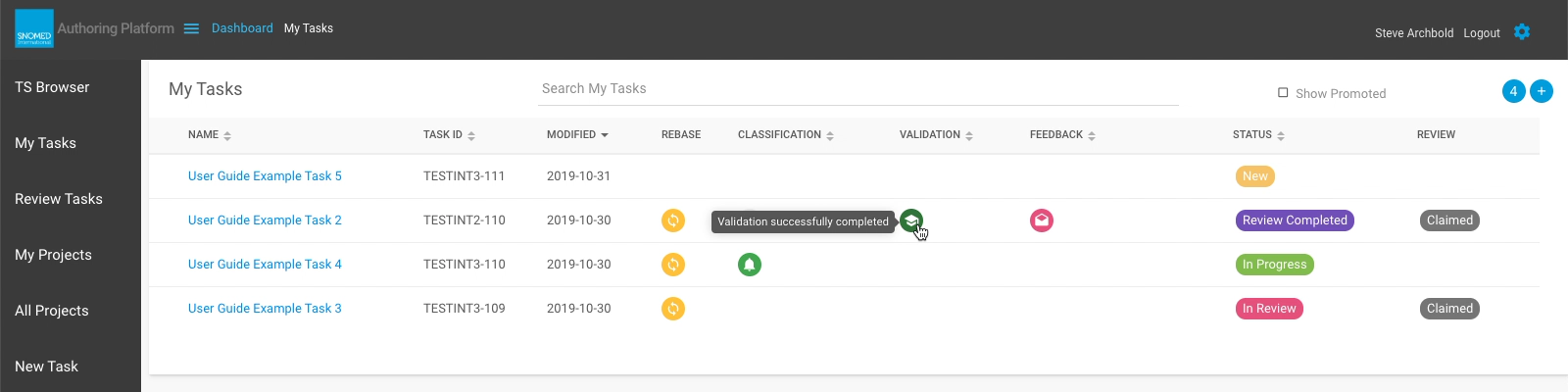
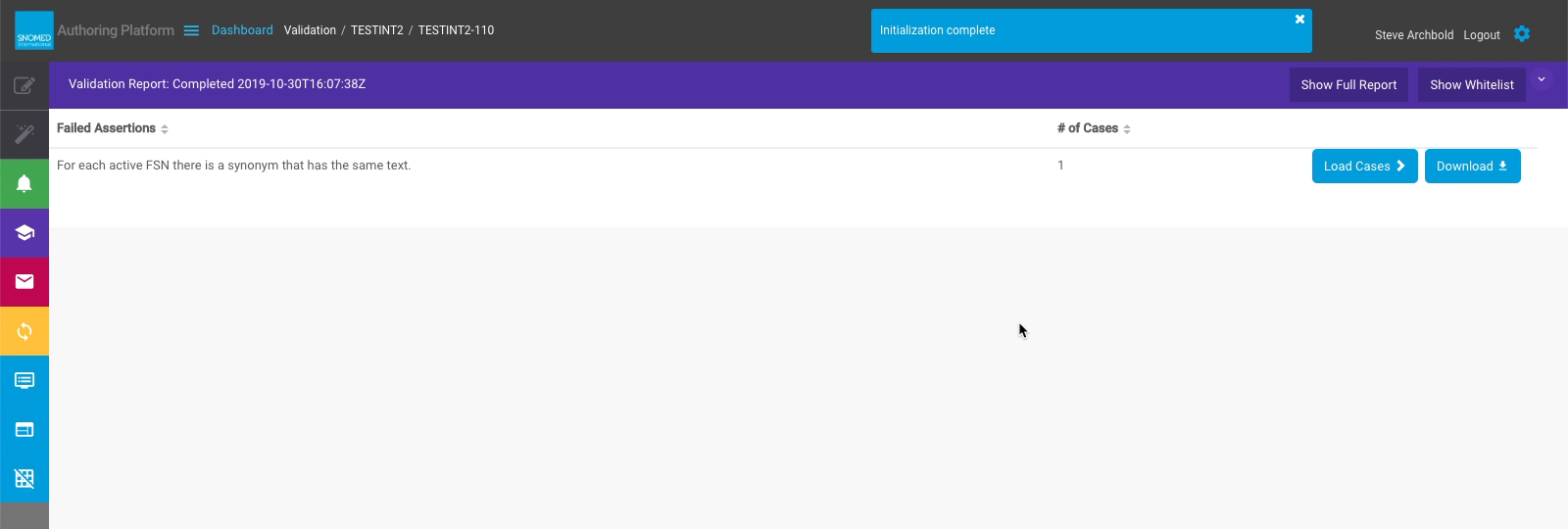
| <p><strong>OR</strong><br>In the <em>My Tasks</em> view, press the validation status icon (if present), on the task you want to open. This opens the Task View to the context of the current Validation report.</p>                                                                                                                                                                                                                                                                                                                                                                                                                                                                                                                                                                                                                                                                                                                                                                                                                                                                                                                                                                                                                                                                                                                                                                                       | <div><figure><img src="https://956592758-files.gitbook.io/~/files/v0/b/gitbook-x-prod.appspot.com/o/spaces%2FO8kNzHFIgz2UFgwrcB08%2Fuploads%2Fgit-blob-d6c42cf6dbb88c1cfb8d89a92d0834f0172dab77%2F96808198.png?alt=media" alt=""><figcaption></figcaption></figure></div> |
| Whilst loading, the main content panel is cleared, and a blue header notification stating "Loading task details..." is presented. When completed, the header notification changes to "Task details loaded".                                                                                                                                                                                                                                                                                                                                                                                                                                                                                                                                                                                                                                                                                                                                                                                                                                                                                                                                                                                                                                                                                                                                                                                               | <div><figure><img src="https://956592758-files.gitbook.io/~/files/v0/b/gitbook-x-prod.appspot.com/o/spaces%2FO8kNzHFIgz2UFgwrcB08%2Fuploads%2Fgit-blob-42951b01a685220e29a3dc59f835fd0e447411b4%2F96808195.png?alt=media" alt=""><figcaption></figcaption></figure></div> |
| The *Task Validation* layout is presented, showing the latest Validation Report. This is a full-width layout, maintaining the Options panel menu for navigation back to other task contexts.                                                                                                                                                                                                                                                                                                                                                                                                                                                                                                                                                                                                                                                                                                                                                                                                                                                                                                                                                                                                                                                                                                                                                                                                              | <div><figure><img src="https://956592758-files.gitbook.io/~/files/v0/b/gitbook-x-prod.appspot.com/o/spaces%2FO8kNzHFIgz2UFgwrcB08%2Fuploads%2Fgit-blob-e80de222c6e457a3c41bca85f62191284d02b7ae%2F96808199.png?alt=media" alt=""><figcaption></figcaption></figure></div> |
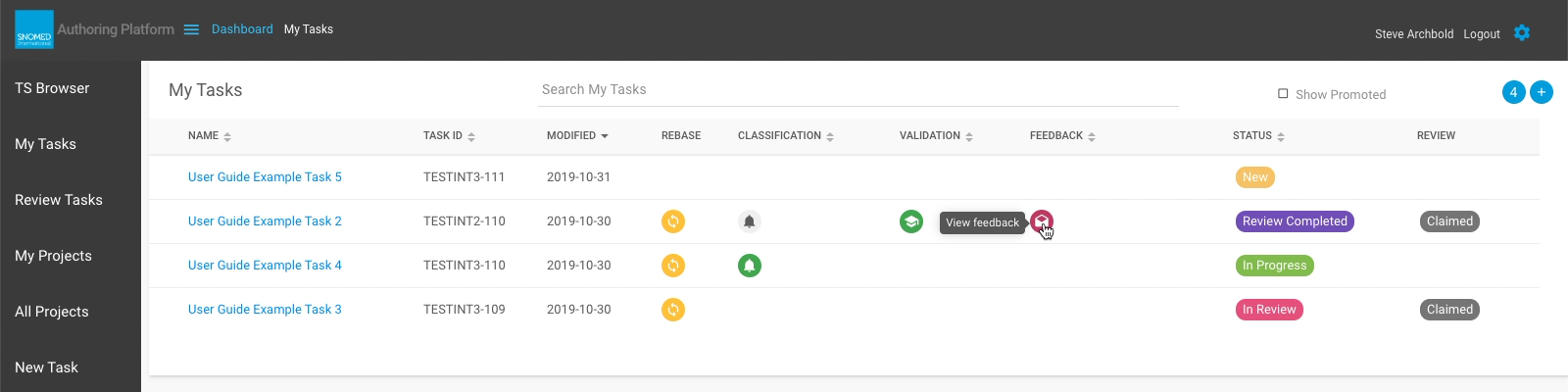
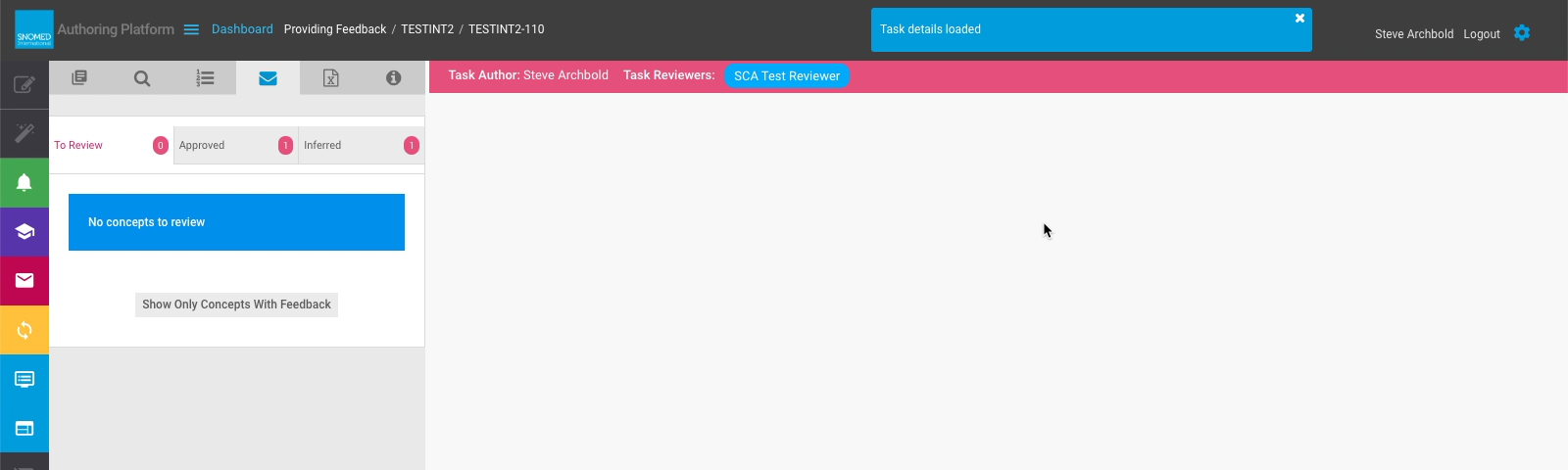
| <p><strong>OR</strong><br>In the <em>My Tasks</em> view, press the feedback status icon (if present), on the task you want to open. This opens the Task View to the context of the Review and Feedback activity tab.</p>                                                                                                                                                                                                                                                                                                                                                                                                                                                                                                                                                                                                                                                                                                                                                                                                                                                                                                                                                                                                                                                                                                                                                                                  | <div><figure><img src="https://956592758-files.gitbook.io/~/files/v0/b/gitbook-x-prod.appspot.com/o/spaces%2FO8kNzHFIgz2UFgwrcB08%2Fuploads%2Fgit-blob-22bd47bed82fde4a3d868e19717a59dff3d7fad1%2F96808201.png?alt=media" alt=""><figcaption></figcaption></figure></div> |
| Whilst loading, the main content panel is cleared, and a blue header notification stating "Loading task details..." is presented. When completed, the header notification changes to "Task details loaded". ,p>                                                                                                                                                                                                                                                                                                                                                                                                                                                                                                                                                                                                                                                                                                                                                                                                                                                                                                                                                                                                                                                                                                                                                                                           | <div><figure><img src="https://956592758-files.gitbook.io/~/files/v0/b/gitbook-x-prod.appspot.com/o/spaces%2FO8kNzHFIgz2UFgwrcB08%2Fuploads%2Fgit-blob-42951b01a685220e29a3dc59f835fd0e447411b4%2F96808195.png?alt=media" alt=""><figcaption></figcaption></figure></div> |
| The *Task Review and Feedback* layout is presented, showing concepts to review, concepts approved, and inferred concept changes within the task. This layout maintains the Activities panel (Left Sidebar), as well as the Options panel menu for navigation back to other task contexts.                                                                                                                                                                                                                                                                                                                                                                                                                                                                                                                                                                                                                                                                                                                                                                                                                                                                                                                                                                                                                                                                                                                 | <div><figure><img src="https://956592758-files.gitbook.io/~/files/v0/b/gitbook-x-prod.appspot.com/o/spaces%2FO8kNzHFIgz2UFgwrcB08%2Fuploads%2Fgit-blob-5b01be999aba83ef3ad6259b47f1425f014b4637%2F96808202.png?alt=media" alt=""><figcaption></figcaption></figure></div> |

<a href="https://docs.google.com/forms/d/e/1FAIpQLScTmbZIf0UEQwYDkY27EEWBkaiYkHSbR0_9DmFrMLXoQLyL7Q/viewform?usp=pp_url&#x26;entry.1767247133=AP+UG&#x26;entry.670899847=Open%20one%20of%20my%20tasks%20%28open%20task%20as%20an%20Author%29" class="button primary">Provide Feedback</a>


---

# Agent Instructions: Querying This Documentation

If you need additional information that is not directly available in this page, you can query the documentation dynamically by asking a question.

Perform an HTTP GET request on the current page URL with the `ask` query parameter:

```
GET https://docs.snomed.org/snomed-ct-user-guides/authoring-user-guide/how-to/dashboard/open-one-of-my-tasks-open-task-as-an-author.md?ask=<question>
```

The question should be specific, self-contained, and written in natural language.
The response will contain a direct answer to the question and relevant excerpts and sources from the documentation.

Use this mechanism when the answer is not explicitly present in the current page, you need clarification or additional context, or you want to retrieve related documentation sections.