# Search for tasks

| Steps                                                                                                                                                                                                                                                                                                                                                                                                                                                                                                                                                                                                                                                                                                                                                                                                                                     | References                                                                                                                                                                                                                                                                                                                                                                                                                                                                                                                                           |
| ----------------------------------------------------------------------------------------------------------------------------------------------------------------------------------------------------------------------------------------------------------------------------------------------------------------------------------------------------------------------------------------------------------------------------------------------------------------------------------------------------------------------------------------------------------------------------------------------------------------------------------------------------------------------------------------------------------------------------------------------------------------------------------------------------------------------------------------- | ---------------------------------------------------------------------------------------------------------------------------------------------------------------------------------------------------------------------------------------------------------------------------------------------------------------------------------------------------------------------------------------------------------------------------------------------------------------------------------------------------------------------------------------------------- |
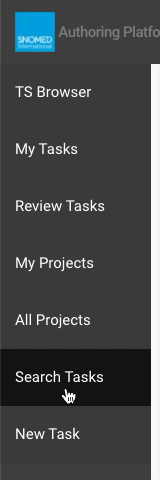
| Press `Search Tasks` in any *Dashboard* view left sidebar menu.                                                                                                                                                                                                                                                                                                                                                                                                                                                                                                                                                                                                                                                                                                                                                                           | <div><figure><img src="https://956592758-files.gitbook.io/~/files/v0/b/gitbook-x-prod.appspot.com/o/spaces%2FO8kNzHFIgz2UFgwrcB08%2Fuploads%2Fgit-blob-d20e84b4c87176139a3b5c5944c2f1ff15cc9e9f%2F115879298.png?alt=media" alt=""><figcaption></figcaption></figure></div>                                                                                                                                                                                                                                                                           |
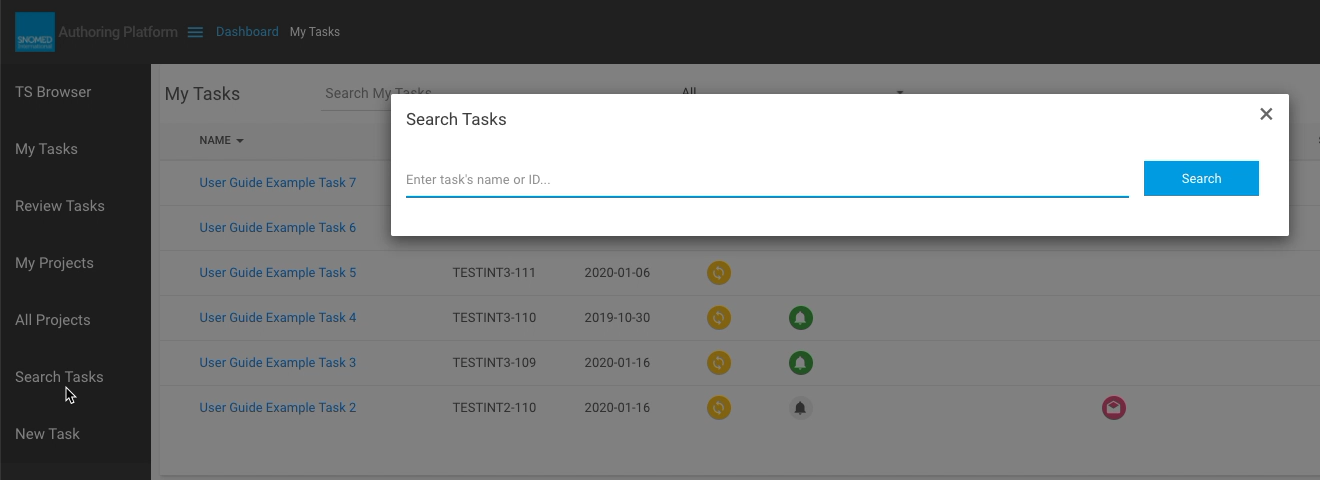
| The *Search Tasks* pop-up dialogue is presented, containing a single text query field and a `Search` action button.                                                                                                                                                                                                                                                                                                                                                                                                                                                                                                                                                                                                                                                                                                                       | <div><figure><img src="https://956592758-files.gitbook.io/~/files/v0/b/gitbook-x-prod.appspot.com/o/spaces%2FO8kNzHFIgz2UFgwrcB08%2Fuploads%2Fgit-blob-6b28816c0aeb403929a3014993db0e5bc78ffa74%2F115879299.png?alt=media" alt=""><figcaption></figcaption></figure></div>                                                                                                                                                                                                                                                                           |
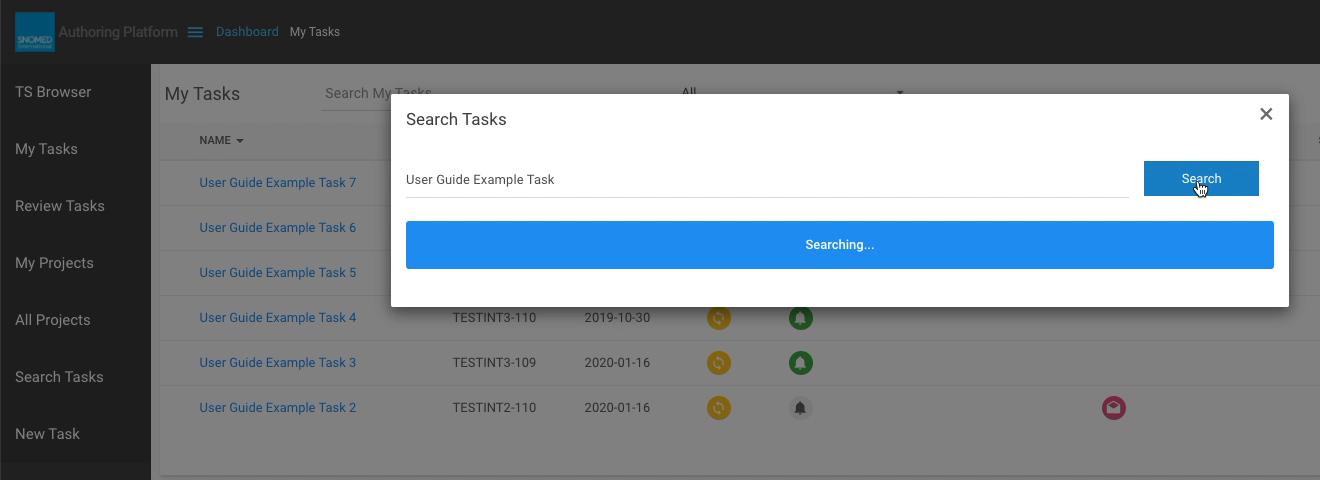
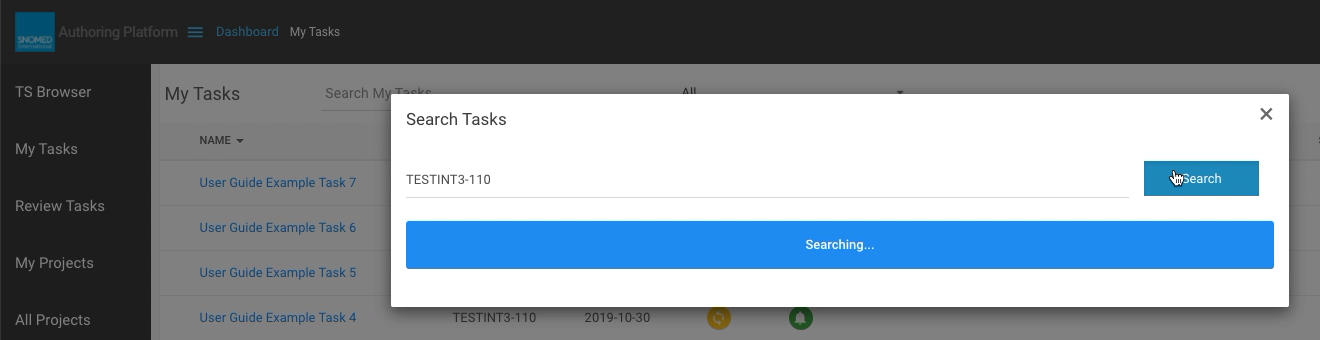
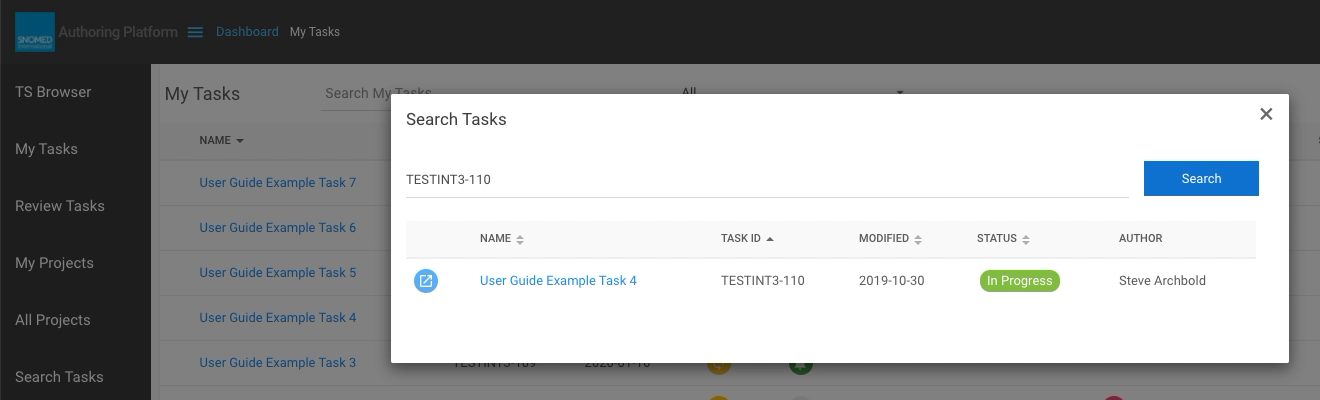
| <p>Enter text to match the labels of your tasks, then press <code>Search</code>. You can also search for exact matches to a task ID - but see the note below.<br></p><p>A blue <code>Searching...</code> prompt box is presented below the search query whilst the server finds matches to the entered text query.</p><div data-gb-custom-block data-tag="hint" data-style="info" class="hint hint-info"><p><strong>Task title</strong><br></p><p>As well as searching for task names (either partially or fully entered in the search query), you can also enter a specific task ID if known. If a task is matched to an ID then only that task is presented in the results panel. Note searching via ID cannot find partial matches - a result will only be found if the entered ID is an exact match to an existing task ID.</p></div> | <div><figure><img src="https://956592758-files.gitbook.io/~/files/v0/b/gitbook-x-prod.appspot.com/o/spaces%2FO8kNzHFIgz2UFgwrcB08%2Fuploads%2Fgit-blob-f1d8986b96c59e9033687e6b2044b911054cdbb4%2F115879302.png?alt=media" alt=""><figcaption></figcaption></figure></div><div><figure><img src="https://956592758-files.gitbook.io/~/files/v0/b/gitbook-x-prod.appspot.com/o/spaces%2FO8kNzHFIgz2UFgwrcB08%2Fuploads%2Fgit-blob-4a1ef49141eee53feb33ecbb233cb7a787e9f4f1%2F115879322.png?alt=media" alt=""><figcaption></figcaption></figure></div> |
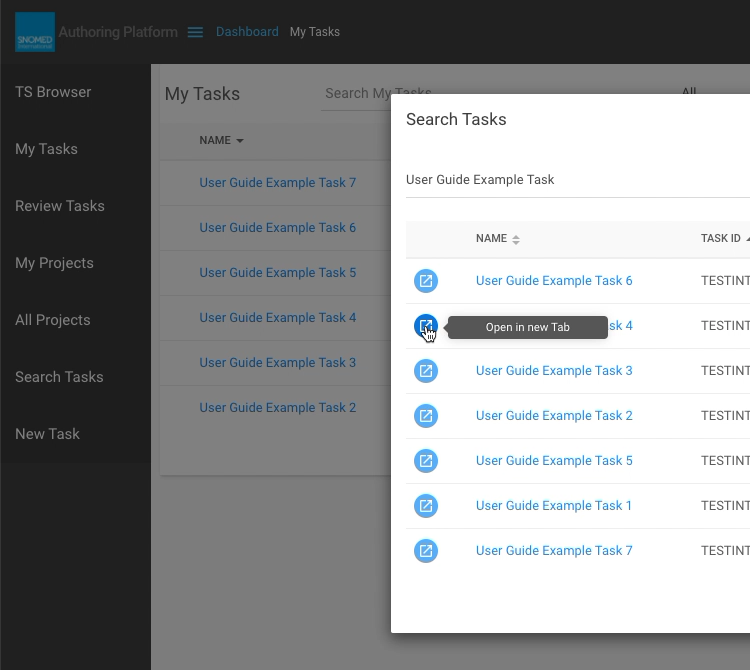
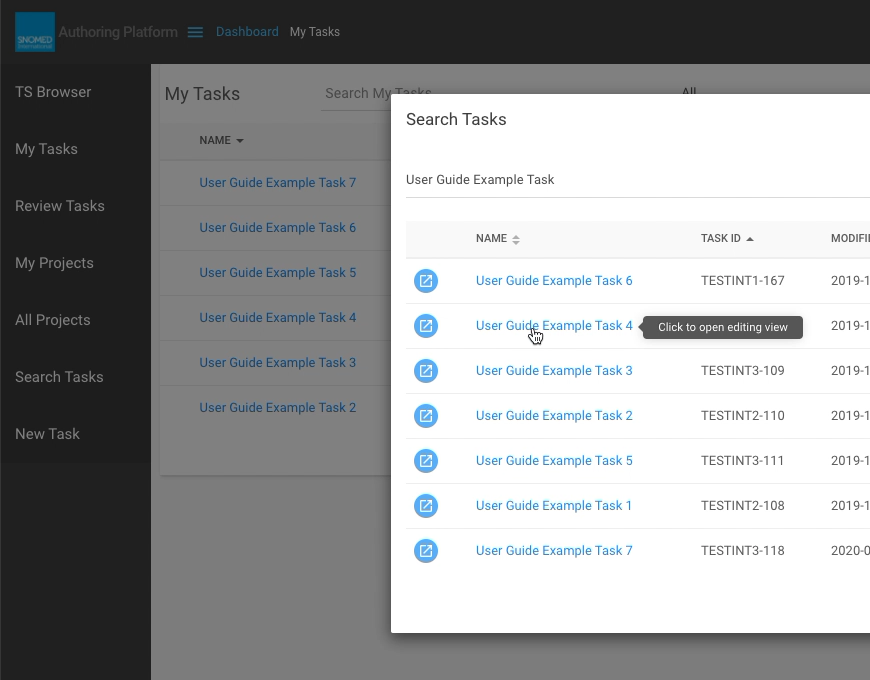
| <p>On completion of the search, the panel below the search query is populated with the tasks with names (titles) either partially or fully matching the entered text query (or a single exact match to a task ID).<br></p><p>Each matching task result row includes a blue <code>Open in new Tab</code> icon button, and the task name which is an active link.<br></p><p>Additional information for each task is presented in the same format and styling as the <em>My Tasks</em> view listing.</p>                                                                                                                                                                                                                                                                                                                                     | <div><figure><img src="https://github.com/SNOMED-Documents/snomed-authoring-userguide/blob/main/how-to/images/115879304.png" alt=""><figcaption></figcaption></figure></div><div><figure><img src="https://956592758-files.gitbook.io/~/files/v0/b/gitbook-x-prod.appspot.com/o/spaces%2FO8kNzHFIgz2UFgwrcB08%2Fuploads%2Fgit-blob-6b24c4608f390e3df2bc08b682a6a0b233199cf6%2F115879321.png?alt=media" alt=""><figcaption></figcaption></figure></div>                                                                                               |
| <p><strong>EITHER</strong><br>Press the <code>Open in new Tab</code> icon button to open the task in a new web browser tab (or window, if set by your personal web browser preferences). This allows the task to be viewed whilst retaining the <em>Task Search</em> dialogue results for further use (to review other task matches, or to modify the query for new search results).</p>                                                                                                                                                                                                                                                                                                                                                                                                                                                  | <div><figure><img src="https://956592758-files.gitbook.io/~/files/v0/b/gitbook-x-prod.appspot.com/o/spaces%2FO8kNzHFIgz2UFgwrcB08%2Fuploads%2Fgit-blob-1d731861303c171b5603554c475a523866a7f383%2F115879307.png?alt=media" alt=""><figcaption></figcaption></figure></div>                                                                                                                                                                                                                                                                           |
| <p><strong>OR</strong><br>Follow the task name link to open the task in the same web browser tab. This closes the <em>Task Search</em> dialogue and takes you into the task <em>Edit</em> panel view as if the task had been opened from the <em>My Tasks</em> view listing.</p><div data-gb-custom-block data-tag="hint" data-style="warning" class="hint hint-warning"><p><strong>Task title</strong><br></p><p>There is no second chance if you press a task name link. When the task opens in the <em>Edit</em> panel, the task search results are gone, so the previous search would need to be repeated should you need to get back to them. If this is not desired, please use the <code>Open in new Tab</code> option!</p></div>                                                                                                  | <div><figure><img src="https://956592758-files.gitbook.io/~/files/v0/b/gitbook-x-prod.appspot.com/o/spaces%2FO8kNzHFIgz2UFgwrcB08%2Fuploads%2Fgit-blob-096c8878e6fa9ac96480d4422269dbdd3219594f%2F115879312.png?alt=media" alt=""><figcaption></figcaption></figure></div>                                                                                                                                                                                                                                                                           |
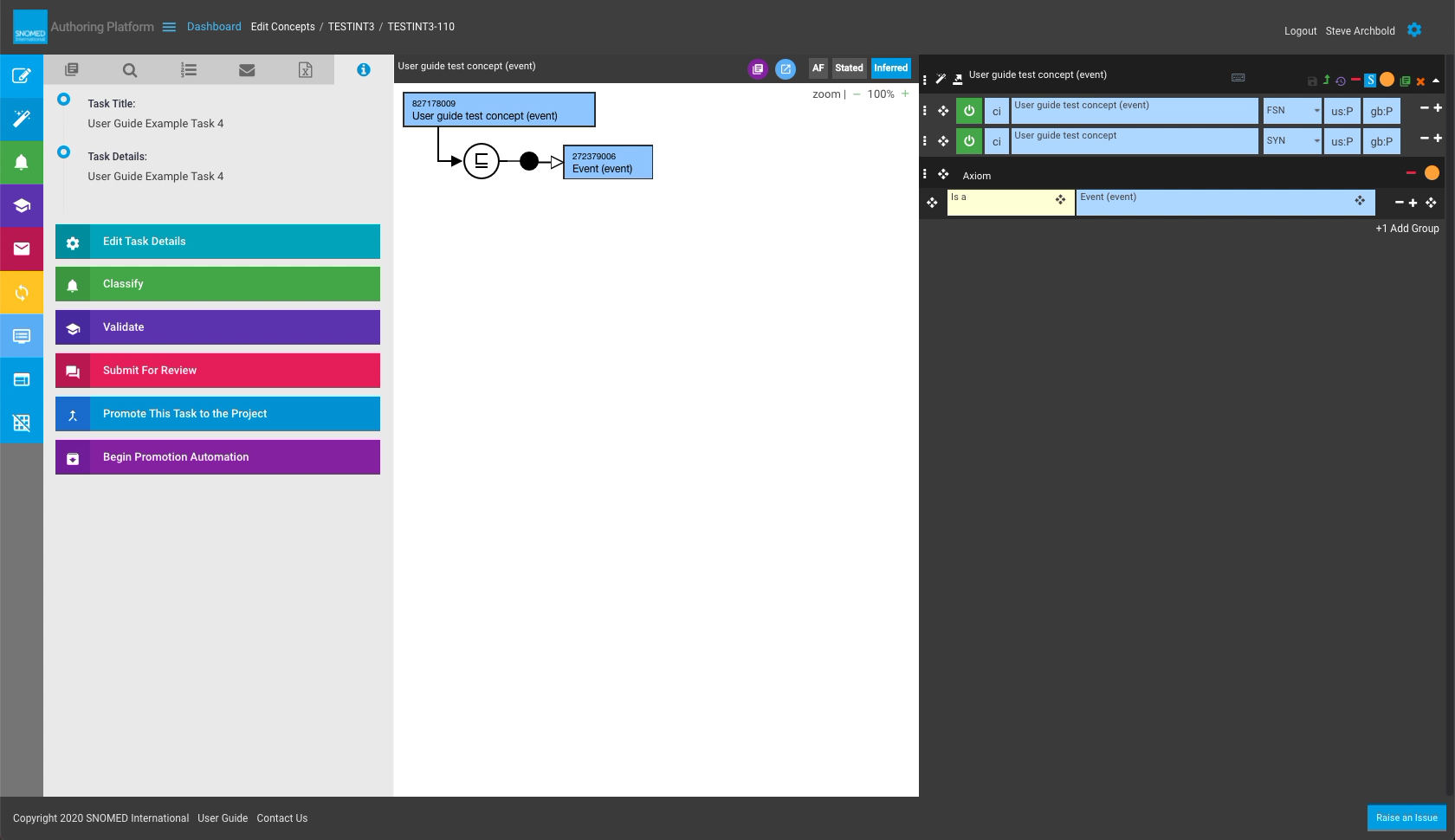
| The task *Edit* panel view is presented (either in a new tab/window, or replacing the search dialogue in the current tab according to which option is used).\</p                                                                                                                                                                                                                                                                                                                                                                                                                                                                                                                                                                                                                                                                          | <div><figure><img src="https://956592758-files.gitbook.io/~/files/v0/b/gitbook-x-prod.appspot.com/o/spaces%2FO8kNzHFIgz2UFgwrcB08%2Fuploads%2Fgit-blob-c7b925f778186551ba8be52b0538a0342a594f7a%2F115879319.png?alt=media" alt=""><figcaption></figcaption></figure></div>                                                                                                                                                                                                                                                                           |

<a href="https://docs.google.com/forms/d/e/1FAIpQLScTmbZIf0UEQwYDkY27EEWBkaiYkHSbR0_9DmFrMLXoQLyL7Q/viewform?usp=pp_url&#x26;entry.1767247133=AP+UG&#x26;entry.670899847=Search%20for%20tasks" class="button primary">Provide Feedback</a>


---

# Agent Instructions: Querying This Documentation

If you need additional information that is not directly available in this page, you can query the documentation dynamically by asking a question.

Perform an HTTP GET request on the current page URL with the `ask` query parameter:

```
GET https://docs.snomed.org/snomed-ct-user-guides/authoring-user-guide/how-to/dashboard/search-for-tasks.md?ask=<question>
```

The question should be specific, self-contained, and written in natural language.
The response will contain a direct answer to the question and relevant excerpts and sources from the documentation.

Use this mechanism when the answer is not explicitly present in the current page, you need clarification or additional context, or you want to retrieve related documentation sections.