# Browse the Applicable Attributes/Ranges for a selected Domain

| Steps                                                                                                                                                                                                                                                                                                                                                                                                                                                                                                                                                                                                                                                                                                                                                                                                                                                                                                                                                                                                                                                                                                                                           | References                                                                                                                                                                                                                                                                                                                                                                                                                                                                                                                                           |
| ----------------------------------------------------------------------------------------------------------------------------------------------------------------------------------------------------------------------------------------------------------------------------------------------------------------------------------------------------------------------------------------------------------------------------------------------------------------------------------------------------------------------------------------------------------------------------------------------------------------------------------------------------------------------------------------------------------------------------------------------------------------------------------------------------------------------------------------------------------------------------------------------------------------------------------------------------------------------------------------------------------------------------------------------------------------------------------------------------------------------------------------------- | ---------------------------------------------------------------------------------------------------------------------------------------------------------------------------------------------------------------------------------------------------------------------------------------------------------------------------------------------------------------------------------------------------------------------------------------------------------------------------------------------------------------------------------------------------- |
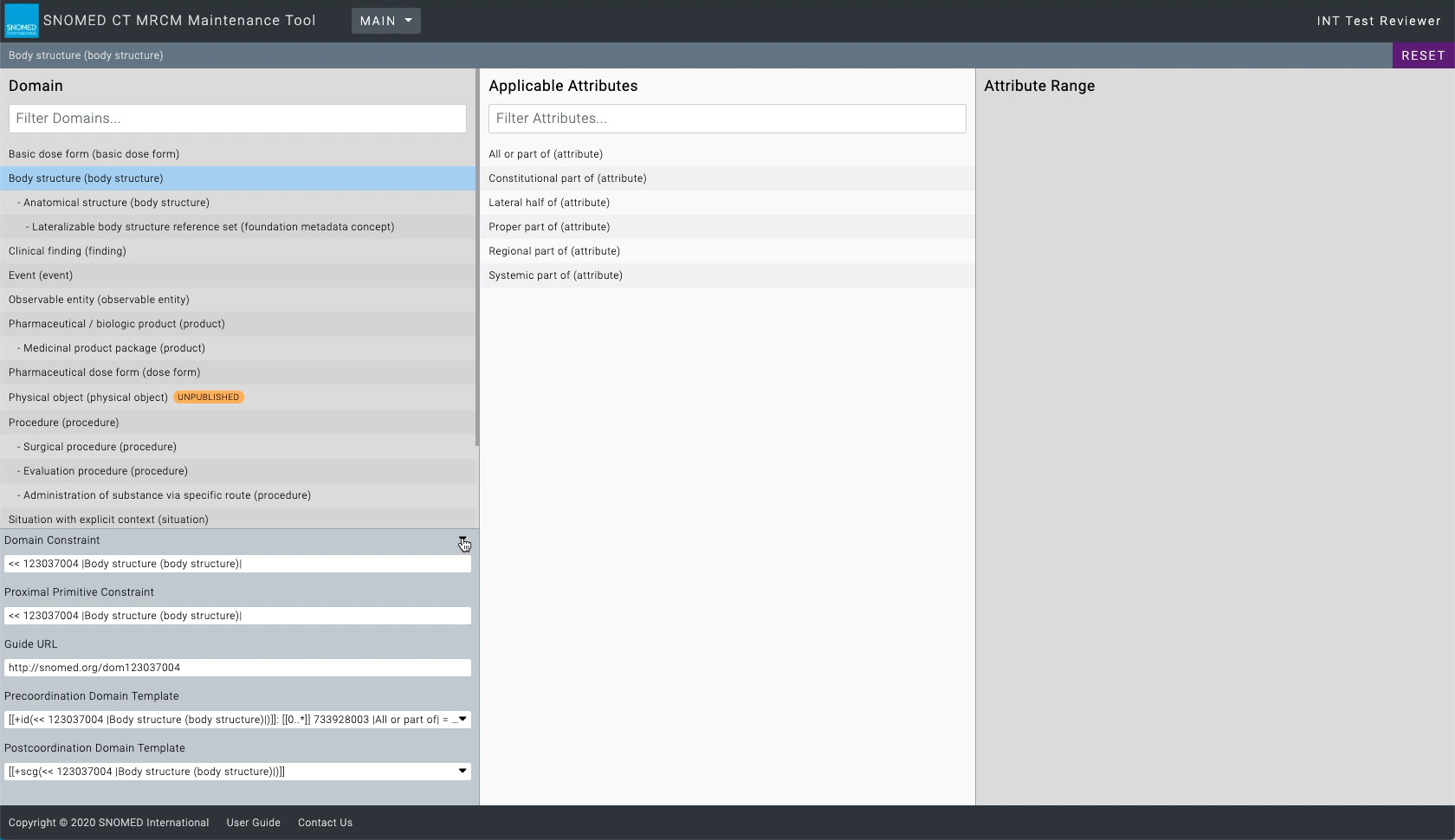
| <p>Find the desired domain name in the <em>Domain</em> panel of the MRCM Maintenance Tool.<br></p><p>Press the name to change the context of the <em>Applicable Attributes</em> panel to those matching the domain, and also expand the <em>Domain Details</em> sub-panel at the base of the <em>Domain</em> panel. The selected domain name is highlighted.<br></p><p>The <em>Domain Details</em> sub-panel contains:<br></p><ul><li>Domain Constraint</li><li>Parent Domain (sub-domains only)</li><li>Proximal Primitive Constraint</li><li>Guide URL</li><li>Precoordination Domain Template</li><li>Postcoordination Domain Template</li></ul>                                                                                                                                                                                                                                                                                                                                                                                                                                                                                             | <div><figure><img src="https://956592758-files.gitbook.io/~/files/v0/b/gitbook-x-prod.appspot.com/o/spaces%2FO8kNzHFIgz2UFgwrcB08%2Fuploads%2Fgit-blob-cac101d345818afb0217444e49eeb34b7c141f63%2F106694091.png?alt=media" alt=""><figcaption></figcaption></figure></div>                                                                                                                                                                                                                                                                           |
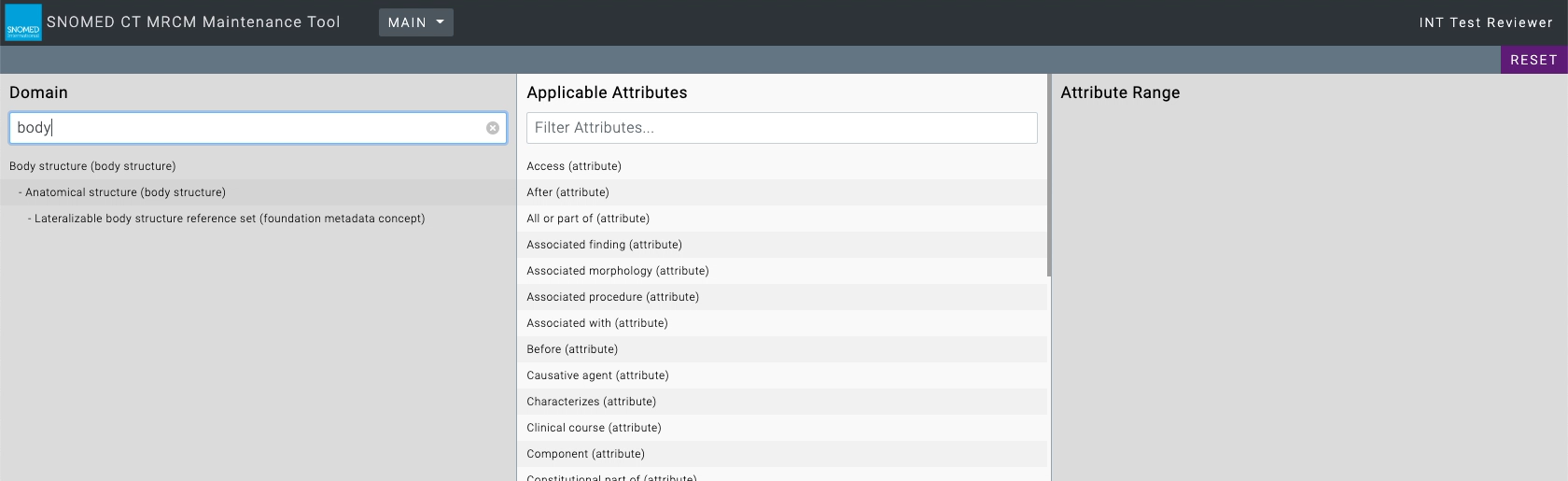
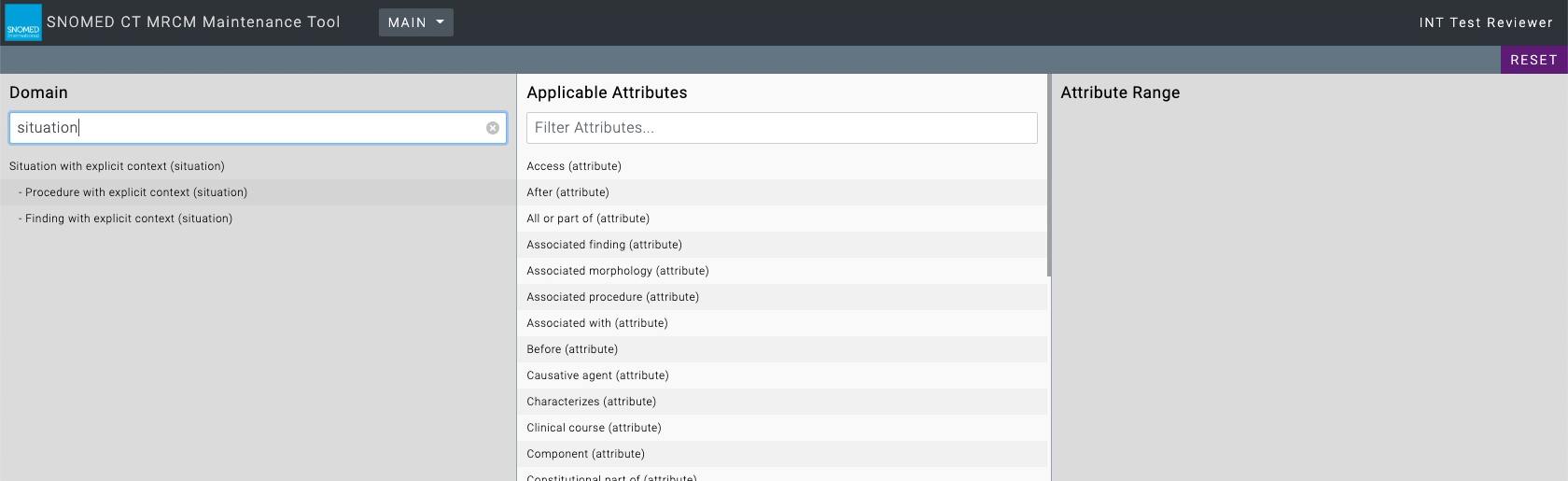
| The *Applicable Attributes* list can be filtered by typing a text pattern into the `Filter Attributes...` box. As soon as text is entered, the attributes list will update to only show those matching the filter text.                                                                                                                                                                                                                                                                                                                                                                                                                                                                                                                                                                                                                                                                                                                                                                                                                                                                                                                         | <div><figure><img src="https://956592758-files.gitbook.io/~/files/v0/b/gitbook-x-prod.appspot.com/o/spaces%2FO8kNzHFIgz2UFgwrcB08%2Fuploads%2Fgit-blob-2ab9f92e28a8d4f31f2a657570f05190bf94d612%2F106694092.png?alt=media" alt=""><figcaption></figcaption></figure></div><div><figure><img src="https://956592758-files.gitbook.io/~/files/v0/b/gitbook-x-prod.appspot.com/o/spaces%2FO8kNzHFIgz2UFgwrcB08%2Fuploads%2Fgit-blob-4f489f5de6fdff60d4502e2238c5d21dafdc5bff%2F106694093.png?alt=media" alt=""><figcaption></figcaption></figure></div> |
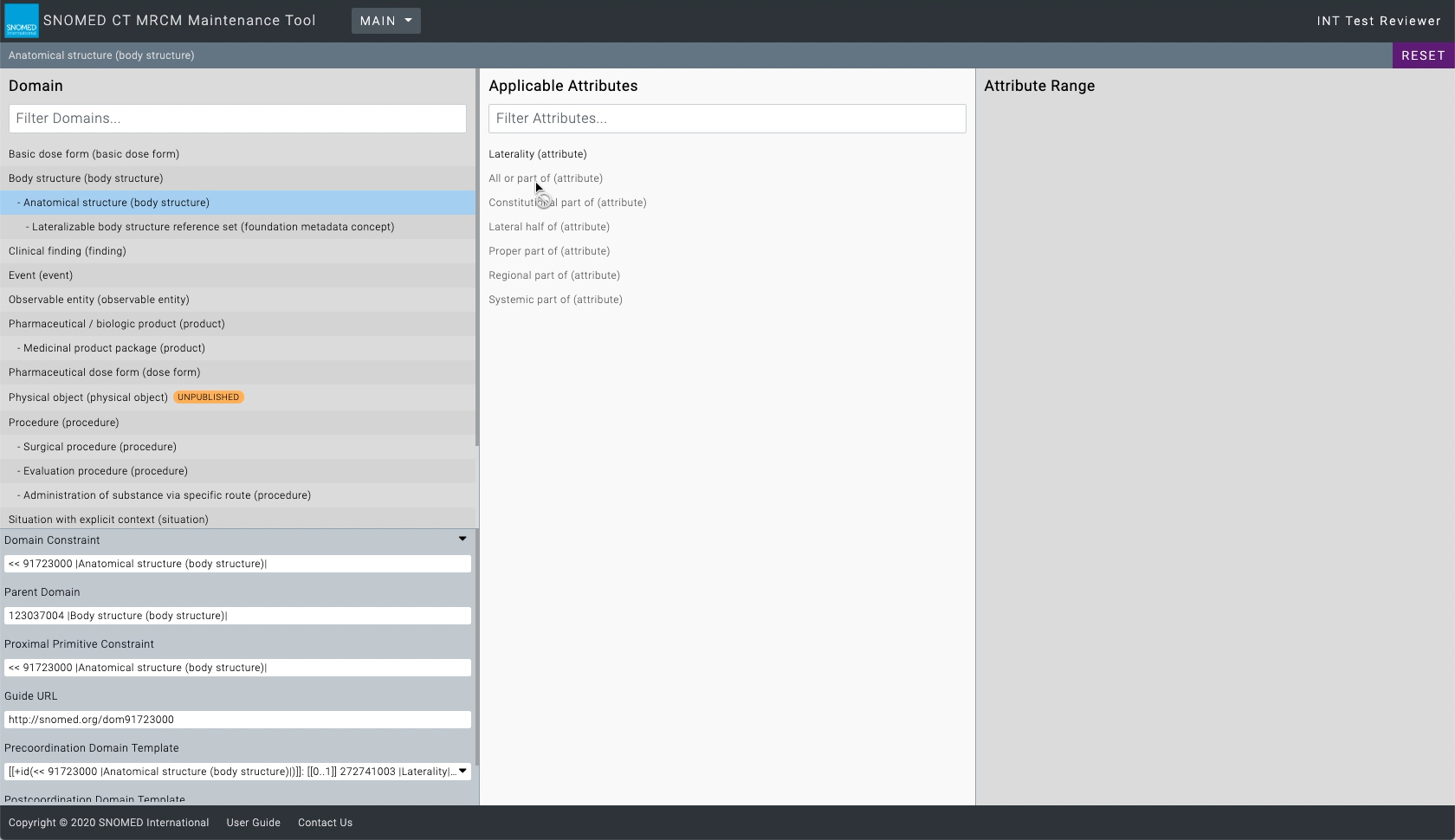
| <p>If a sub-domain is selected, the <em>Applicable Attributes</em> results will show all those applicable to its parent domain, however only those applicable to the selected sub-domain will be active in the list.<br></p><p>Any attributes not applicable to the selected sub-domain will be inactive, and moving the cursor onto them will show a <i class="fa-ban">:ban:</i> symbol, indicating they cannot be viewed for the selected sub-domain.</p>                                                                                                                                                                                                                                                                                                                                                                                                                                                                                                                                                                                                                                                                                     | <div><figure><img src="https://956592758-files.gitbook.io/~/files/v0/b/gitbook-x-prod.appspot.com/o/spaces%2FO8kNzHFIgz2UFgwrcB08%2Fuploads%2Fgit-blob-cb446bbbad2e564b632af96fb0cfe4a9d7f6f1f5%2F106694095.png?alt=media" alt=""><figcaption></figcaption></figure></div>                                                                                                                                                                                                                                                                           |
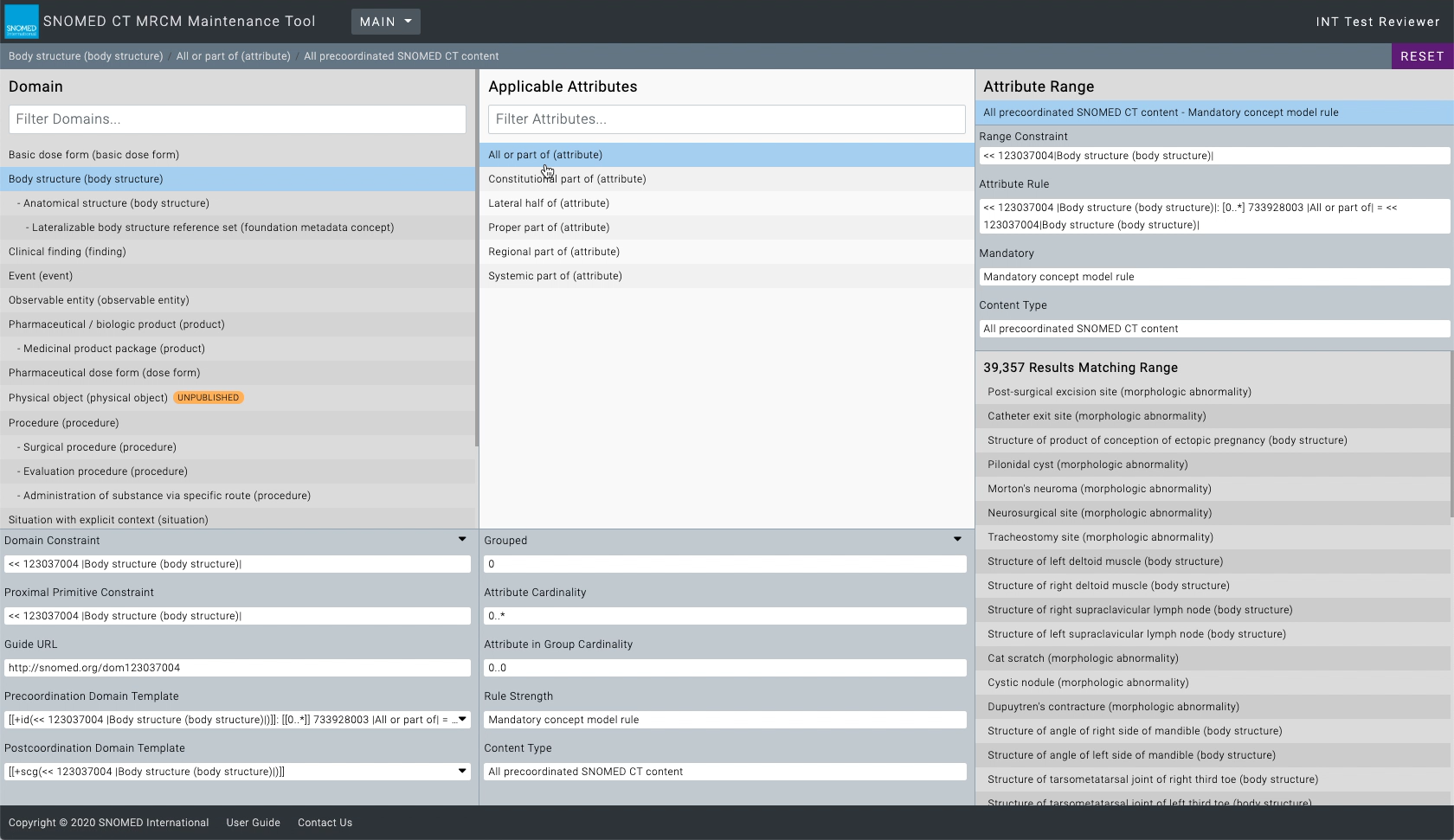
| <p>Find the desired applicable attribute name in the <em>Applicable Attributes</em> panel listing.<br></p><p>Press the name to change the context of the <em>Attribute Range</em> panel to those matching the attribute, and also show the <em>Attribute Details</em> sub-panel at the base of the <em>Applicable Attributes</em> panel. The selected attribute name is highlighted.<br></p><p>The <em>Attribute Details</em> sub-panel shows values for:<br></p><ul><li>Grouped</li><li>Attribute Cardinality</li><li>Attribute in Group Cardinality</li><li>Rule Strength</li><li>Content Type</li></ul><p>The <em>Attribute Range</em> panel shows the following details for the selected attribute:<br></p><ul><li>Range Constraint</li><li>Attribute Rule</li><li>Mandatory</li><li>Content Type</li></ul><p>On selecting an applicable attribute, a search is performed to retrieve all concepts matching the range constraints. After a brief pause (search time depends on the complexity of the search and number of results obtained) the results are presented in a sub-panel at the base of the <em>Attribute Range</em> panel.</p> | <div><figure><img src="https://956592758-files.gitbook.io/~/files/v0/b/gitbook-x-prod.appspot.com/o/spaces%2FO8kNzHFIgz2UFgwrcB08%2Fuploads%2Fgit-blob-2ce8880ea87d71e8919c2e0b4afbafd66534ca69%2F106694096.png?alt=media" alt=""><figcaption></figcaption></figure></div>                                                                                                                                                                                                                                                                           |
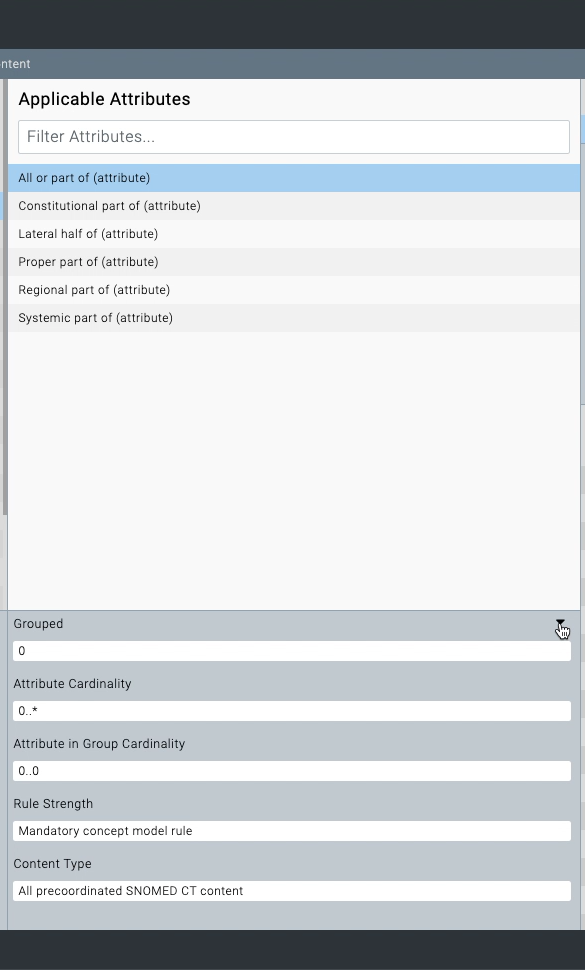
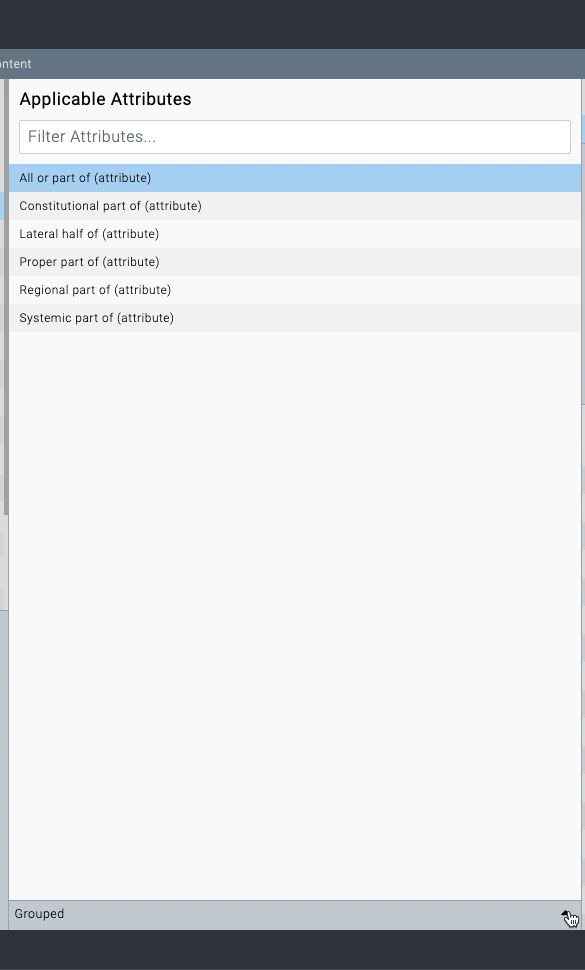
| <p>The <em>Attribute Details</em> sub-panel can be toggled closed/open when an attribute is selected.<br></p><p>When open, press <i class="fa-square-caret-down">:square-caret-down:</i> on the right of the sub-panel title bar to close the <em>Attribute Details</em> sub-panel.<br></p><p>When closed, press <i class="fa-square-caret-up">:square-caret-up:</i> in the sub-panel title bar to open it.</p>                                                                                                                                                                                                                                                                                                                                                                                                                                                                                                                                                                                                                                                                                                                                 | <div><figure><img src="https://956592758-files.gitbook.io/~/files/v0/b/gitbook-x-prod.appspot.com/o/spaces%2FO8kNzHFIgz2UFgwrcB08%2Fuploads%2Fgit-blob-7867b98629d3fe5065b84a9d6b1386cc80383a53%2F106694089.png?alt=media" alt=""><figcaption></figcaption></figure></div><div><figure><img src="https://956592758-files.gitbook.io/~/files/v0/b/gitbook-x-prod.appspot.com/o/spaces%2FO8kNzHFIgz2UFgwrcB08%2Fuploads%2Fgit-blob-c954f63df609e09f09cc0522d6de3dfb5deb82ca%2F106694088.png?alt=media" alt=""><figcaption></figcaption></figure></div> |

<a href="https://docs.google.com/forms/d/e/1FAIpQLScTmbZIf0UEQwYDkY27EEWBkaiYkHSbR0_9DmFrMLXoQLyL7Q/viewform?usp=pp_url&#x26;entry.1767247133=AP+UG&#x26;entry.670899847=Browse%20the%20Applicable%20Attributes/Ranges%20for%20a%20selected%20Domain" class="button primary">Provide Feedback</a>


---

# Agent Instructions: Querying This Documentation

If you need additional information that is not directly available in this page, you can query the documentation dynamically by asking a question.

Perform an HTTP GET request on the current page URL with the `ask` query parameter:

```
GET https://docs.snomed.org/snomed-ct-user-guides/authoring-user-guide/how-to/mrcm-maintenance-tool/browse-the-applicable-attributes-ranges-for-a-selected-domain.md?ask=<question>
```

The question should be specific, self-contained, and written in natural language.
The response will contain a direct answer to the question and relevant excerpts and sources from the documentation.

Use this mechanism when the answer is not explicitly present in the current page, you need clarification or additional context, or you want to retrieve related documentation sections.