> For the complete documentation index, see [llms.txt](https://docs.snomed.org/llms.txt). Markdown versions of documentation pages are available by appending `.md` to page URLs; this page is available as [Markdown](https://docs.snomed.org/snomed-ct-user-guides/authoring-user-guide/how-to/reporting-platform.md).
# Reporting Platform
{% columns %}
{% column width="40%" %}
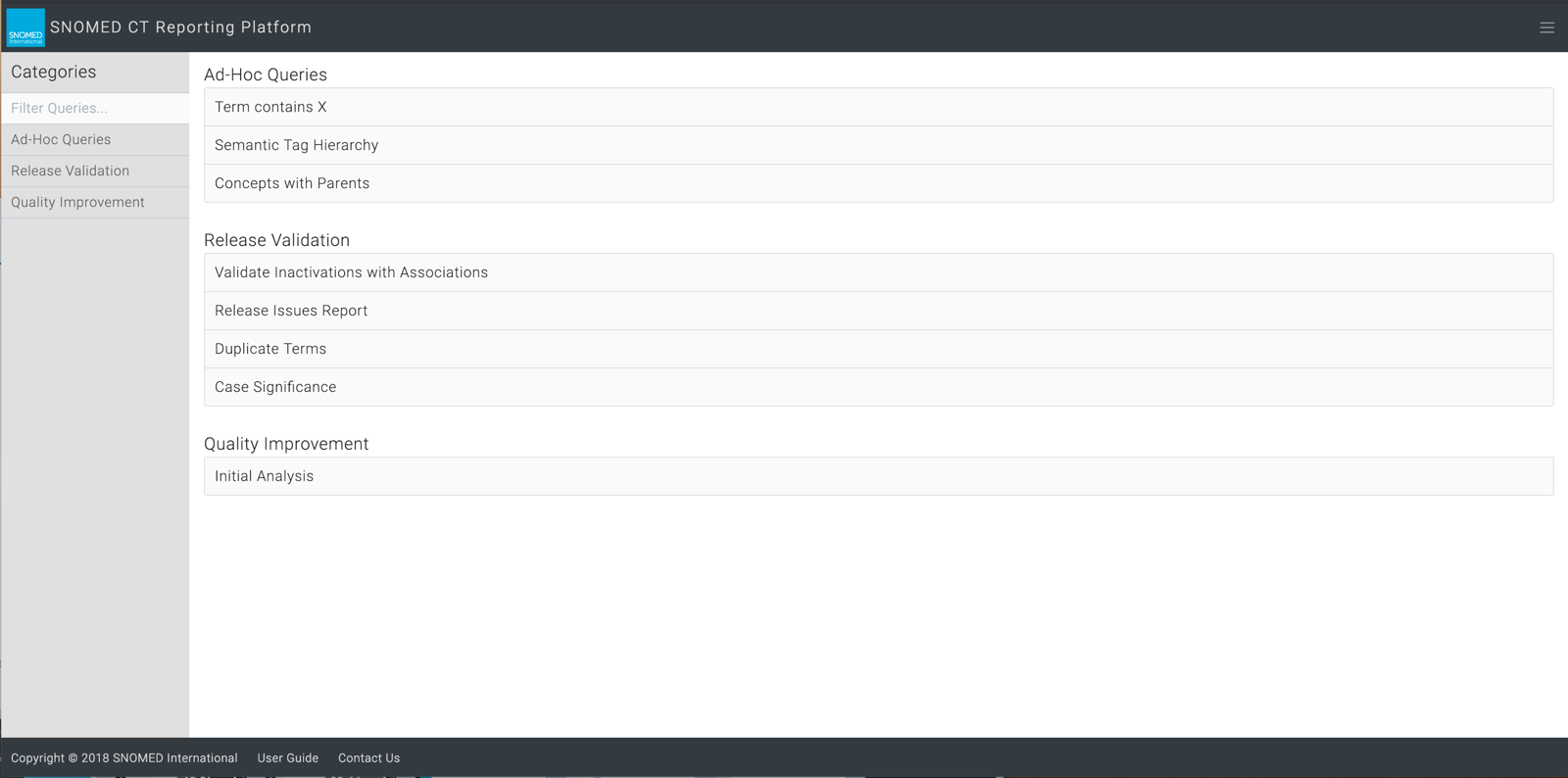
The SNOMED CT Reporting Platform (RP) is a gateway to reports which can run a range of queries against content created or updated in the active authoring cycle for SNOMED CT.
Queries are structured into categories for ease of definition, navigation and retrieval, such as Ad-Hoc Queries, Release Validation and Quality Improvement.
The results of these queries can support pre-release validation of issues not supported by the Authoring Platform (for instance MRCM rules such as attribute cardinality). They can also be used to analyze the structural quality of SNOMED CT, to identify potential issues (for instance attribute usage for a given sub-hierarchy) which can then be addressed via content change projects in the Authoring Platform.
For the content team it enables iterative work to define complex QA rules that are eventually used for the Release Validation Framework (RVF) assertions (such as case significance). As a content release planning and tracking tool it can show the number and types of changes made during a SNOMED CT release cycle, and from one release to the next.
### How do I... ?
* [Open the Reporting Platform](/snomed-ct-user-guides/authoring-user-guide/how-to/reporting-platform/open-the-reporting-platform.md)
* [Find an existing report](/snomed-ct-user-guides/authoring-user-guide/how-to/reporting-platform/find-an-existing-report.md)
* [Read an existing report](/snomed-ct-user-guides/authoring-user-guide/how-to/reporting-platform/read-an-existing-report.md)
* [Run an existing report](/snomed-ct-user-guides/authoring-user-guide/how-to/reporting-platform/run-an-existing-report.md)
* [Remove a report (from the RP report listing)](/snomed-ct-user-guides/authoring-user-guide/how-to/reporting-platform/remove-a-report-from-the-rp-report-listing.md)
* [Create a new report and/or report category](/snomed-ct-user-guides/authoring-user-guide/how-to/reporting-platform/create-a-new-report-andor-report-category.md)
* [Request a new feature or improvement, or raise an issue for the Reporting Platform](/snomed-ct-user-guides/authoring-user-guide/how-to/reporting-platform/request-a-new-feature-or-improvement-or-raise-an-issue-for-the-reporting-platform.md)
{% endcolumn %}
{% column %}
{% endcolumn %}
{% endcolumns %}
Provide Feedback
---
# Agent Instructions
This documentation is published with GitBook. GitBook is the documentation platform designed so that both humans and AI agents can read, navigate, and reason over technical content effectively. Learn more at gitbook.com.
## Querying This Documentation
If you need additional information that is not directly available in this page, you can query the documentation dynamically by asking a question.
Perform an HTTP GET request on the current page URL with the `ask` query parameter, and the optional `goal` query parameter:
```
GET https://docs.snomed.org/snomed-ct-user-guides/authoring-user-guide/how-to/reporting-platform.md?ask=&goal=
```
`ask` is the immediate question: it should be specific, self-contained, and written in natural language.
`goal` is optional and describes the broader end goal you are ultimately trying to accomplish on behalf of the user. GitBook uses it to tailor the answer towards what is most useful for that goal.
The response will contain a direct answer to the question and relevant excerpts and sources from the documentation.
Use this mechanism when the answer is not explicitly present in the current page, you need clarification or additional context, or you want to retrieve related documentation sections.