> For the complete documentation index, see [llms.txt](https://docs.snomed.org/llms.txt). Markdown versions of documentation pages are available by appending `.md` to page URLs; this page is available as [Markdown](https://docs.snomed.org/snomed-ct-user-guides/authoring-user-guide/how-to/task-classification-and-validation/preview-concept-changes-before-saving-classification-results.md).
# Preview concept changes before saving classification results
| Steps | References |
| ------------------------------------------------------------------------------------------------------------------------------------------------------------------------------------------------------------------------------------------------------------------------------------------------------------------------------------------------------------------------------------------------------------------------------------------------------------------------------------------------------------------------------------------------------------- | ---------------------------------------------------------------------------------------------------------------------------------------------------------------------------------------------------------------------------------------------------------------------------------------------------------------------------------------------------------------------------------------------------------------------------------------------------------------------------------------------------------------------------------------------------- |
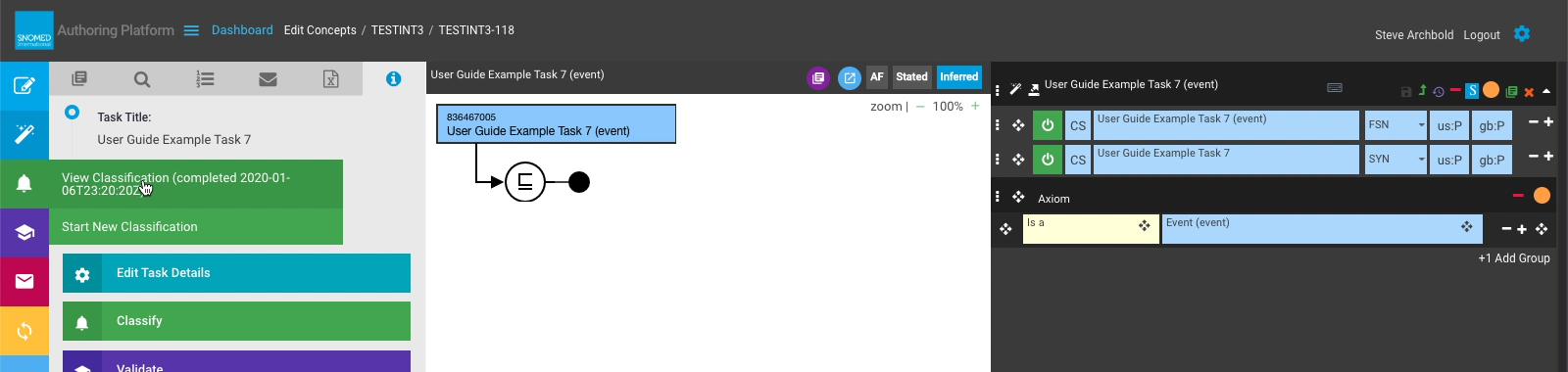
| Press View Classification (completed \\\) in the LH button bar Classification sub-menu.
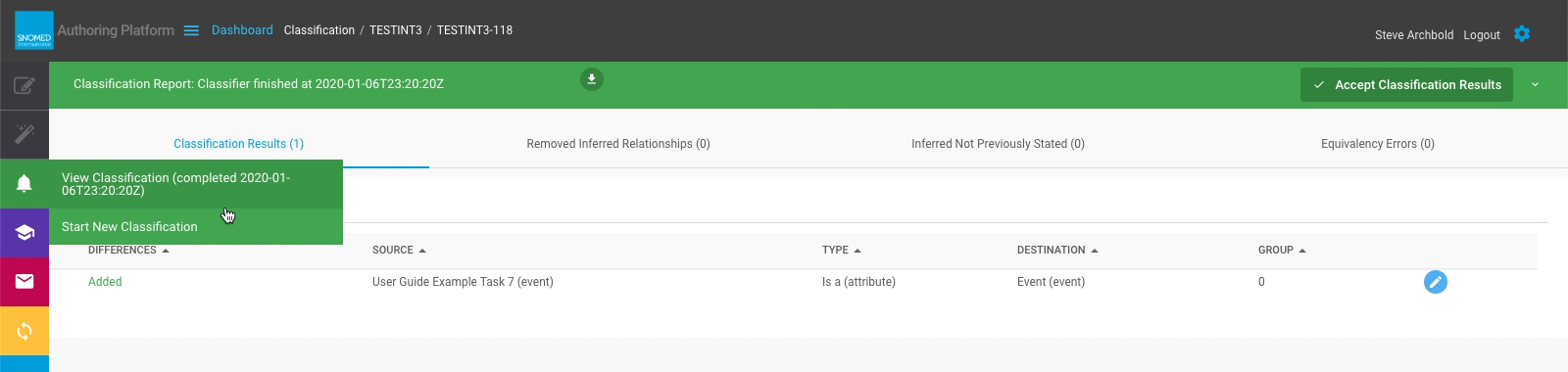
The Classification Report is loaded, showing a tabulated list of concepts affected by task classification.
| |
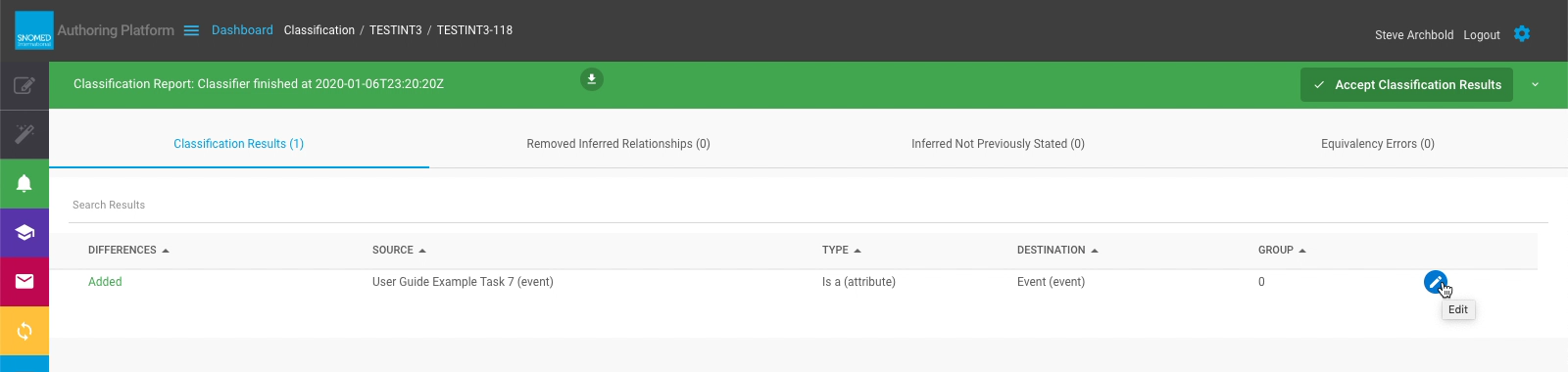
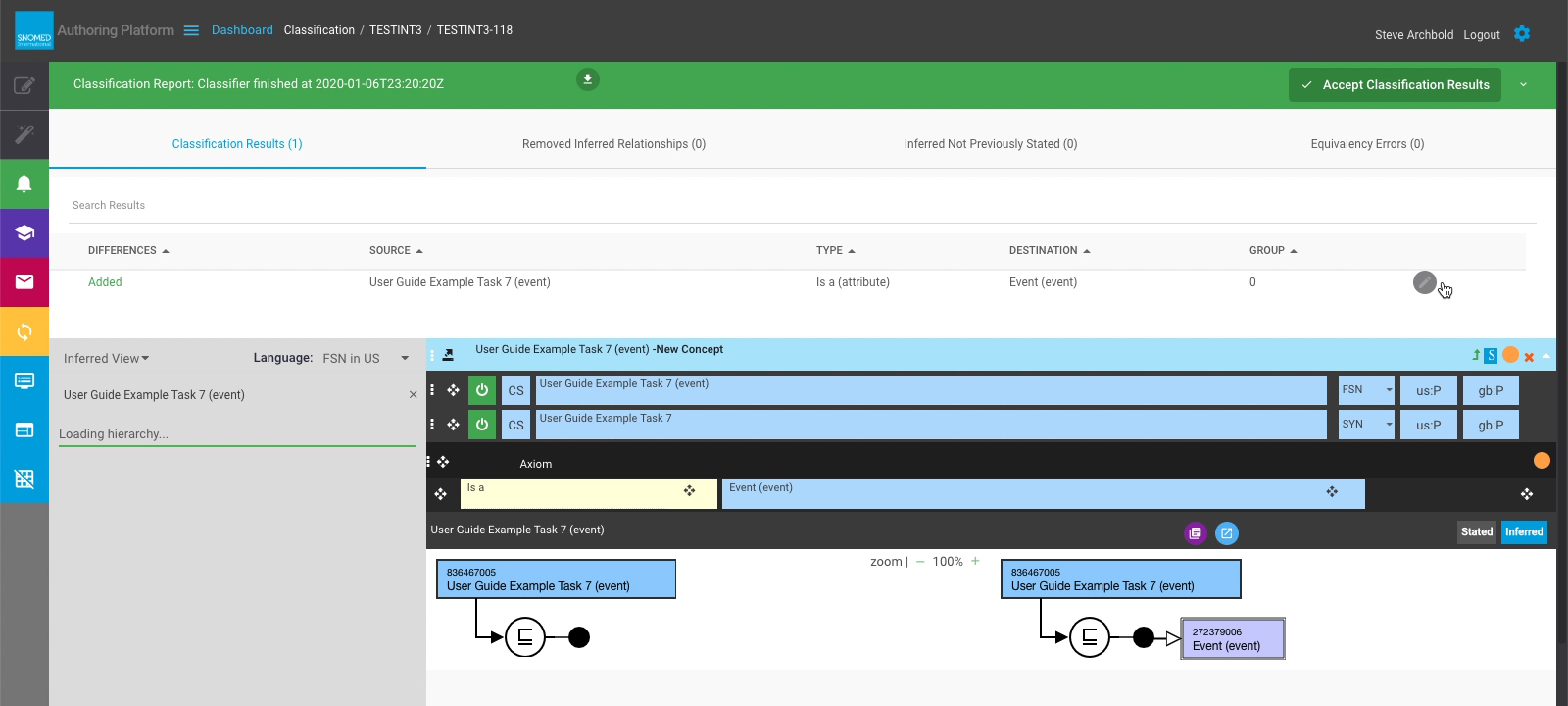
| Press the Preview button to the right of a classification result. | |
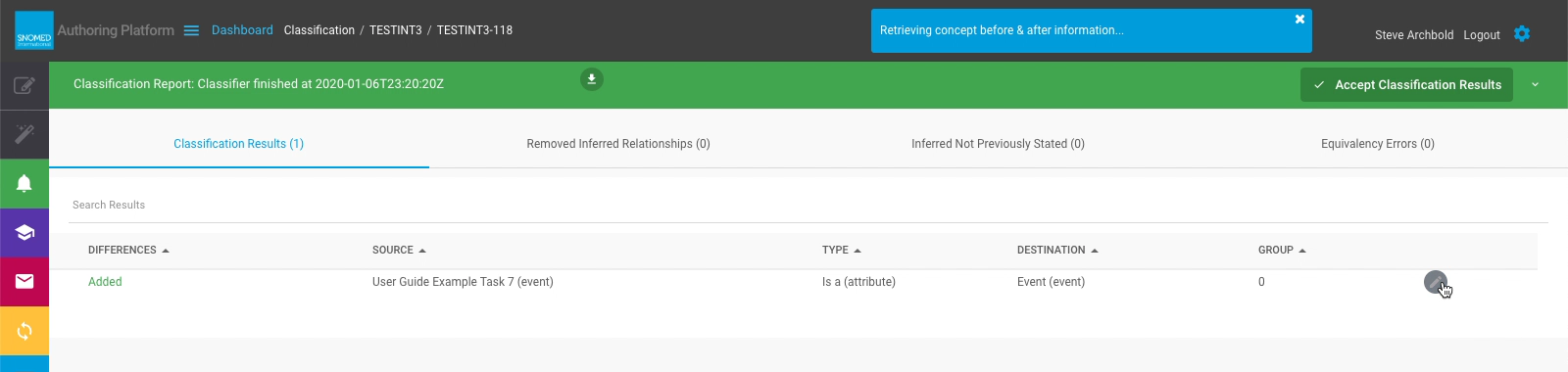
| A "retrieving concept before/after information..." notification panel is presented in the page header whilst the information is being loaded.
The preview pane then opens below the classification results, showing a before/after Inferred model diagram view of the concept.
The "before" model diagram in the Inferred view shows an incomplete model since classification results are not yet saved.
| |
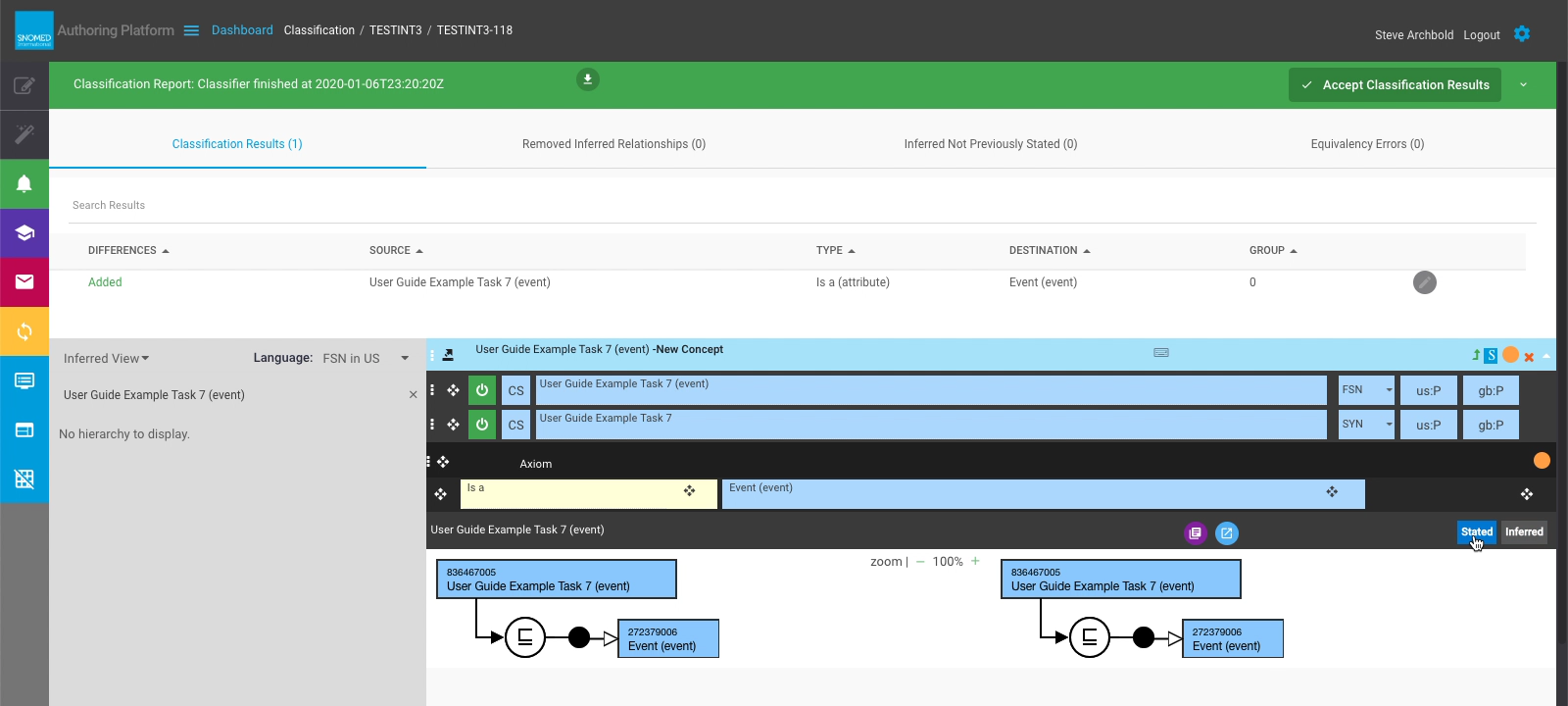
| The model diagram can be toggled between Inferred and Stated views.
The "before" model diagram in the Stated view shows the concept model defined in the task.
For simple new lead-node concepts defined as children of a high-level SNOMED CT concept, the before/after model diagrams may well be identical, but much depends on the concept ancestors and their inferred relationships.
For concepts created "deeper" in SNOMED CT there are likely to be additional inferred relationships in the "after" modelling.
| |
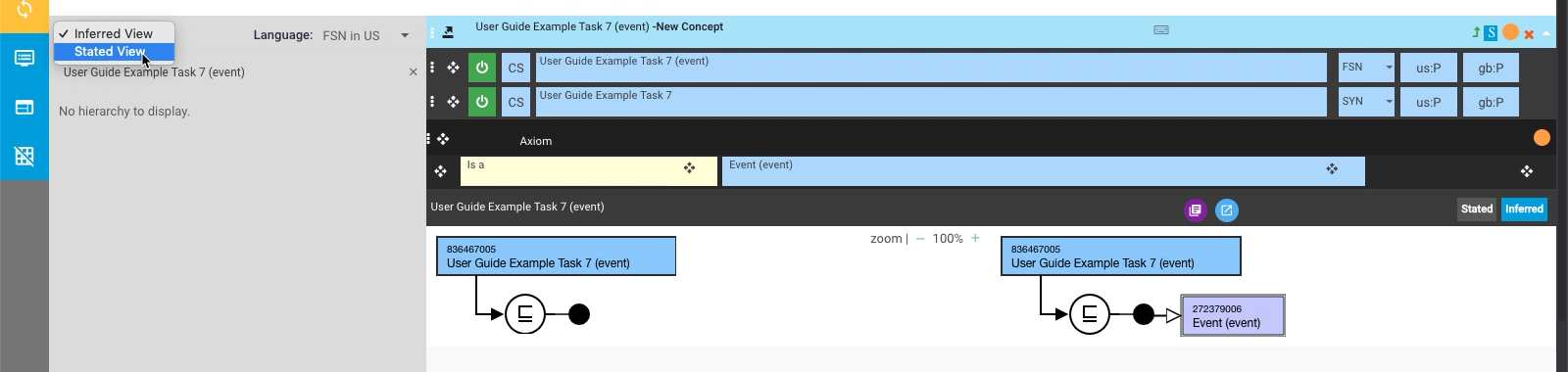
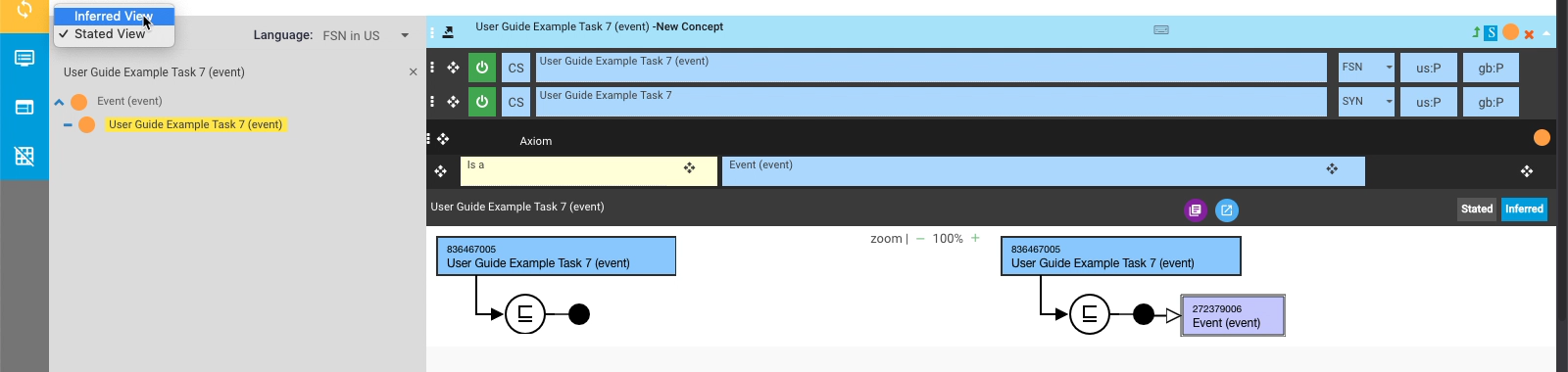
| The left-hand side of the Preview Pane presents the Taxonomy View panel, showing the concept's location within the SNOMED CT taxonomy.
This can also be toggled between Stated View and Inferred View, via the drop-down selector in the top left of the taxonomy view panel.
In the Inferred view this has no location to show yet, since the classification results are not yet saved.
| |
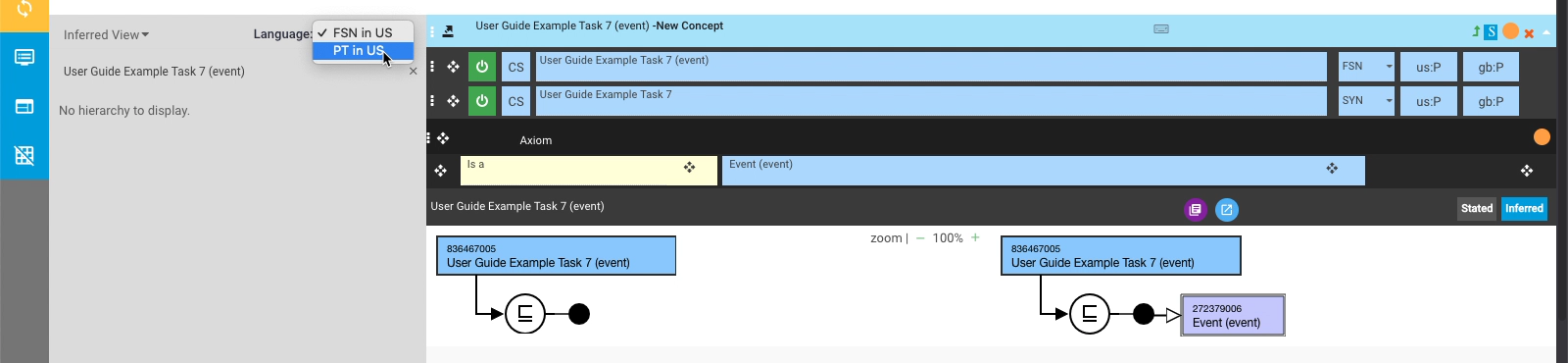
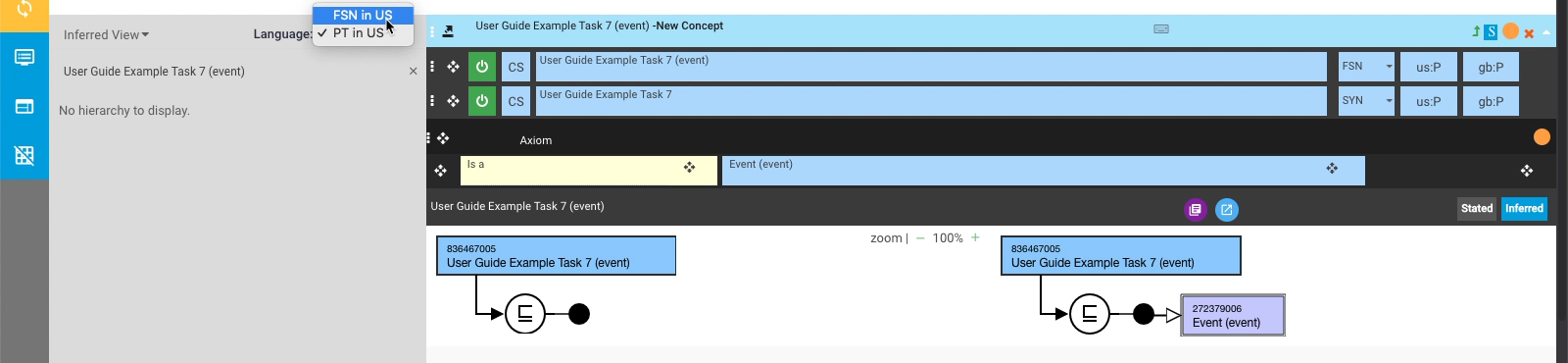
| The Taxonomy View panel can also be toggled between showing the FSN (in en-US) or the Preferred Term (in en-US), via the drop-down selector in the top right of the taxonomy view panel. | |
Provide Feedback
---
# Agent Instructions
This documentation is published with GitBook. GitBook is the documentation platform designed so that both humans and AI agents can read, navigate, and reason over technical content effectively. Learn more at gitbook.com.
## Querying This Documentation
If you need additional information that is not directly available in this page, you can query the documentation dynamically by asking a question.
Perform an HTTP GET request on the current page URL with the `ask` query parameter, and the optional `goal` query parameter:
```
GET https://docs.snomed.org/snomed-ct-user-guides/authoring-user-guide/how-to/task-classification-and-validation/preview-concept-changes-before-saving-classification-results.md?ask=&goal=
```
`ask` is the immediate question: it should be specific, self-contained, and written in natural language.
`goal` is optional and describes the broader end goal you are ultimately trying to accomplish on behalf of the user. GitBook uses it to tailor the answer towards what is most useful for that goal.
The response will contain a direct answer to the question and relevant excerpts and sources from the documentation.
Use this mechanism when the answer is not explicitly present in the current page, you need clarification or additional context, or you want to retrieve related documentation sections.