# Rebase my task from the project (synchronize changes in its parent project since task creation)

{% hint style="info" %}
**Task divergence and rebasing**<br>

A task becomes **diverged** from its project when the project content gets updated after content has been modified within the task.<>br />

This may happen through other tasks being promoted to the project, and also through project rebase from its mainline.<>br />

A task may also fall **behind** its parent branch, when the parent content changes before any changes are made to content within the task.<>br />

This may happen when a task is created but no changes are made within it or some time whilst other changes occur in project content for instance via a subsequent project level rebase, and/or another task being promoted to the project.<>br />

When either of these situations occur the task becomes eligible for **rebasing** from the project, to synchronize its content with the parent branch changes since the task was created.
{% endhint %}

{% hint style="warning" %}
**Diverged tasks cannot be promoted**<br>

Task promotion is not possible whilst a task is diverged, so periodic rebasing is an important aspect of project and task management - ideally as soon as possible following divergence (fewer differences make for simpler content merges).<br>

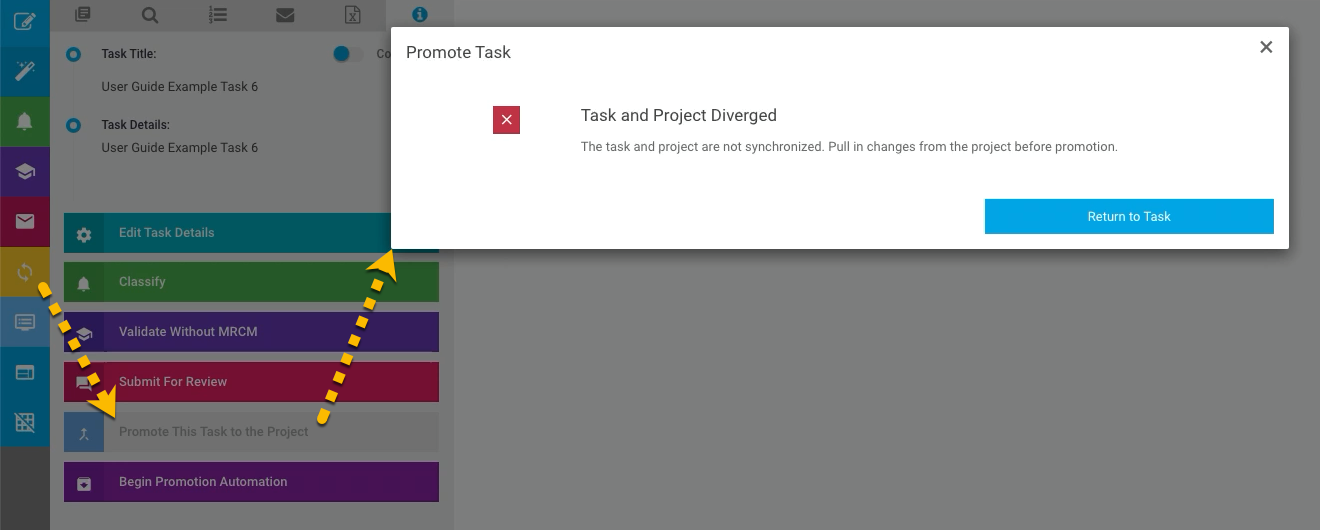
Attempting to promote a task which is diverged (indicated by an active rebase action button for that task) will trigger a \_Promote Task\_ pop-up notification that the task and project are not synchronized. The only available action on that notification is to return to the task - the promotion request is blocked.<br>

<img src="/files/8JDn5hQj9pLWhDimNJcc" alt="" data-size="original">
{% endhint %}

| Steps                                                                                                                                                                                                                                                                                                                                                                                                                                                                                                                                                                                                                                                                                                                                                                                                                                                                                                                                                                                                                                                                                                                                                                                                                                                                                                                                                                                                                                                                                                                                                                                                                                                                                       | References                                                                                                                                                                                                                                                                                                |
| ------------------------------------------------------------------------------------------------------------------------------------------------------------------------------------------------------------------------------------------------------------------------------------------------------------------------------------------------------------------------------------------------------------------------------------------------------------------------------------------------------------------------------------------------------------------------------------------------------------------------------------------------------------------------------------------------------------------------------------------------------------------------------------------------------------------------------------------------------------------------------------------------------------------------------------------------------------------------------------------------------------------------------------------------------------------------------------------------------------------------------------------------------------------------------------------------------------------------------------------------------------------------------------------------------------------------------------------------------------------------------------------------------------------------------------------------------------------------------------------------------------------------------------------------------------------------------------------------------------------------------------------------------------------------------------------- | --------------------------------------------------------------------------------------------------------------------------------------------------------------------------------------------------------------------------------------------------------------------------------------------------------- |
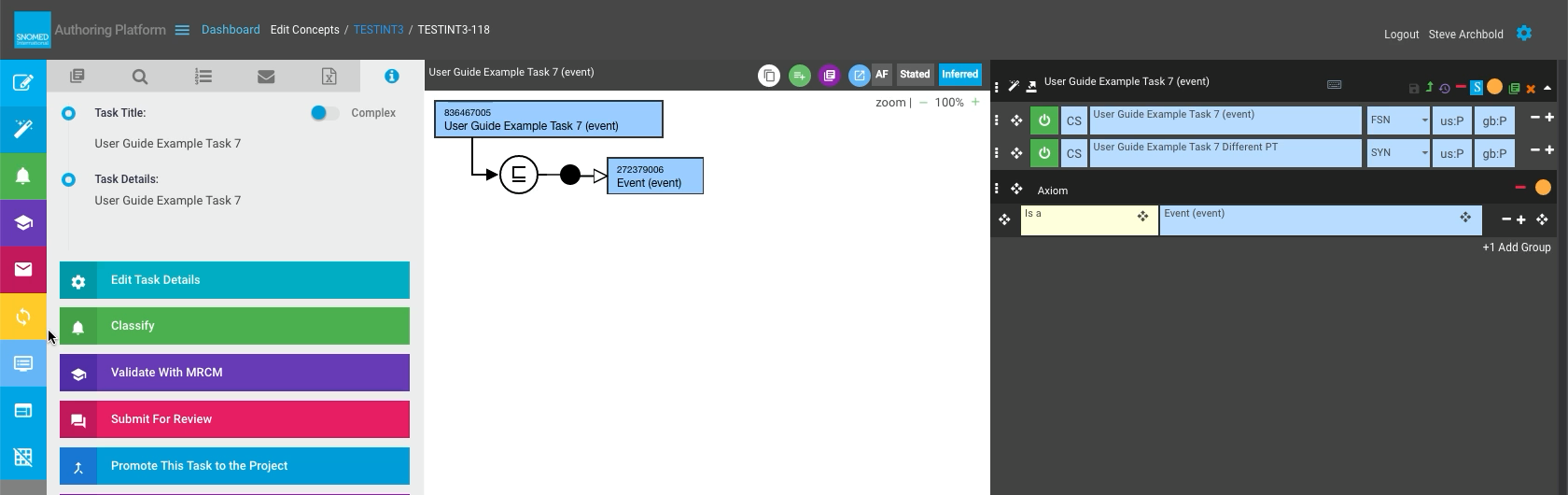
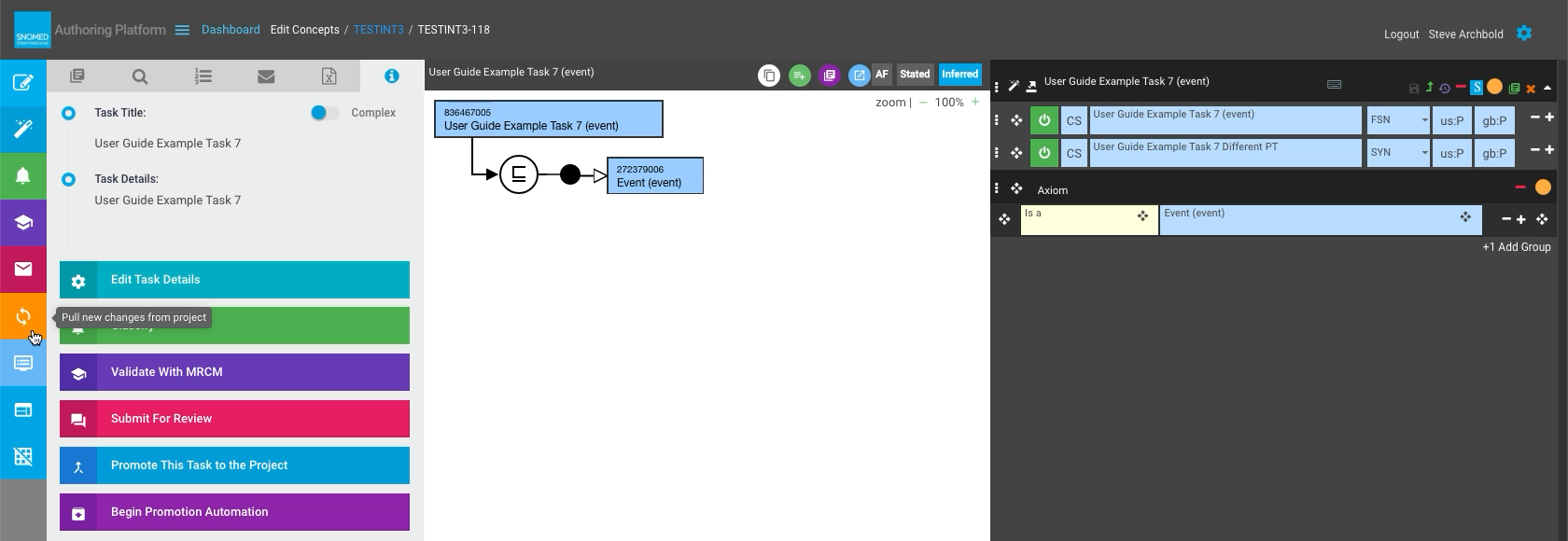
| <p>Task rebase eligibility is indicated in two places:<br></p><ul><li>In the <em>Dashboard - My Tasks</em> entry, as an active (yellow) <code>Rebase this task from project</code> icon button in its task row.</li><li>In an open task, as an active (yellow) <code>Pull new changes from project</code> icon button in the LH action button panel of the <em>Edit Task</em> view.</li></ul>                                                                                                                                                                                                                                                                                                                                                                                                                                                                                                                                                                                                                                                                                                                                                                                                                                                                                                                                                                                                                                                                                                                                                                                                                                                                                               | <div><figure><img src="/files/rqcUIAadKUTgn6UMlzbq" alt=""><figcaption></figcaption></figure></div><div><figure><img src="/files/06gCduzYzE3xHMhvxQD6" alt=""><figcaption></figcaption></figure></div>                                                                                                    |
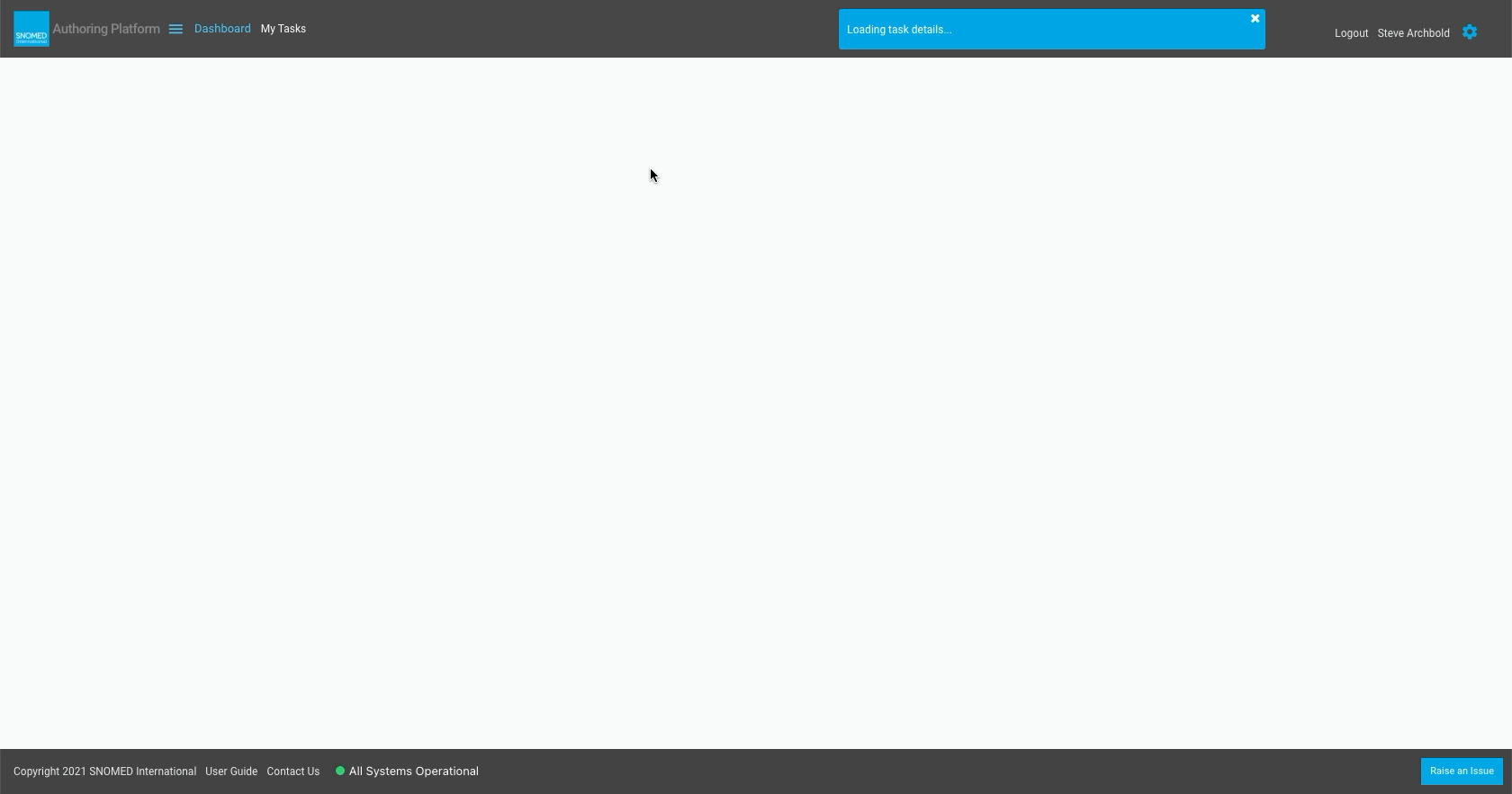
| <p><strong>Either</strong><br></p><p>From <em>Dashboard - My Tasks</em>, press the <code>Rebase this task from project</code> icon button in the task row REBASE column.<br></p><p><strong>Or</strong><br></p><p>From the <em>Edit Task</em> view, press the <code>Pull new changes from project</code> icon button in the LH action button panel.<br></p><p>A "Loading task details..." header notification is presented and the main display panel is cleared.</p>                                                                                                                                                                                                                                                                                                                                                                                                                                                                                                                                                                                                                                                                                                                                                                                                                                                                                                                                                                                                                                                                                                                                                                                                                        | <div><figure><img src="/files/PAp4pKmjwcJbYwBBhbmn" alt=""><figcaption></figcaption></figure></div><div><figure><img src="/files/moOr2DVHyhCgQq8s3Spt" alt=""><figcaption></figcaption></figure></div><div><figure><img src="/files/G1p4CeDXgc6CWxSjbJNc" alt=""><figcaption></figcaption></figure></div> |
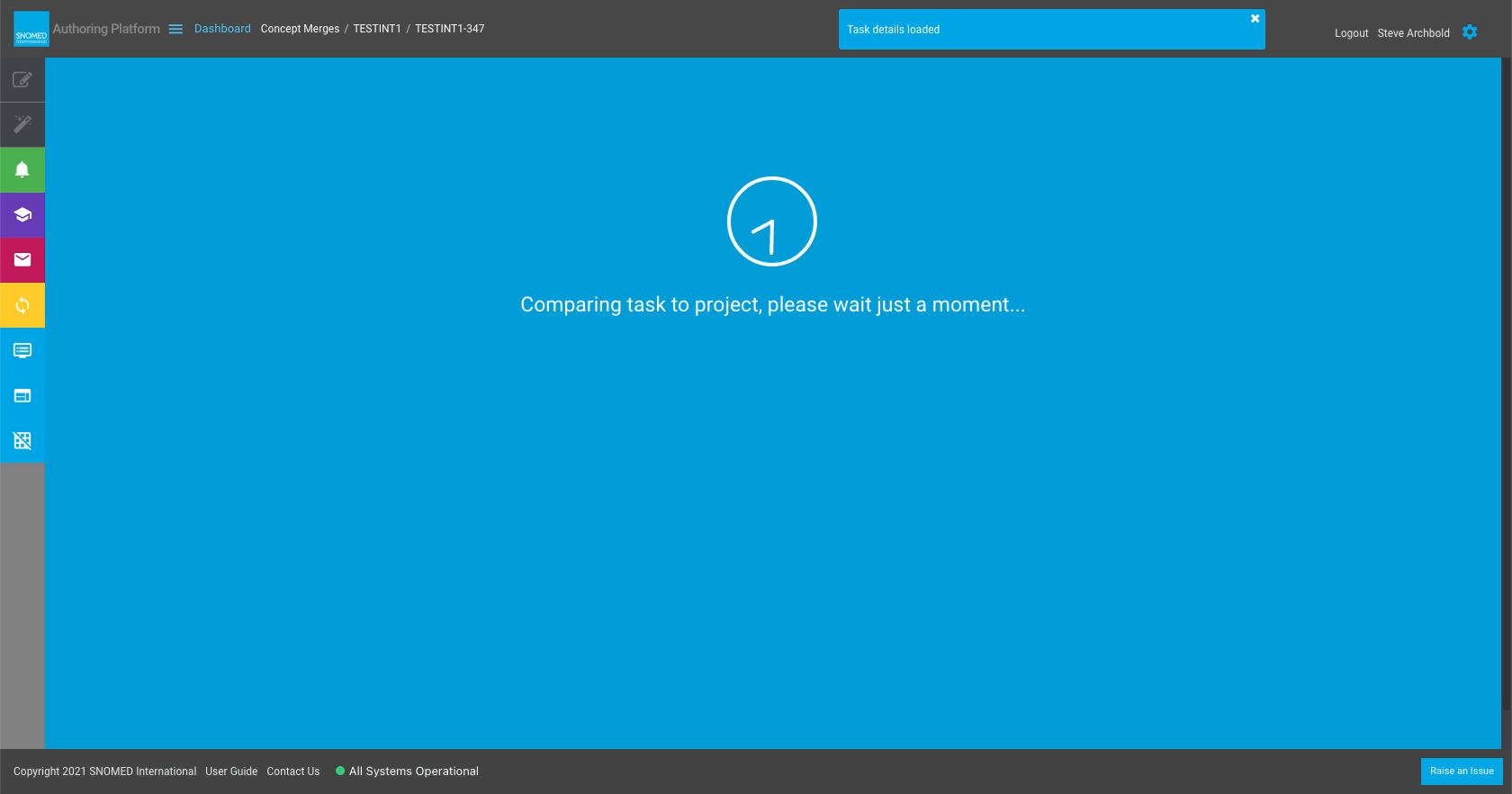
| A "Task details loaded" header notification is presented, and the main display panel changes to show a blue "Comparing task to project, please wait just a moment..." full display panel notice (with an animated timer indication that the comparison process is taking place).                                                                                                                                                                                                                                                                                                                                                                                                                                                                                                                                                                                                                                                                                                                                                                                                                                                                                                                                                                                                                                                                                                                                                                                                                                                                                                                                                                                                            | <div><figure><img src="/files/gg5jpfQjYiQw4cvbCyVb" alt=""><figcaption></figcaption></figure></div>                                                                                                                                                                                                       |
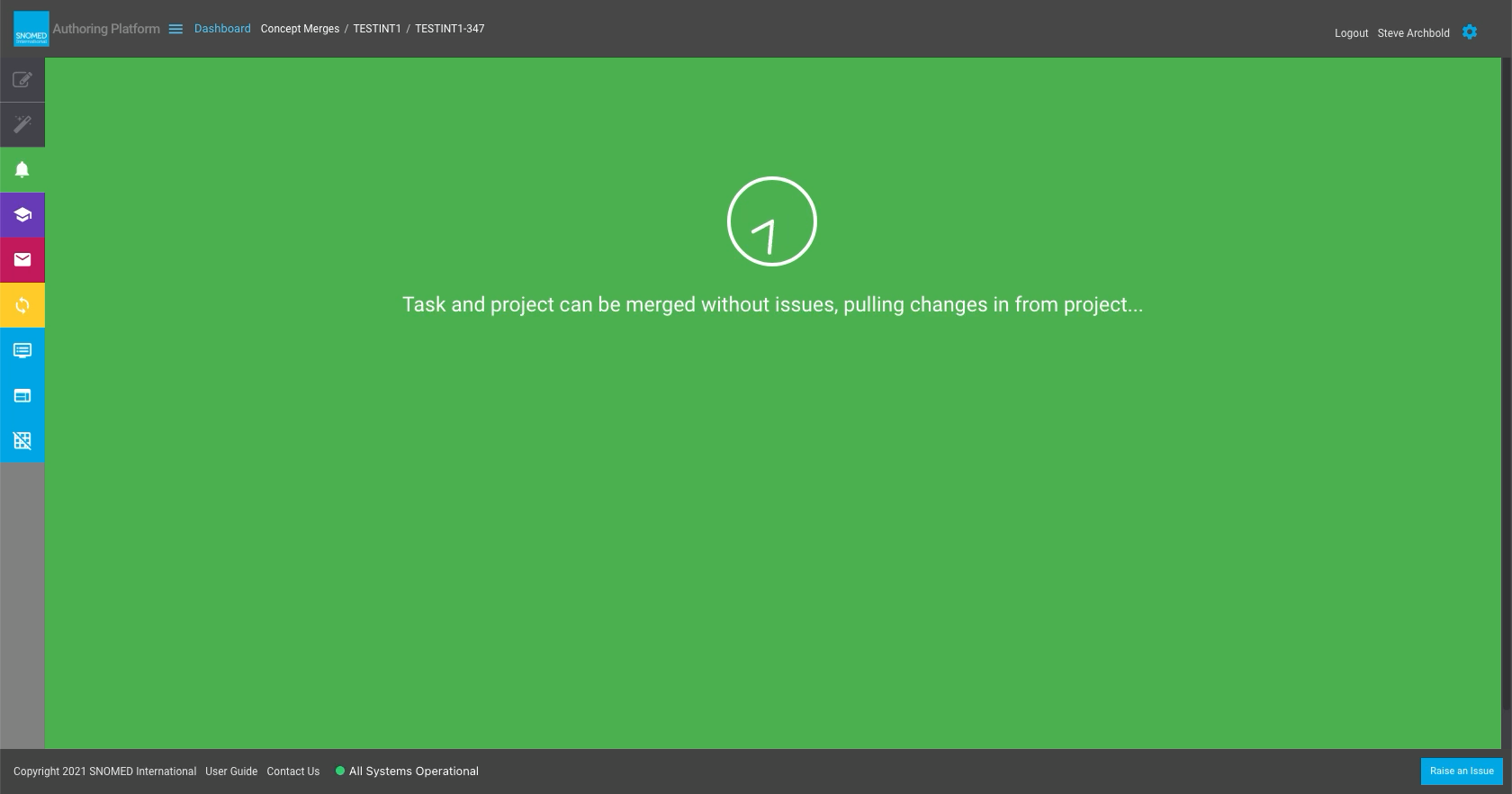
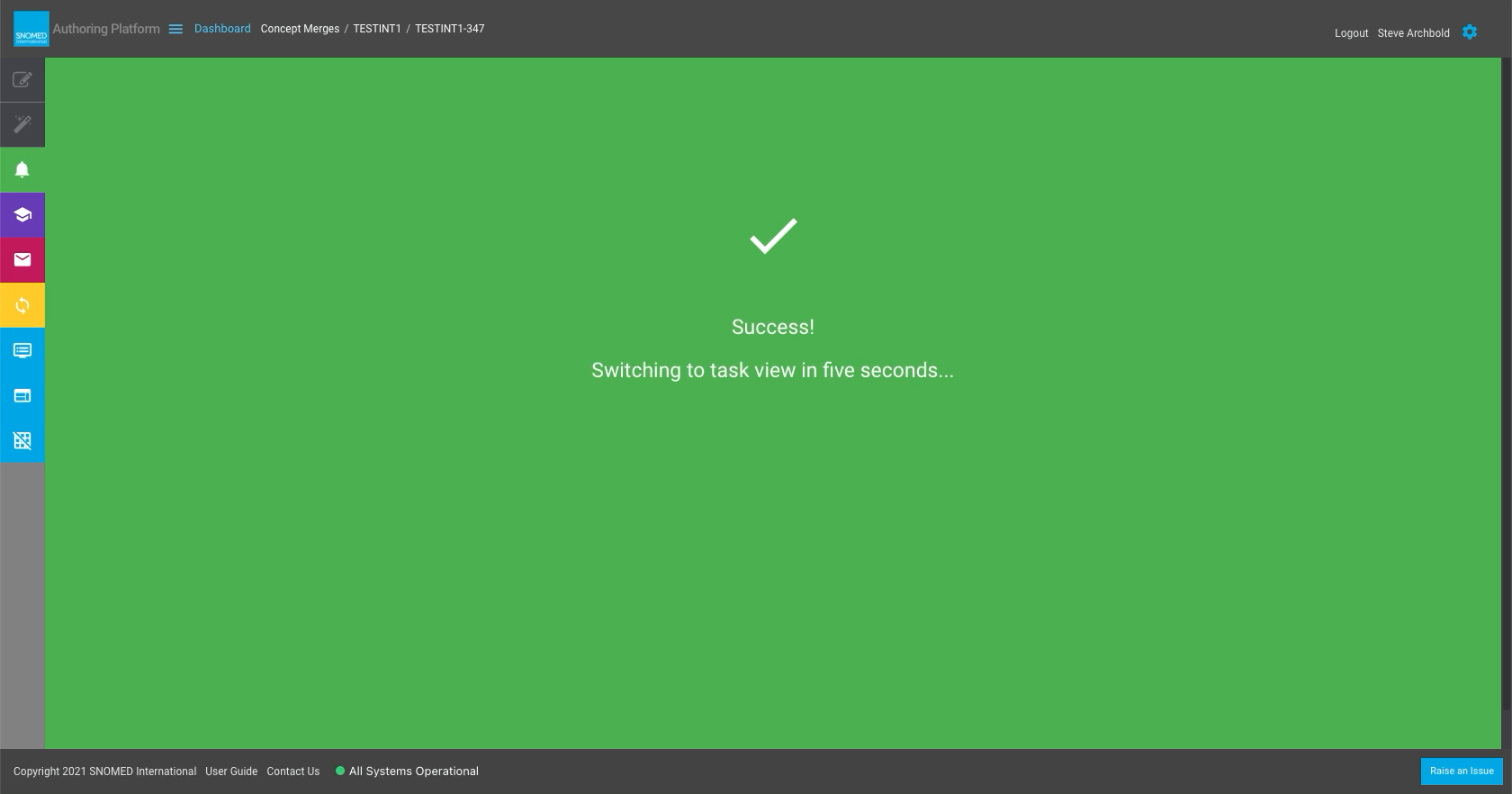
| <p><strong>If the rebase comparison shows that merging can be completed with no content conflicts</strong>, the main display panel changes to show a green "Task and project can be merged without issues, pulling changes in from project..." full display panel notice (with an animated timer indication that the merge process is taking place).<br></p><p>Once the merges are completed, the main display panel changes to show a green "Success! Switching to task view in five seconds..." full display panel notice, which closes automatically after five seconds have elapsed (during which the merges are finalized in the task branch content).<br></p><div data-gb-custom-block data-tag="hint" data-style="info" class="hint hint-info"><p><strong>Silent merging</strong><br></p><p>Although this sequence indicates content can be automatically merged without user intervention, any differences are still saved in the task branch to bring it back in synchronization with the project content.<br></p><p>This path simply means that none of the content changes in the project since the task was first created are in conflict with the changes made in the task since then.<br></p><p>All subsequent concept changes at the project level that were not directly related to the concepts being changed within the task become available within the task after rebasing.<br></p><p>Silent merging also occurs for changes within a concept being modified within the task if the changes do not conflict - for instance new descriptions may be added that were brought into the project concept version from another task or from the project's mainline.</p></div> | <div><figure><img src="/files/82MhBjKyL3coye4CWPE1" alt=""><figcaption></figcaption></figure></div><div><figure><img src="/files/l0zVhpVgA3LSOrxApjtZ" alt=""><figcaption></figcaption></figure></div>                                                                                                    |
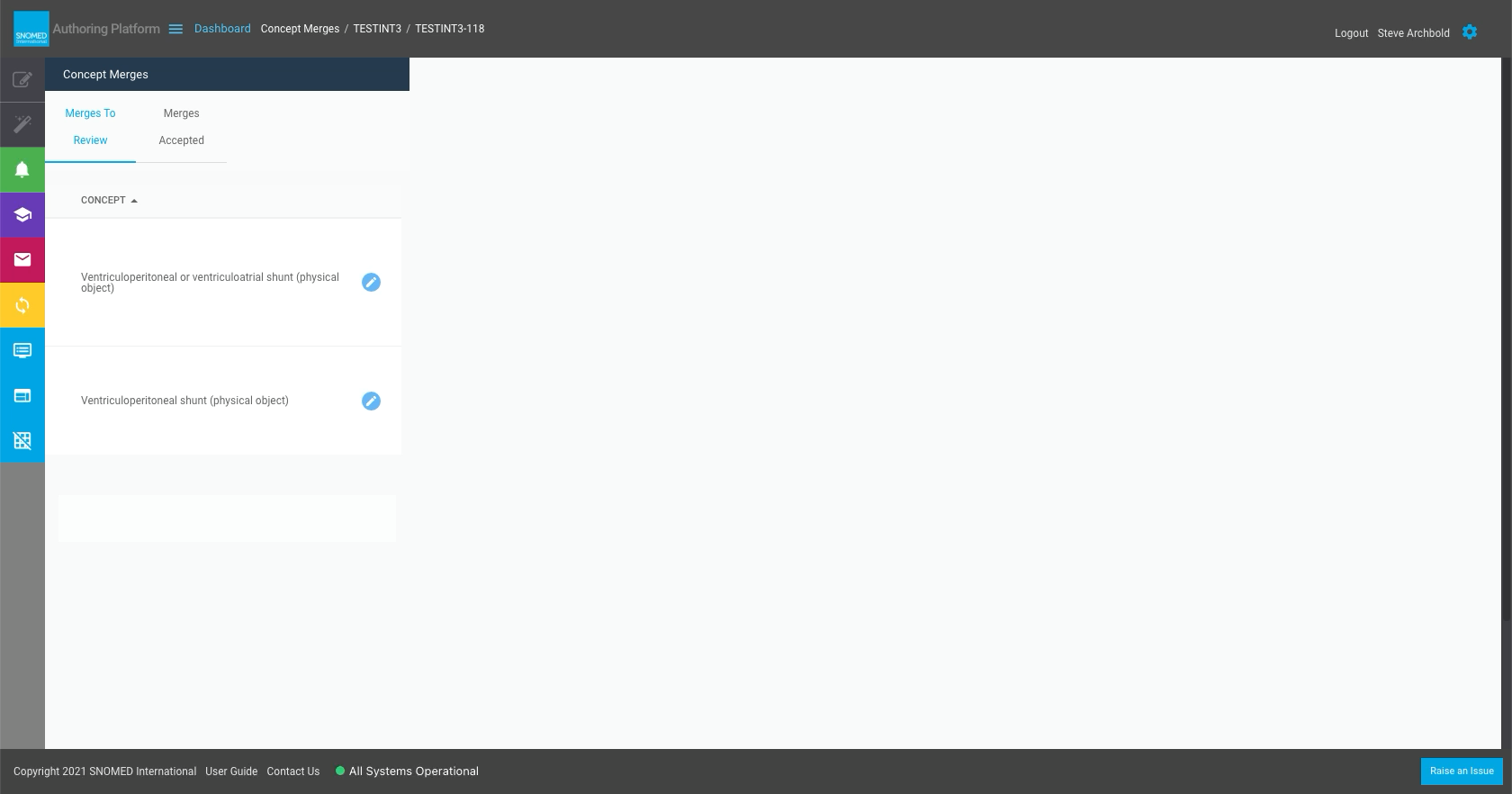
| <p><strong>If the merge comparison detects conflicting changes in the task branch and the project branch content</strong>, then the Concept Merges screen appears when the comparison screen closes.<br></p><p>This presents a list of the concepts that need merge conflicts to be reviewed and resolved in a context tab navigation panel to the left, with a <em>Conflict Resolution</em> display panel to the right (initially this will be blank).</p>                                                                                                                                                                                                                                                                                                                                                                                                                                                                                                                                                                                                                                                                                                                                                                                                                                                                                                                                                                                                                                                                                                                                                                                                                                 | <div><figure><img src="/files/DP98czzcJQRzQ1CFoKwu" alt=""><figcaption></figcaption></figure></div>                                                                                                                                                                                                       |
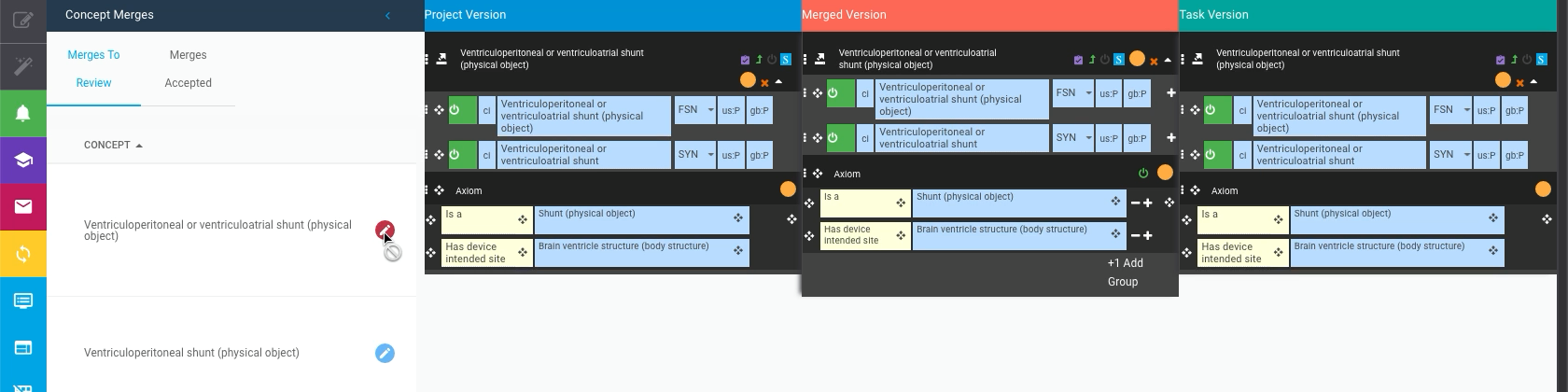
| In the *Merges To Review* tab Press the blue "pencil" icon button to the right of a concept FSN in the concepts list.                                                                                                                                                                                                                                                                                                                                                                                                                                                                                                                                                                                                                                                                                                                                                                                                                                                                                                                                                                                                                                                                                                                                                                                                                                                                                                                                                                                                                                                                                                                                                                       | <div><figure><img src="/files/kIQOjiy7ZjaHbdfp6fza" alt=""><figcaption></figcaption></figure></div>                                                                                                                                                                                                       |
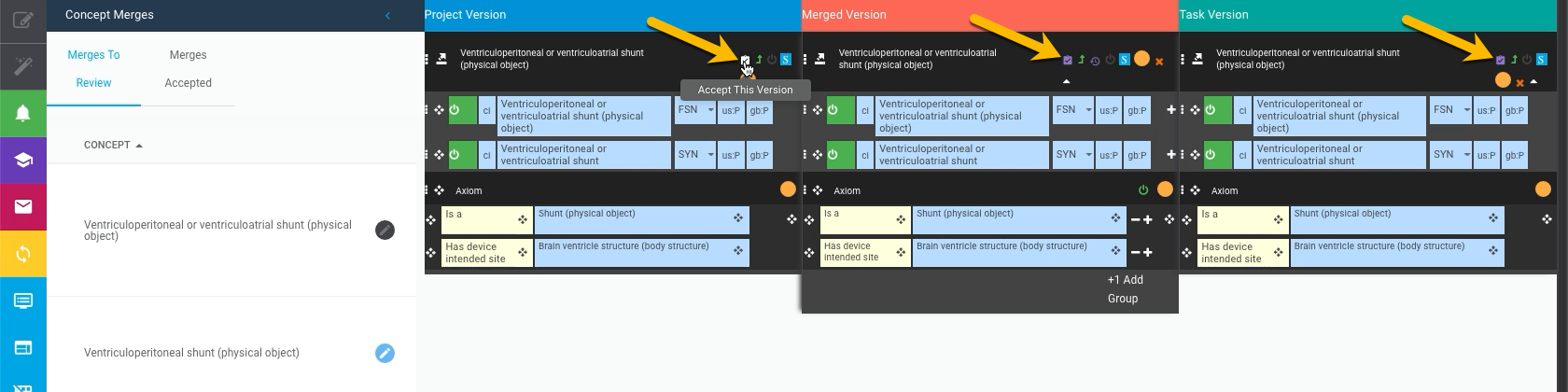
| The display panel shows a 3-panel *Concept Merge Resolution* view, with the *Project Version* to the left, the *Task Version* to the right, and between them a *Merged Version* of the concept needing review for merge resolution.                                                                                                                                                                                                                                                                                                                                                                                                                                                                                                                                                                                                                                                                                                                                                                                                                                                                                                                                                                                                                                                                                                                                                                                                                                                                                                                                                                                                                                                         | <div><figure><img src="/files/J2dOdRIEN5Z3Yu1zLRYF" alt=""><figcaption></figcaption></figure></div>                                                                                                                                                                                                       |
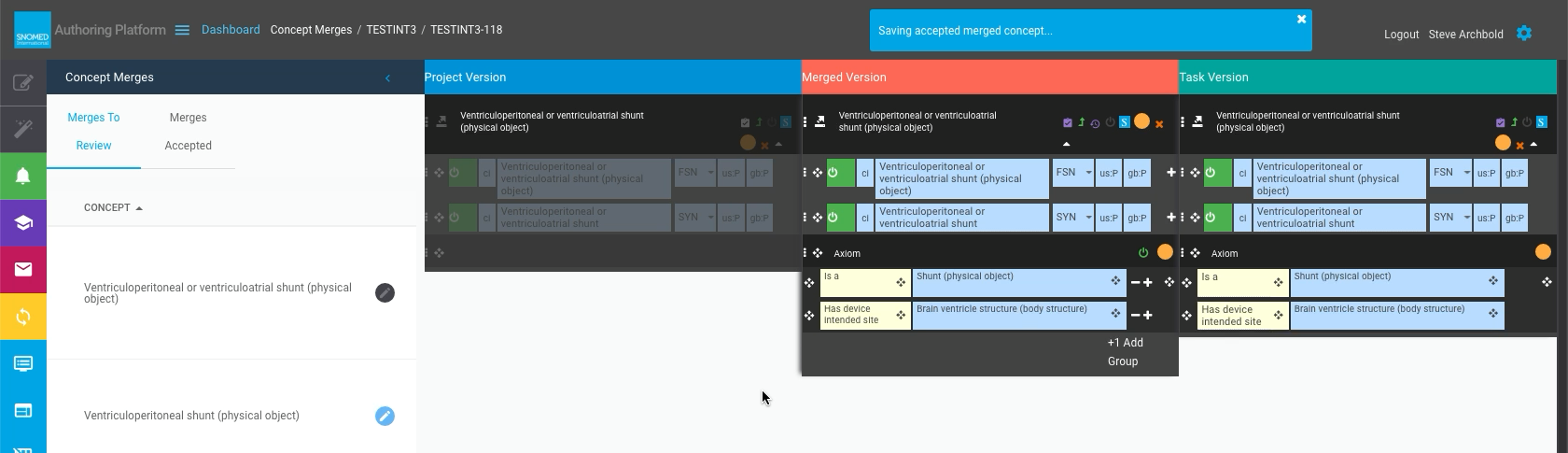
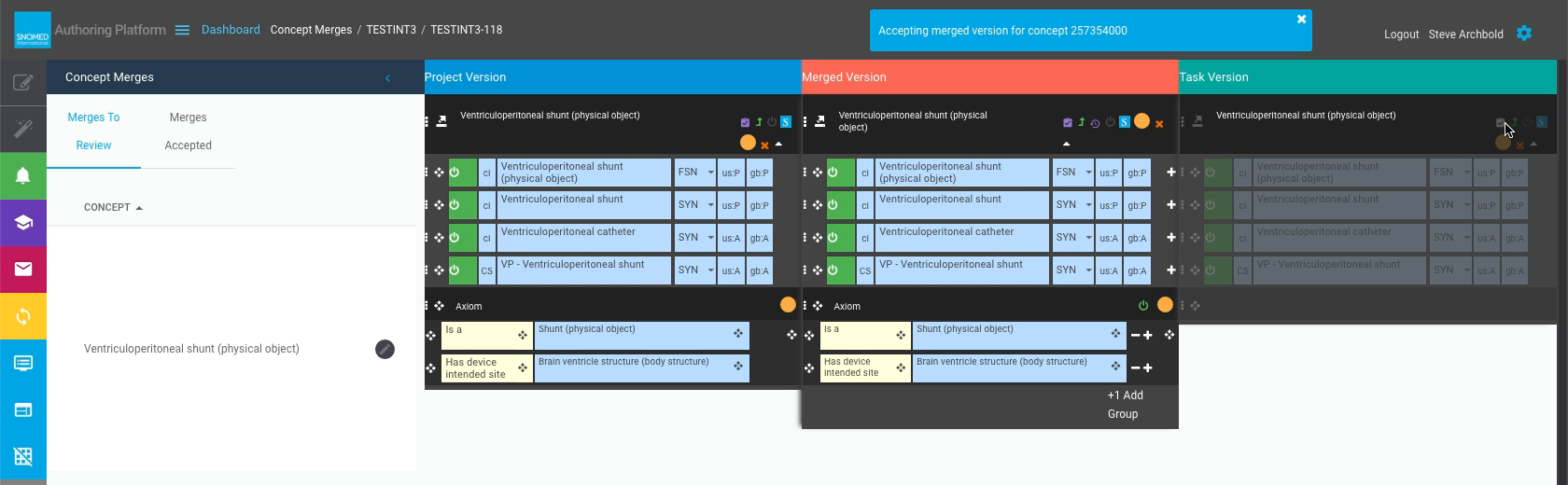
| <p>Pick one of the three versions by pressing the small purple <code>Accept This Version</code> icon button in its concept header action icons menu.<br></p><p>A "Saving accepted merged concept..." header notification is presented and the version being saved is greyed out.<br></p><p>An "Accepting merged version for concept <em>\<SCTID></em>" header notification is presented.<br></p><div data-gb-custom-block data-tag="hint" data-style="info" class="hint hint-info"><p><strong>Saving a merged concept is usually very rapid</strong><br></p><p>These two stages usually happen quickly, so these header notifications may be very brief!</p></div>                                                                                                                                                                                                                                                                                                                                                                                                                                                                                                                                                                                                                                                                                                                                                                                                                                                                                                                                                                                                                          | <div><figure><img src="/files/JjzfS0vtiok3PSoxKrJp" alt=""><figcaption></figcaption></figure></div><div><figure><img src="/files/PoTBzUWoKCZFEsIwsn9y" alt=""><figcaption></figcaption></figure></div><div><figure><img src="/files/5VzBdSj0RkPPHCHLp80X" alt=""><figcaption></figcaption></figure></div> |
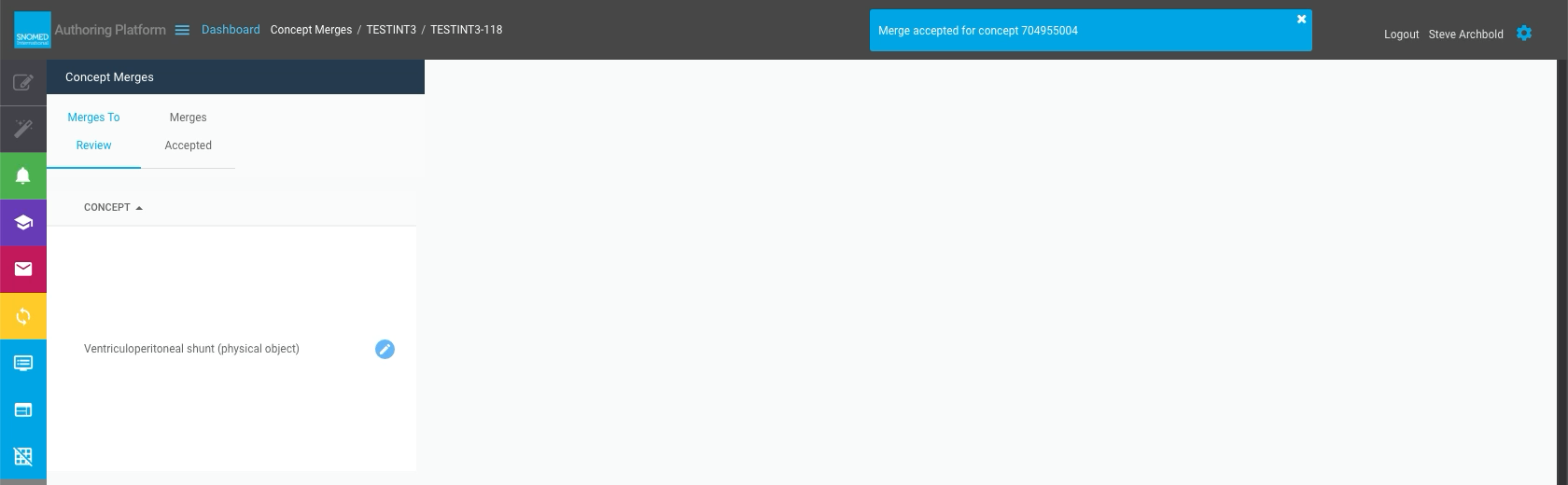
| <p>On merge completion, a "Merge accepted for concept <em>\<SCTID></em>" header notification is presented, the display panel is cleared, the concept FSN is removed from the <em>Merges To Review</em> list, and it is added to the <em>Merges Accepted</em> list in the context tab navigation panel.<br></p><p>Repeat the concept merge resolution steps for every concept in the <em>Merges To Review</em> list, until the list is empty.</p>                                                                                                                                                                                                                                                                                                                                                                                                                                                                                                                                                                                                                                                                                                                                                                                                                                                                                                                                                                                                                                                                                                                                                                                                                                            | <div><figure><img src="/files/J8tRMfAM6JH2Az3u79oo" alt=""><figcaption></figcaption></figure></div>                                                                                                                                                                                                       |
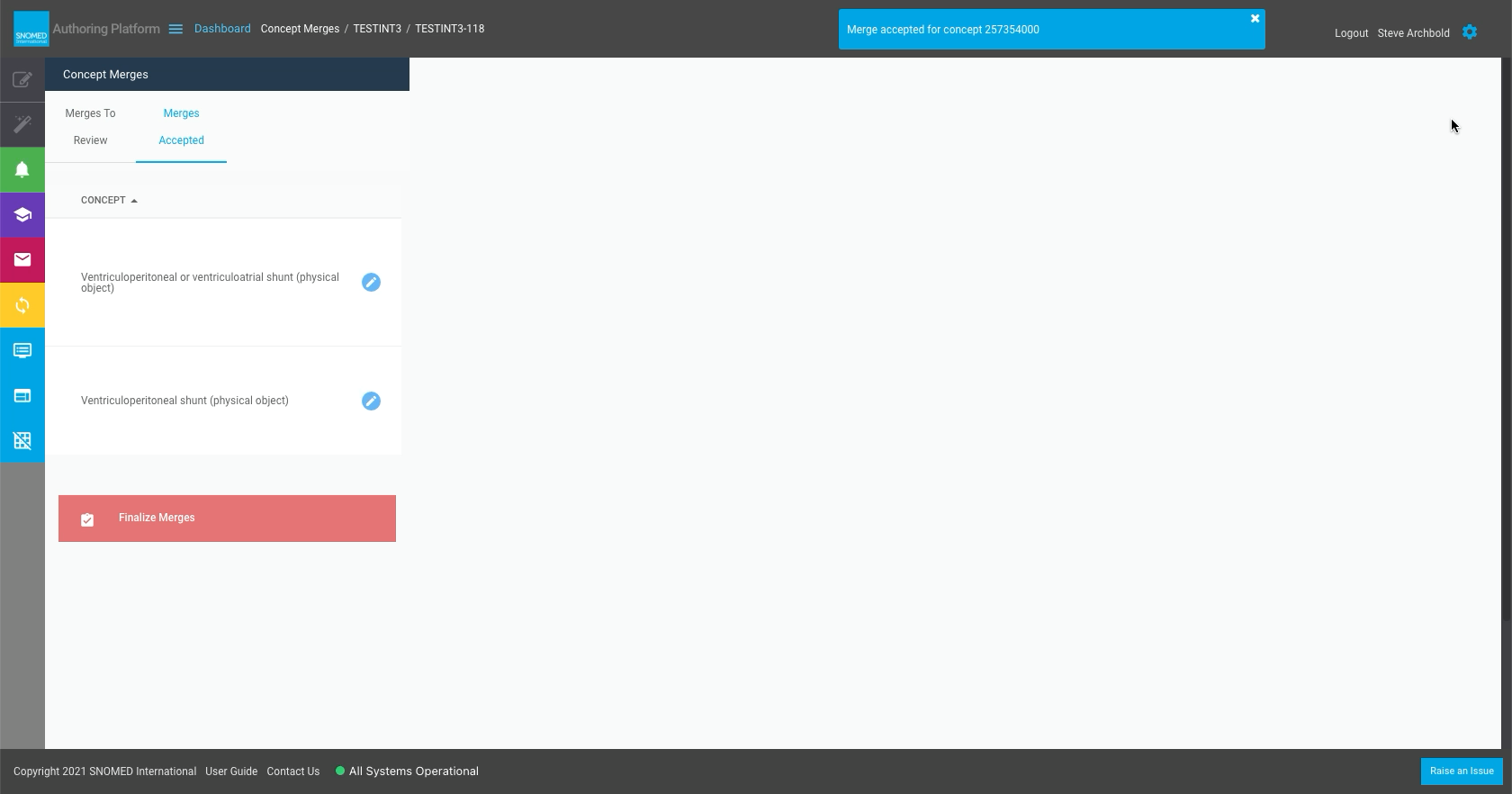
| <p>On accepting the final concept merge, the context tab navigation switches to the <em>Merges Accepted</em> list, and a <code>Finalize Merges</code> action button is presented below the list of accepted concepts.<br></p><p>At this stage the <em>Merges To Review</em> list is empty (although still available as a context panel tab).</p>                                                                                                                                                                                                                                                                                                                                                                                                                                                                                                                                                                                                                                                                                                                                                                                                                                                                                                                                                                                                                                                                                                                                                                                                                                                                                                                                            | <div><figure><img src="/files/sizUY6i1C7yOauYE0Ir9" alt=""><figcaption></figcaption></figure></div>                                                                                                                                                                                                       |
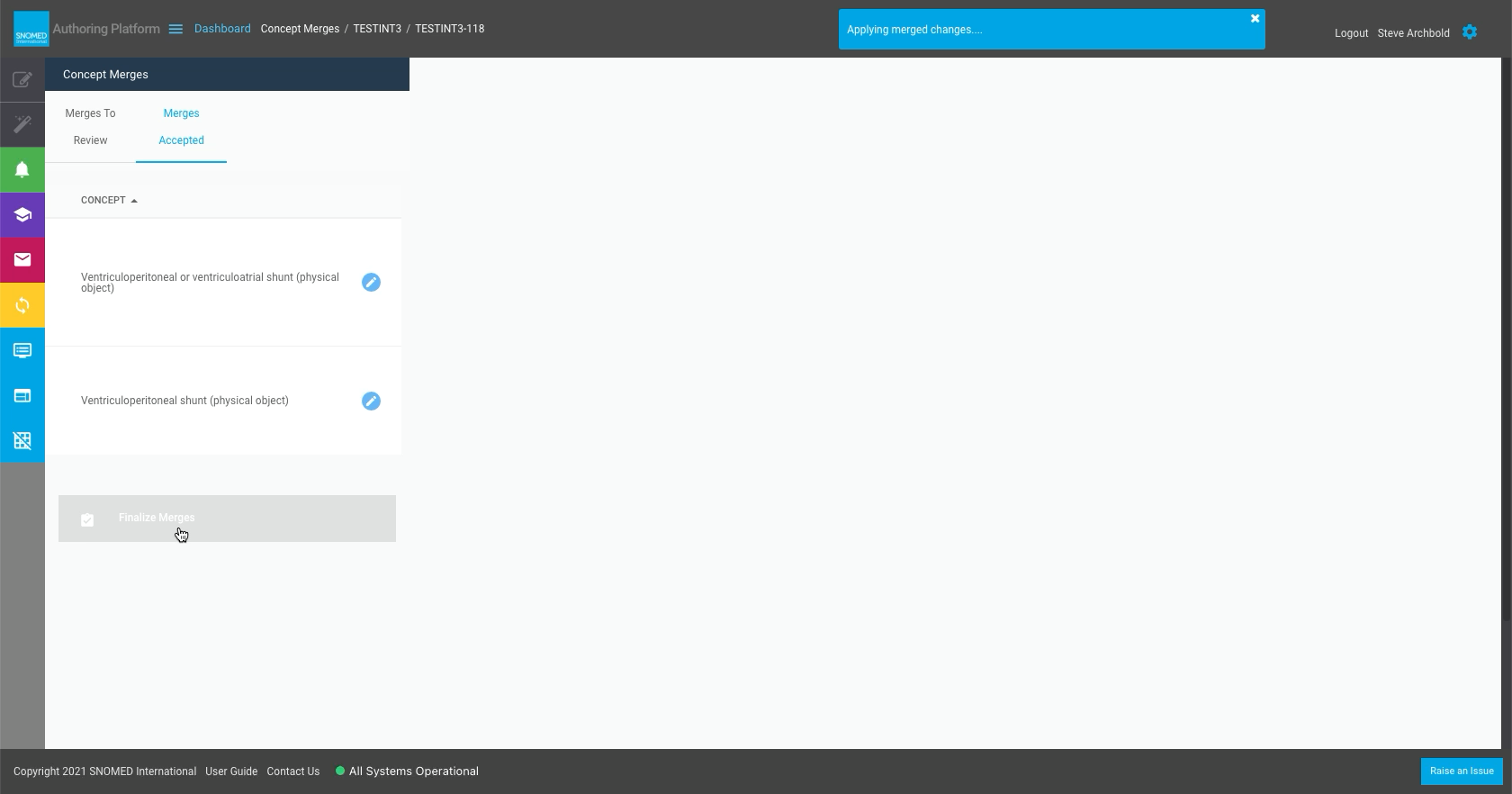
| <p>Press <code>Finalize Merges</code> to complete the rebase concept merges process and persist the changes in the task branch content.<br></p><p>An "Applying merged changes..." header notification is presented whilst all the accepted merge changes are saved to the task branch content.</p>                                                                                                                                                                                                                                                                                                                                                                                                                                                                                                                                                                                                                                                                                                                                                                                                                                                                                                                                                                                                                                                                                                                                                                                                                                                                                                                                                                                          | <div><figure><img src="/files/ojYXcglocHeCmCpTXf9p" alt=""><figcaption></figcaption></figure></div>                                                                                                                                                                                                       |
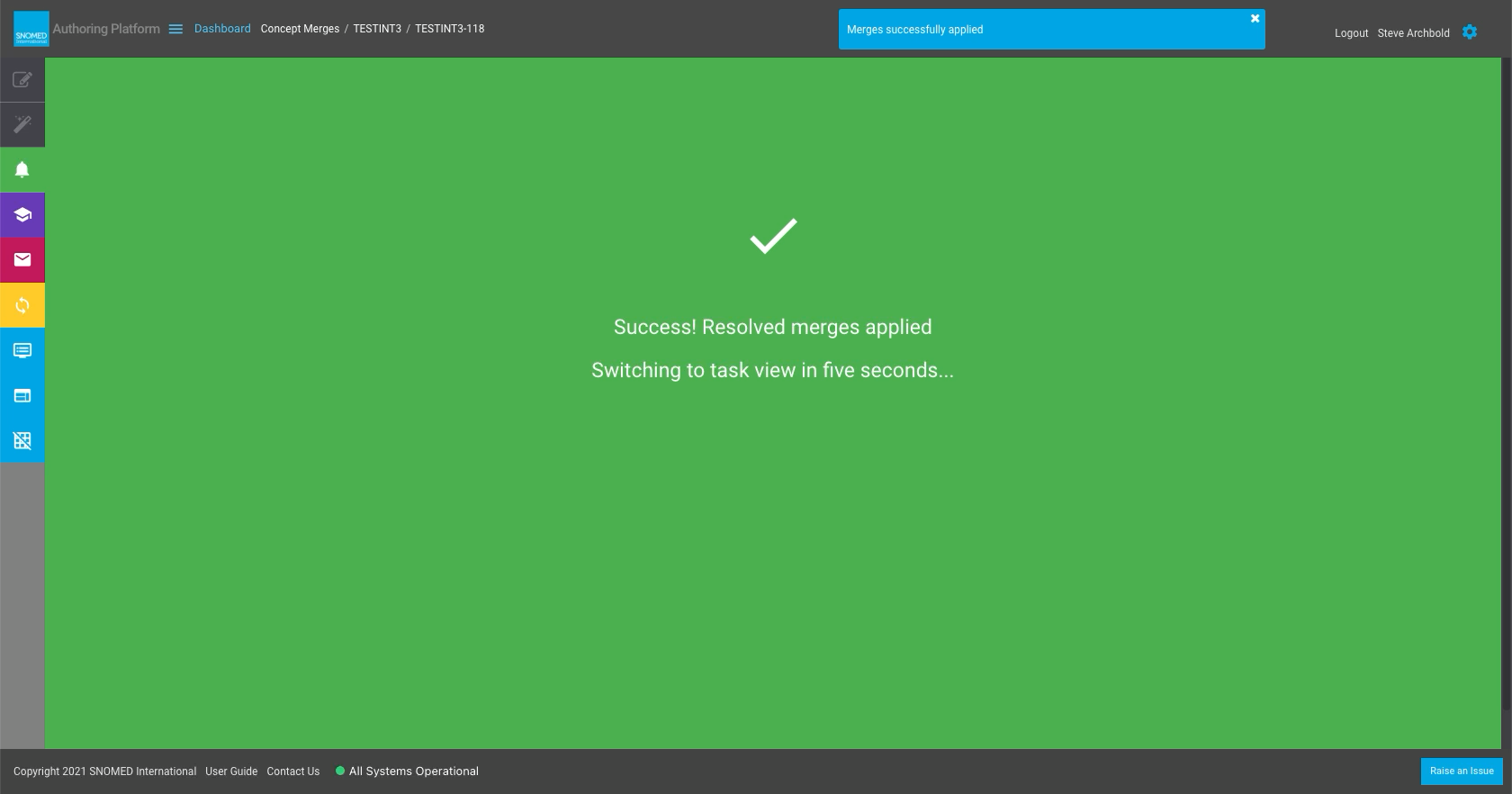
| Once the merges are completed, the main display panel changes to show a green a green "Success! Resolved merges applied. Switching to task view in five seconds..." full display panel notice, which closes automatically after five seconds have elapsed (during which the merges are finalized in the task branch content).                                                                                                                                                                                                                                                                                                                                                                                                                                                                                                                                                                                                                                                                                                                                                                                                                                                                                                                                                                                                                                                                                                                                                                                                                                                                                                                                                               | <div><figure><img src="/files/3rvp3uy4zjqzXpuc4vFh" alt=""><figcaption></figcaption></figure></div>                                                                                                                                                                                                       |
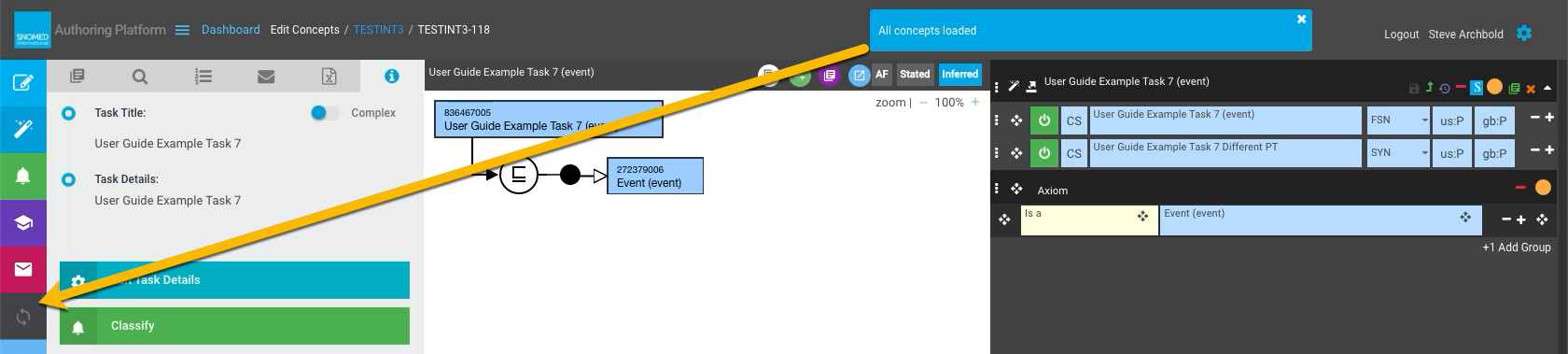
| <p>The <em>Task View</em> is reloaded, with the LH menu panel <code>Pull new changes from project</code> (rebase task) button now disabled (greyed out).<br></p><p>Any concepts loaded into the edit panel which were updated during the merge process now show the newly merged version of their content.<br></p><p>The <em>Dashboard - My Tasks</em> view REBASE column icon for this task will also now be inactive.<br></p><p>At this point the task branch status has been returned to <strong>Forward</strong>, and changes made within the task are once again eligible for promotion to the project.</p>                                                                                                                                                                                                                                                                                                                                                                                                                                                                                                                                                                                                                                                                                                                                                                                                                                                                                                                                                                                                                                                                            | <div><figure><img src="/files/s3mT5pd7I5LVYpDIbK2O" alt=""><figcaption></figcaption></figure></div>                                                                                                                                                                                                       |

<a href="https://docs.google.com/forms/d/e/1FAIpQLScTmbZIf0UEQwYDkY27EEWBkaiYkHSbR0_9DmFrMLXoQLyL7Q/viewform?usp=pp_url&#x26;entry.1767247133=AP+UG&#x26;entry.670899847=Rebase%20my%20task%20from%20the%20project%20%28synchronize%20with%20changes%20made%20in%20its%20parent%20project%20since%20task%20creation%29" class="button primary">Provide Feedback</a>


---

# Agent Instructions: Querying This Documentation

If you need additional information that is not directly available in this page, you can query the documentation dynamically by asking a question.

Perform an HTTP GET request on the current page URL with the `ask` query parameter:

```
GET https://docs.snomed.org/snomed-ct-user-guides/authoring-user-guide/how-to/task-rebase-and-promotion/rebase-my-task-from-the-project-synchronize-with-changes-made-in-its-parent-project-since-task-creat.md?ask=<question>
```

The question should be specific, self-contained, and written in natural language.
The response will contain a direct answer to the question and relevant excerpts and sources from the documentation.

Use this mechanism when the answer is not explicitly present in the current page, you need clarification or additional context, or you want to retrieve related documentation sections.