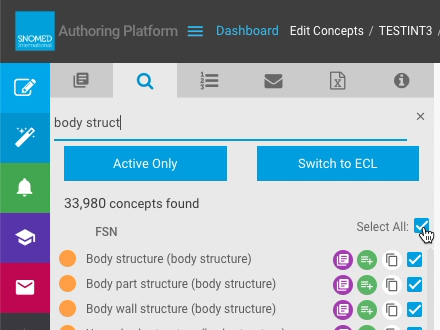
# Act on concept search results

| Steps                                                                                                                                                                                                                                                                               | References                                                                                                                                                                                                                                                                                                                                                                                                                                                                                                                                           |
| ----------------------------------------------------------------------------------------------------------------------------------------------------------------------------------------------------------------------------------------------------------------------------------- | ---------------------------------------------------------------------------------------------------------------------------------------------------------------------------------------------------------------------------------------------------------------------------------------------------------------------------------------------------------------------------------------------------------------------------------------------------------------------------------------------------------------------------------------------------- |
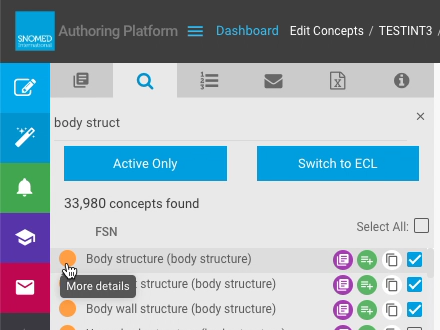
| Press `More details` at the start of a search results row (also the definition status icon).                                                                                                                                                                                        | <div><figure><img src="https://956592758-files.gitbook.io/~/files/v0/b/gitbook-x-prod.appspot.com/o/spaces%2FO8kNzHFIgz2UFgwrcB08%2Fuploads%2Fgit-blob-6c979f809ef39878ad142bb0e74e6986d3346ee9%2F100893172.png?alt=media" alt=""><figcaption></figcaption></figure></div>                                                                                                                                                                                                                                                                           |
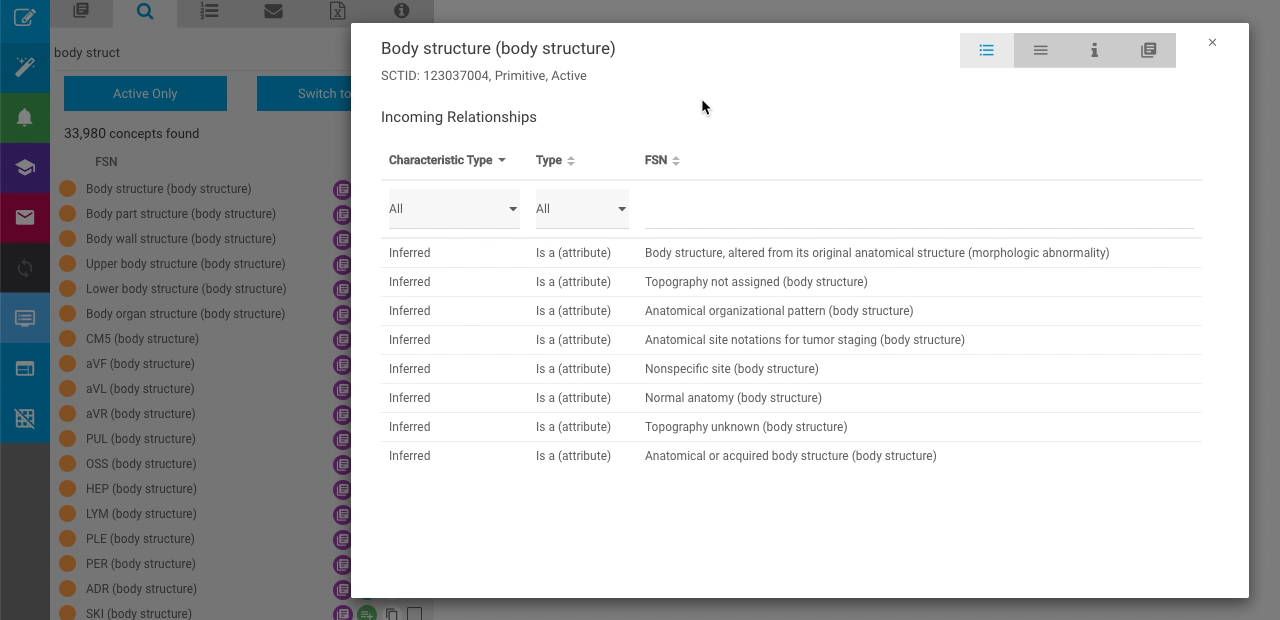
| This opens the *Concept Information* pop-up window (as described in [View concept details when browsing the taxonomy](https://docs.snomed.org/snomed-ct-user-guides/authoring-user-guide/how-to/task-taxonomy-and-concept-search/view-concept-details-when-browsing-the-taxonomy)). | <div><figure><img src="https://956592758-files.gitbook.io/~/files/v0/b/gitbook-x-prod.appspot.com/o/spaces%2FO8kNzHFIgz2UFgwrcB08%2Fuploads%2Fgit-blob-b6f3a357790ec0814e7208ad38885331e068193b%2F100893171.png?alt=media" alt=""><figcaption></figcaption></figure></div>                                                                                                                                                                                                                                                                           |
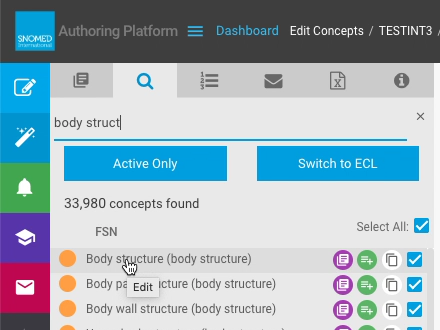
| Press the search result FSN term (`Edit`) to open the concept in the *Edit Panel*.                                                                                                                                                                                                  | <div><figure><img src="https://956592758-files.gitbook.io/~/files/v0/b/gitbook-x-prod.appspot.com/o/spaces%2FO8kNzHFIgz2UFgwrcB08%2Fuploads%2Fgit-blob-b86ad61e6a6e8f81f17580424557447b6e5b8133%2F100893170.png?alt=media" alt=""><figcaption></figcaption></figure></div>                                                                                                                                                                                                                                                                           |
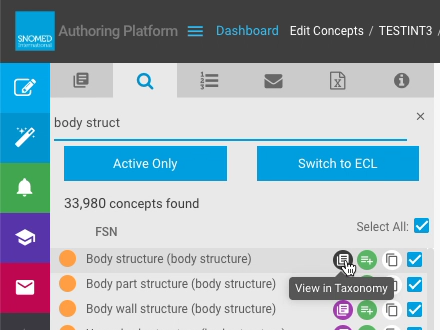
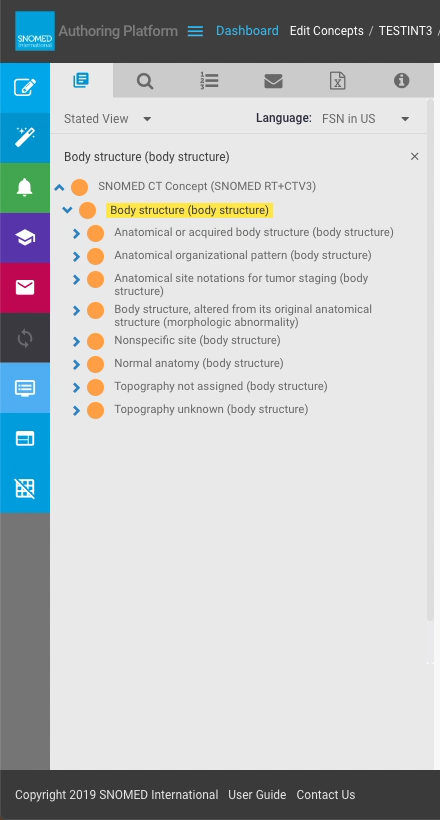
| For active search results, press `View in Taxonomy` to open the concept in the *Task View - Taxonomy* tab.                                                                                                                                                                          | <div><figure><img src="https://956592758-files.gitbook.io/~/files/v0/b/gitbook-x-prod.appspot.com/o/spaces%2FO8kNzHFIgz2UFgwrcB08%2Fuploads%2Fgit-blob-7ca6a0bca935285f62a9c2c839c2ad6ec50aed0b%2F100893190.png?alt=media" alt=""><figcaption></figcaption></figure></div>                                                                                                                                                                                                                                                                           |
| The display context changes to *Task View - Taxonomy* , with the trigger concept as the focus for the taxonomy listing.                                                                                                                                                             | <div><figure><img src="https://956592758-files.gitbook.io/~/files/v0/b/gitbook-x-prod.appspot.com/o/spaces%2FO8kNzHFIgz2UFgwrcB08%2Fuploads%2Fgit-blob-98768dcb7e461b7228e35253d2cfde5bc0eb7a6a%2F100893197.png?alt=media" alt=""><figcaption></figcaption></figure></div>                                                                                                                                                                                                                                                                           |
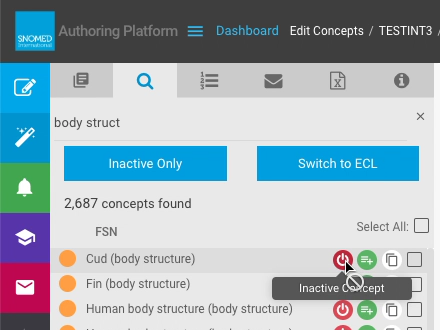
| For inactive concepts in search results, the `View in Taxonomy` button is replaced by an `Inactive Concept` icon.                                                                                                                                                                   | <div><figure><img src="https://956592758-files.gitbook.io/~/files/v0/b/gitbook-x-prod.appspot.com/o/spaces%2FO8kNzHFIgz2UFgwrcB08%2Fuploads%2Fgit-blob-34658a49ed6ea3de10531ff771962729eb3b171e%2F100893204.png?alt=media" alt=""><figcaption></figcaption></figure></div>                                                                                                                                                                                                                                                                           |
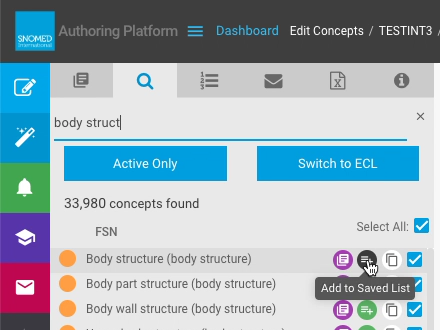
| Press `Add to Saved List` to add the search result concept to the task *Saved List*.                                                                                                                                                                                                | <div><figure><img src="https://956592758-files.gitbook.io/~/files/v0/b/gitbook-x-prod.appspot.com/o/spaces%2FO8kNzHFIgz2UFgwrcB08%2Fuploads%2Fgit-blob-71886050caa71752ea4718bba8c62c3ff40f7365%2F100893205.png?alt=media" alt=""><figcaption></figcaption></figure></div>                                                                                                                                                                                                                                                                           |
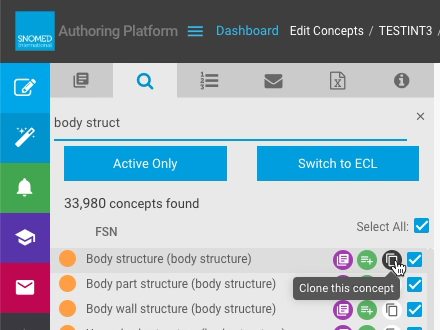
| Press `Clone this concept` to create a new unpublished cloned version of the concept in the Edit Panel. This is equivalent to creating a new concept and entering its lexical and logical model content from scratch.                                                               | <div><figure><img src="https://956592758-files.gitbook.io/~/files/v0/b/gitbook-x-prod.appspot.com/o/spaces%2FO8kNzHFIgz2UFgwrcB08%2Fuploads%2Fgit-blob-739d08a2e13d7e2933f3677b42cd3f47148a170b%2F100893209.png?alt=media" alt=""><figcaption></figcaption></figure></div><div><figure><img src="https://956592758-files.gitbook.io/~/files/v0/b/gitbook-x-prod.appspot.com/o/spaces%2FO8kNzHFIgz2UFgwrcB08%2Fuploads%2Fgit-blob-f3e33fefc98bee2d50003de80605976ae02b3423%2F100893207.png?alt=media" alt=""><figcaption></figcaption></figure></div> |

<a href="https://docs.google.com/forms/d/e/1FAIpQLScTmbZIf0UEQwYDkY27EEWBkaiYkHSbR0_9DmFrMLXoQLyL7Q/viewform?usp=pp_url&#x26;entry.1767247133=AP+UG&#x26;entry.670899847=Act%20on%20concept%20search%20results" class="button primary">Provide Feedback</a>


---

# Agent Instructions: Querying This Documentation

If you need additional information that is not directly available in this page, you can query the documentation dynamically by asking a question.

Perform an HTTP GET request on the current page URL with the `ask` query parameter:

```
GET https://docs.snomed.org/snomed-ct-user-guides/authoring-user-guide/how-to/task-taxonomy-and-concept-search/act-on-concept-search-results.md?ask=<question>
```

The question should be specific, self-contained, and written in natural language.
The response will contain a direct answer to the question and relevant excerpts and sources from the documentation.

Use this mechanism when the answer is not explicitly present in the current page, you need clarification or additional context, or you want to retrieve related documentation sections.