# Search for concepts by Template matching

| Steps                                                                                                                                                                                                                                                                                                                                                                                                                                                                                                                                                                                                                                                                                                                                                                                  | References                                                                                                                                                                                                                                                                                                                                                                                                   |
| -------------------------------------------------------------------------------------------------------------------------------------------------------------------------------------------------------------------------------------------------------------------------------------------------------------------------------------------------------------------------------------------------------------------------------------------------------------------------------------------------------------------------------------------------------------------------------------------------------------------------------------------------------------------------------------------------------------------------------------------------------------------------------------- | ------------------------------------------------------------------------------------------------------------------------------------------------------------------------------------------------------------------------------------------------------------------------------------------------------------------------------------------------------------------------------------------------------------ |
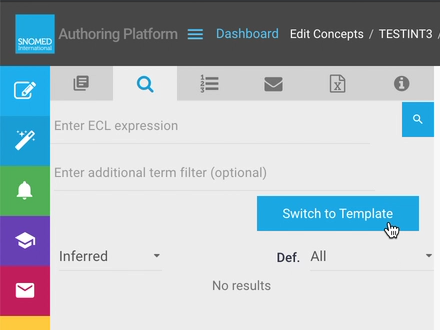
| <p>When in text search mode (default on opening <em>Task View - Search</em> tab), first press <code>Switch to ECL.</code><br></p><p>When in ECL search mode, press <code>Switch to Template</code>.</p>                                                                                                                                                                                                                                                                                                                                                                                                                                                                                                                                                                                | <div><figure><img src="/files/fwdLWprlNjQUEKvppiyL" alt=""><figcaption></figcaption></figure></div><div><figure><img src="/files/QV6n795ixR3IgUkDh9J1" alt=""><figcaption></figcaption></figure></div>                                                                                                                                                                                                       |
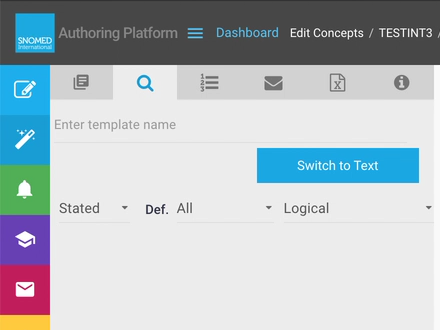
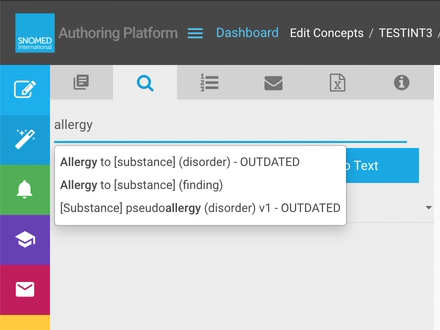
| <p>The search tab changes to Template search mode, with a template name query box at the top of the search panel.<br></p><p>Type a template name (or part of a name) into the search query box - type-ahead searching starts after at least three characters are entered, with matching available template names presented in a drop-down selection box below the query.</p>                                                                                                                                                                                                                                                                                                                                                                                                           | <div><figure><img src="/files/ehaalCtDq27sQ0KGJZOm" alt=""><figcaption></figcaption></figure></div><div><figure><img src="/files/JIajZVAZRceLDglzaZQj" alt=""><figcaption></figcaption></figure></div>                                                                                                                                                                                                       |
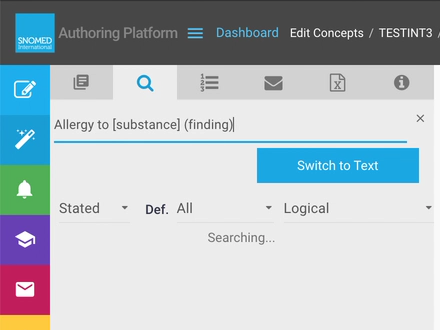
| <p>Select a template from the drop-down selection box.<br></p><p>The selected full template name is placed into the query box and a search commences for matching concepts.<br></p><p>The phrase "Searching..." shows in the results panel until results are available.</p>                                                                                                                                                                                                                                                                                                                                                                                                                                                                                                            | <div><figure><img src="/files/D9VOtVwEPOHTd7C3uZmx" alt=""><figcaption></figcaption></figure></div><div><figure><img src="/files/svsQBC3OsJNdIfUwP3L0" alt=""><figcaption></figcaption></figure></div>                                                                                                                                                                                                       |
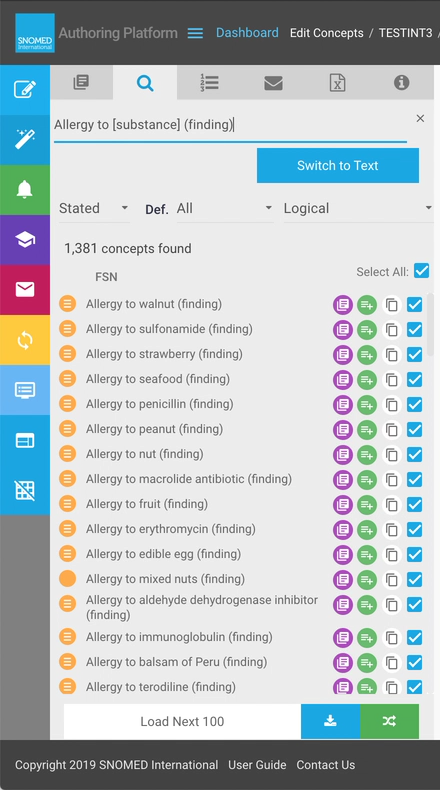
| <p>When matches are found the search results list all concepts that match the selected template, with the default options of:</p><ul><li><code>Stated</code> view</li><li>All definition statuses ( <code>Primitive</code> and <code>Fully defined</code> )</li><li><code>Logical</code> model matches</li></ul><div data-gb-custom-block data-tag="hint" data-style="success" class="hint hint-success"><p><strong>Working with Template search results</strong><br></p><p>Template search results are formatted and presented in the same way as text search and ECL search results.<br></p><p>See <a href="/pages/EhIZ7siVy5YRUHbh3Pae">Work with large search results sets</a> and <a href="/pages/EhIZ7siVy5YRUHbh3Pae">Act on search results</a> for more information.</p></div> | <div><figure><img src="/files/KqLLgXKQ5BTcnhdUfIC4" alt=""><figcaption></figcaption></figure></div>                                                                                                                                                                                                                                                                                                          |
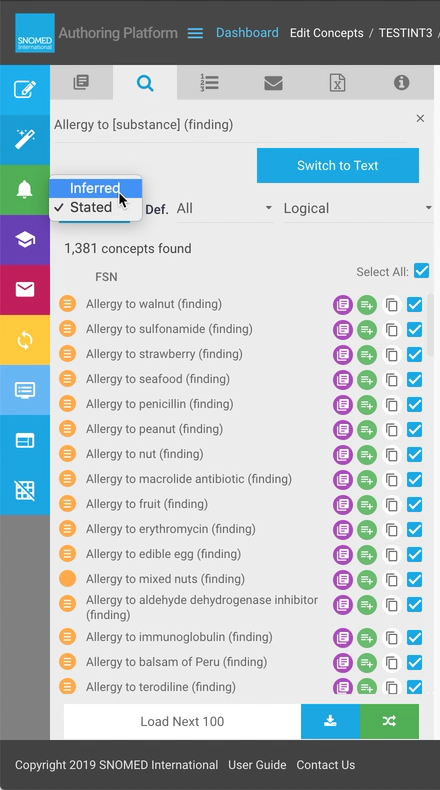
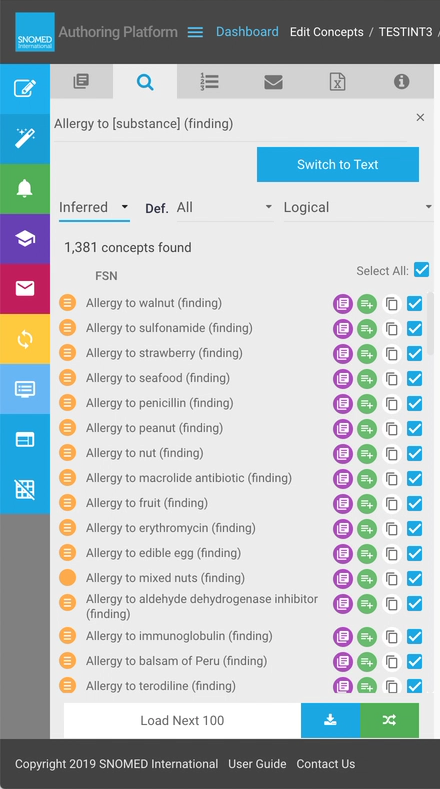
| The default Template search finds matches in the `Stated` view, however this can be switched to `Inferred view` matches using the drop-down view mode selector.                                                                                                                                                                                                                                                                                                                                                                                                                                                                                                                                                                                                                        | <div><figure><img src="/files/hDUPg1wC0KpTEon1CMVe" alt=""><figcaption></figcaption></figure></div><div><figure><img src="/files/eE2hsKJo2XljKvubh69c" alt=""><figcaption></figcaption></figure></div>                                                                                                                                                                                                       |
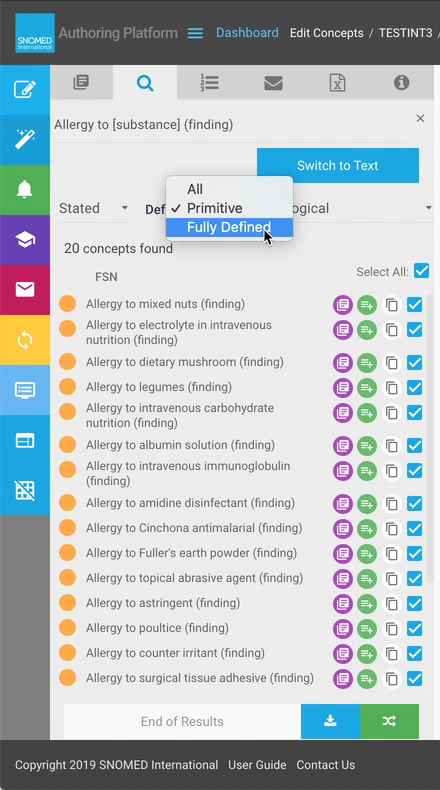
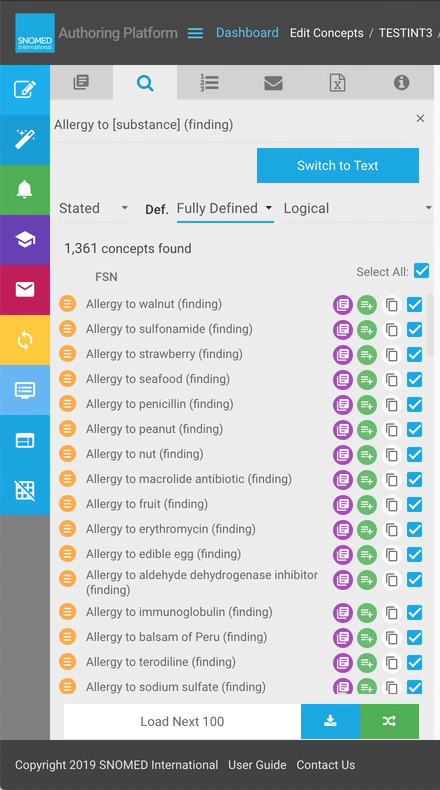
| The `Def.` (definition status) results filter option defaults to All ( `Primitive` and `Fully Defined` ) but also allows `Primitive` only and `Fully Defined` only matches to be listed in the search results.                                                                                                                                                                                                                                                                                                                                                                                                                                                                                                                                                                         | <div><figure><img src="/files/cctRT2H2VCbrUsuHQoav" alt=""><figcaption></figcaption></figure></div><div><figure><img src="/files/jhYZmekpUoIVl8LGTn5O" alt=""><figcaption></figcaption></figure></div><div><figure><img src="/files/GmGzzXcIcXzmG7061OEK" alt=""><figcaption></figcaption></figure></div><div><figure><img src="/files/clGg5CAuh6uoBA0mdz3U" alt=""><figcaption></figcaption></figure></div> |
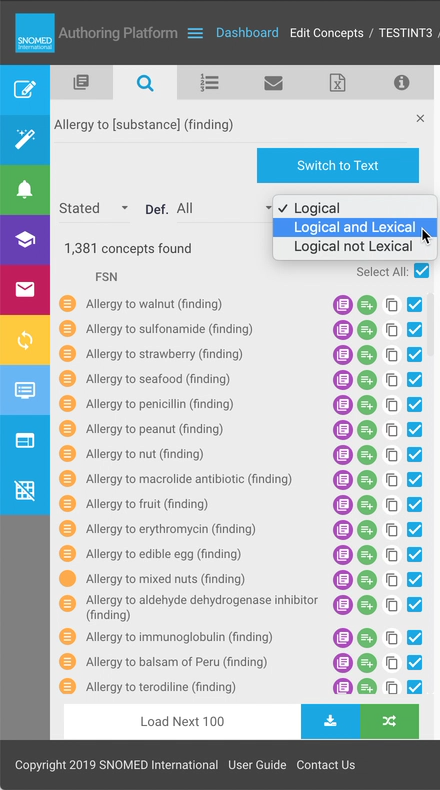
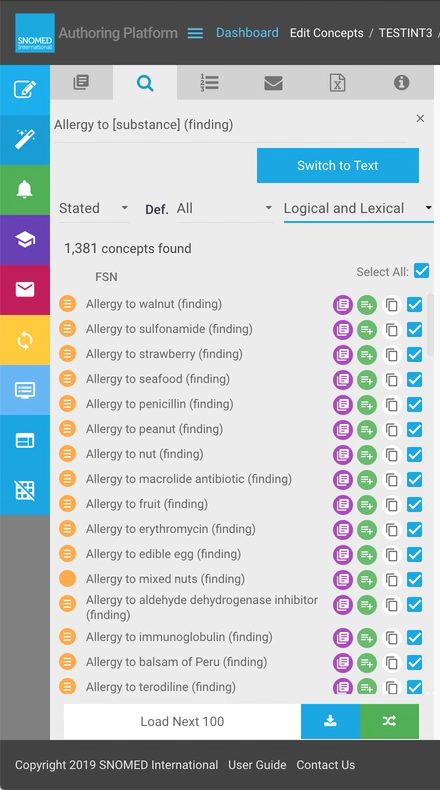
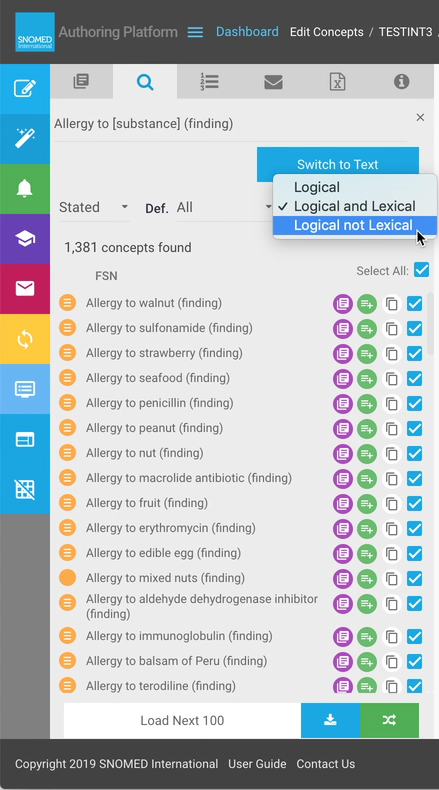
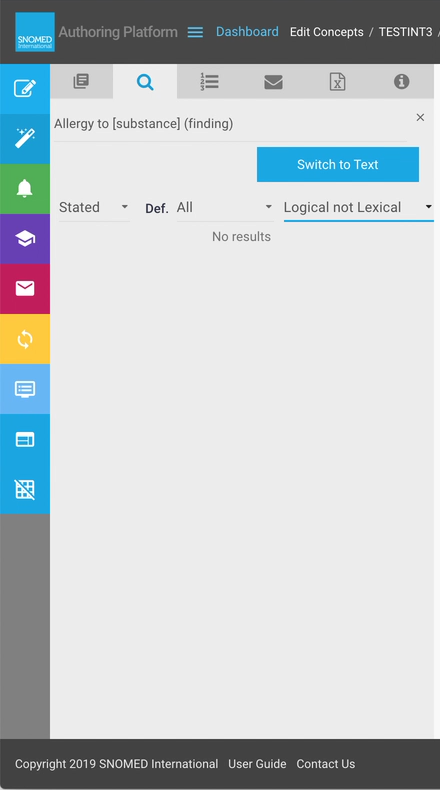
| <p>A third results filter supports matching different aspects of the concept modelling defined by the selected template:<br></p><ul><li><code>Logical</code> (default) - concepts which match the logical model regardless of their lexical content.</li><li><code>Logical and Lexical</code> - concepts which match both the logical and lexical models.</li><li><code>Logical not Lexical</code> - concepts with the same logical model but which do not conform to the lexical model.</li><li>/ul></li></ul>                                                                                                                                                                                                                                                                        | <div><figure><img src="/files/r1MOQRN6lL48IVnltnGZ" alt=""><figcaption></figcaption></figure></div><div><figure><img src="/files/z9dkVjnjn3zbjQPOzBcr" alt=""><figcaption></figcaption></figure></div><div><figure><img src="/files/BAXfelQ08fENQR1nHZhi" alt=""><figcaption></figcaption></figure></div><div><figure><img src="/files/6aKctO9En1IqTjkyjRLa" alt=""><figcaption></figcaption></figure></div> |

<a href="https://docs.google.com/forms/d/e/1FAIpQLScTmbZIf0UEQwYDkY27EEWBkaiYkHSbR0_9DmFrMLXoQLyL7Q/viewform?usp=pp_url&#x26;entry.1767247133=AP+UG&#x26;entry.670899847=Search%20for%20concepts%20by%20Template%20matching" class="button primary">Provide Feedback</a>


---

# Agent Instructions: Querying This Documentation

If you need additional information that is not directly available in this page, you can query the documentation dynamically by asking a question.

Perform an HTTP GET request on the current page URL with the `ask` query parameter:

```
GET https://docs.snomed.org/snomed-ct-user-guides/authoring-user-guide/how-to/task-taxonomy-and-concept-search/search-for-concepts-by-template-matching.md?ask=<question>
```

The question should be specific, self-contained, and written in natural language.
The response will contain a direct answer to the question and relevant excerpts and sources from the documentation.

Use this mechanism when the answer is not explicitly present in the current page, you need clarification or additional context, or you want to retrieve related documentation sections.