> For the complete documentation index, see [llms.txt](https://docs.snomed.org/llms.txt). Markdown versions of documentation pages are available by appending `.md` to page URLs; this page is available as [Markdown](https://docs.snomed.org/snomed-ct-user-guides/authoring-user-guide/how-to/work-in-an-extension/search-using-an-extension-language-or-dialect/search-for-concepts-using-chinese-characters.md).
# Search for concepts using Chinese characters
| Steps | References |
| --------------------------------------------------------------------------------------------------------------------------------------------------------------------------------------------------------------------------------------------------------------------------------------------------------------------------------------------------------------------------------------------------------------------------------------------------------------------------------------------------------------------------------------------------------------------------------------------------------------------------------------------------------------------------------------------------------------------------------------------------------------------------------------------------------------------------------------------------------------- | ------------------------------------------------------------------------------------------------------------------------------------------------------------------------------------------------------------------------------------------------------------------------------------------------------------------------------------------------------------------------------------------------------------------------------------------------------------------------------------------------------------------------------------------------------------------------------------------------------------------------------------------------------------------------------------------------------------------------------------------------------------------------------------------------------------------------------ |
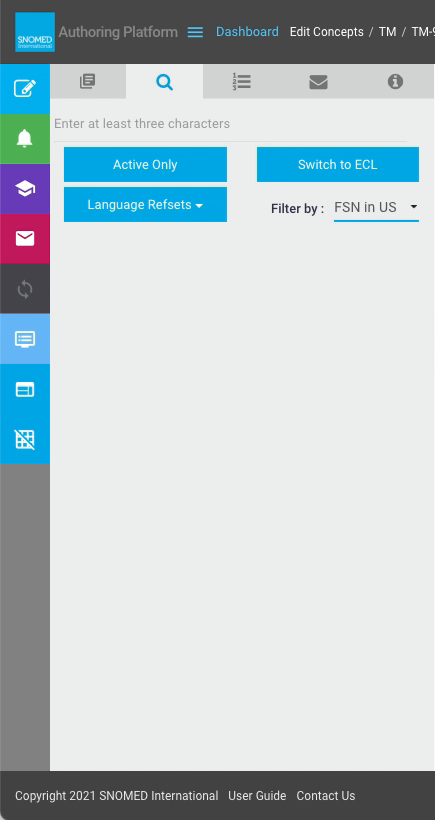
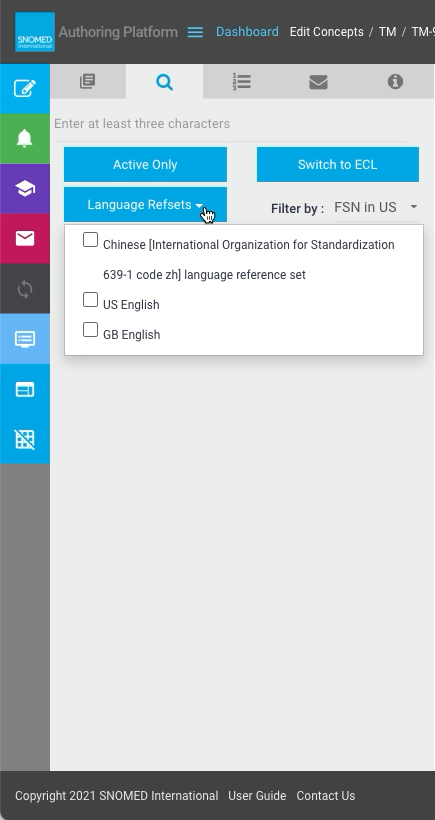
| In the Task View - Context Panel tab, when alternative language reference sets are available. the search panel shows additional options for:
Language Refsets reference set selection (combination checklist)Filter by term (single choice selector)
The language reference set selection controls which results to include, and the term choice decides which language is used to search and present the results.
| |
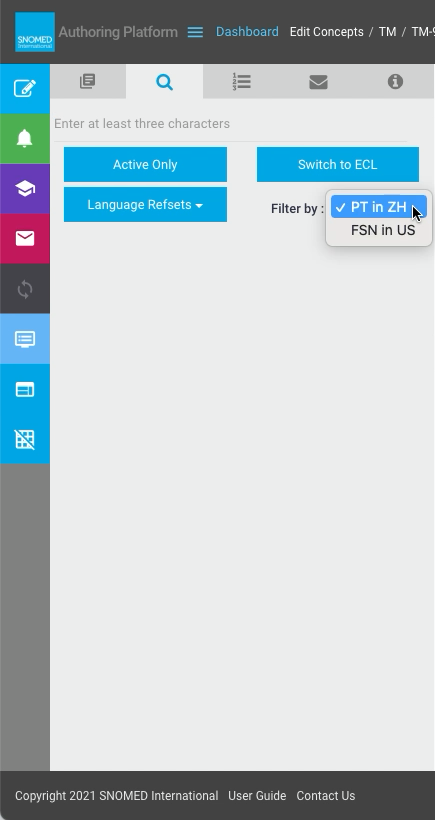
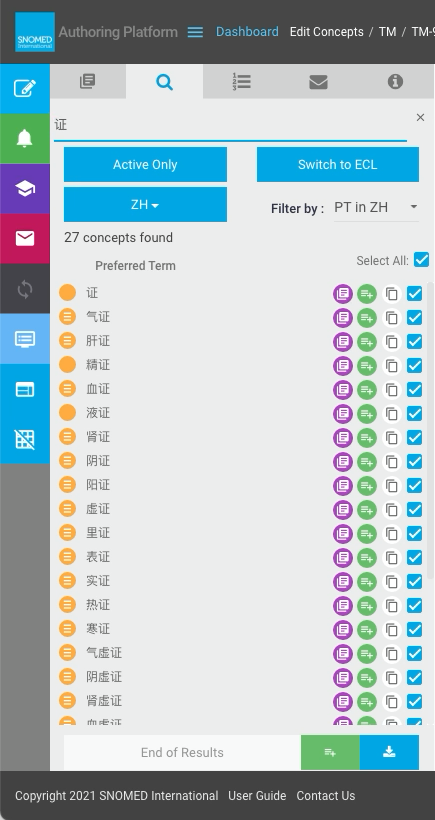
| To search using Chinese queries, first select Filter by PT in ZH.
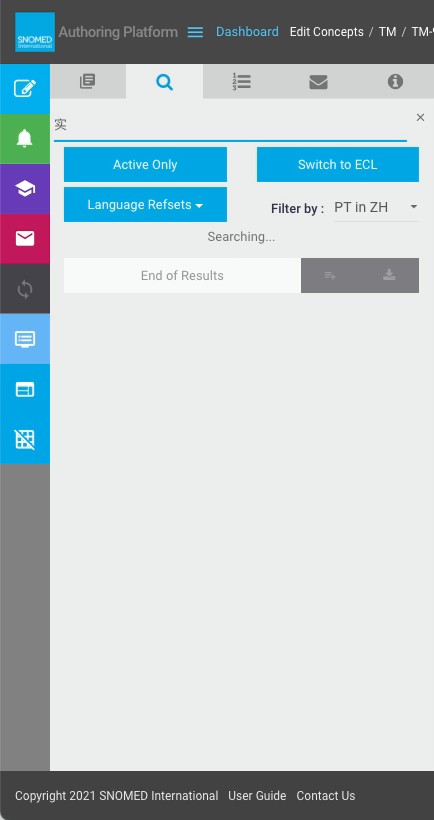
Enter a character in the query box to trigger searching.
The results panel shows "Searching..." until all results become available.
Some searches with small results sets may be almost instantaneous - larger results sets may take a few seconds to load.
Since a character-based writing system such as Chinese can associate each logogram with an entire sound or phrase, the three-character minimum used to optimize type-ahead search phrases for other languages and dialects does not apply when Filter by PT in ZH is selected.
This will however be re-applied if the Filter by selection is changed to a non-Chinese option (for instance FSN in US).
| |
| Term matches to the search query are then listed, along with the total number of concepts found.
Use the Act on concept search results and Work with large concept search results sets features as needed.
| |
| Editing the query will immediately trigger a search and present an updated results set (due to the relaxed trigger requirement of only a single character when `Filter by` *PT in ZH* is selected). | |
Provide Feedback
---
# Agent Instructions
This documentation is published with GitBook. GitBook is the documentation platform designed so that both humans and AI agents can read, navigate, and reason over technical content effectively. Learn more at gitbook.com.
## Querying This Documentation
If you need additional information that is not directly available in this page, you can query the documentation dynamically by asking a question.
Perform an HTTP GET request on the current page URL with the `ask` query parameter, and the optional `goal` query parameter:
```
GET https://docs.snomed.org/snomed-ct-user-guides/authoring-user-guide/how-to/work-in-an-extension/search-using-an-extension-language-or-dialect/search-for-concepts-using-chinese-characters.md?ask=&goal=
```
`ask` is the immediate question: it should be specific, self-contained, and written in natural language.
`goal` is optional and describes the broader end goal you are ultimately trying to accomplish on behalf of the user. GitBook uses it to tailor the answer towards what is most useful for that goal.
The response will contain a direct answer to the question and relevant excerpts and sources from the documentation.
Use this mechanism when the answer is not explicitly present in the current page, you need clarification or additional context, or you want to retrieve related documentation sections.