# View taxonomy with an extension dialect

| Steps                                                                                                                                                                                                                                                                                                                                                                                                                                                                                                                                                                                                    | References                                                                                                                                                                                             |
| -------------------------------------------------------------------------------------------------------------------------------------------------------------------------------------------------------------------------------------------------------------------------------------------------------------------------------------------------------------------------------------------------------------------------------------------------------------------------------------------------------------------------------------------------------------------------------------------------------- | ------------------------------------------------------------------------------------------------------------------------------------------------------------------------------------------------------ |
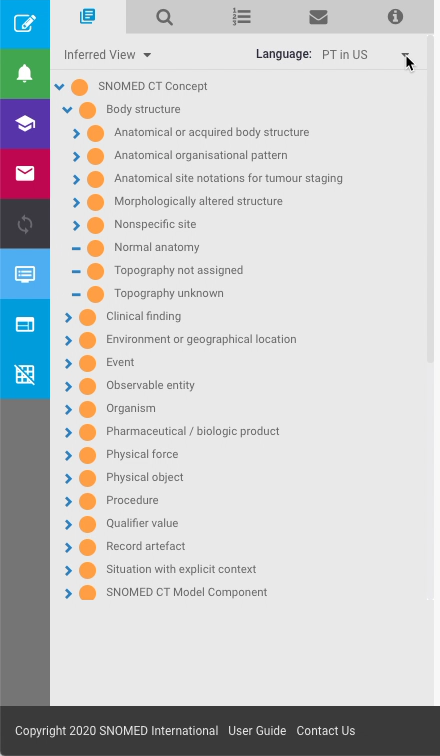
| In the *Taxonomy* panel, press the `Language` drop-down selector control in the top right corner of the panel.                                                                                                                                                                                                                                                                                                                                                                                                                                                                                           | <div><figure><img src="/files/zSfsmyVRYaodY7FN4kMK" alt=""><figcaption></figcaption></figure></div>                                                                                                    |
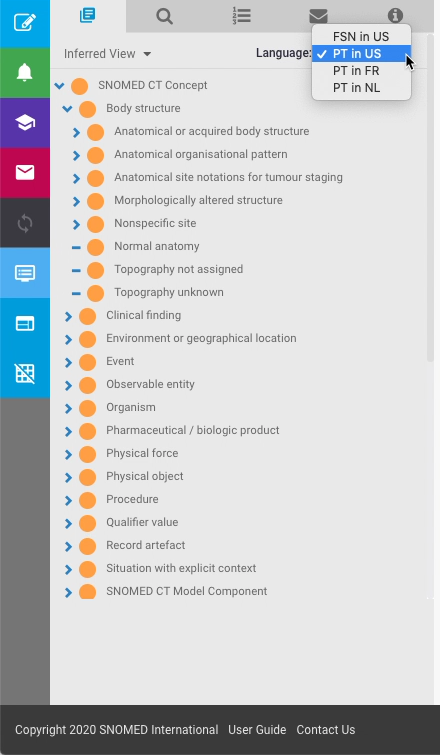
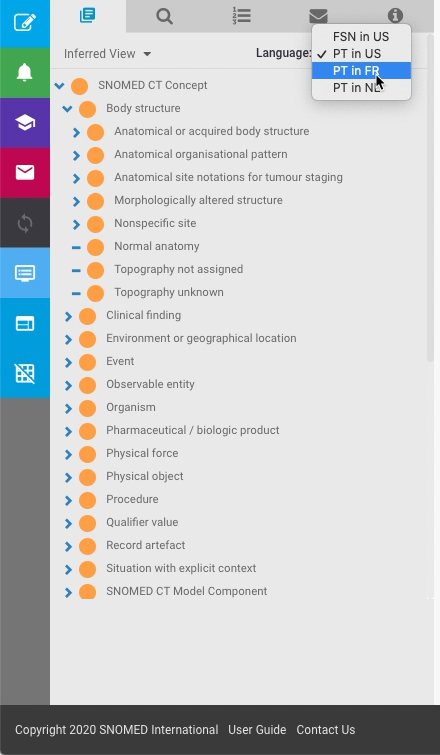
| <p>A list of language display options are presented for the Fully Specified Name (FSN) and Preferred Term (PT) for each available language-dialect.<br></p><p>As an example, these are the options for <em>ms-belgium</em>:<br></p><ul><li><code>FSN in US</code></li><li><code>PT in US</code></li><li><code>PT in FR</code></li><li><code>PT in NL</code><br></li></ul><p>Press an option to select that language-dialect for the <em>Taxonomy</em> listing preferred terms.<br></p>                                                                                                                   | <div><figure><img src="/files/ui7HtKHuxa2G2caYFyKm" alt=""><figcaption></figcaption></figure></div><div><figure><img src="/files/t6KJnTlJoVIENgvYWl61" alt=""><figcaption></figcaption></figure></div> |
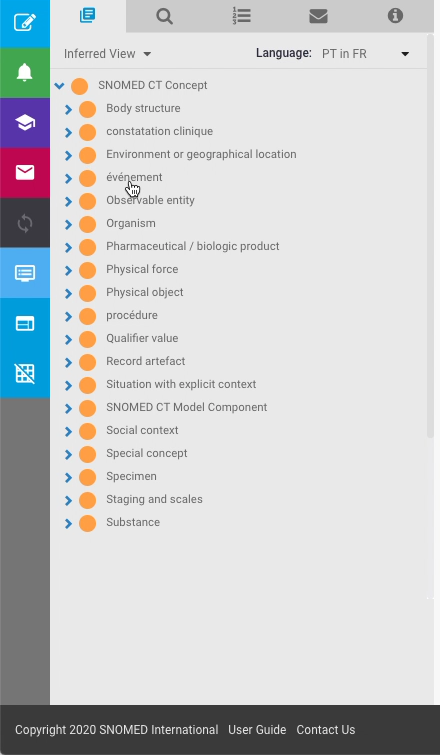
| <p>The preferred terms in the <em>Taxonomy</em> listing are updated to show the selected language option.<br></p><div data-gb-custom-block data-tag="hint" data-style="success" class="hint hint-success"><p><strong>Preferred terms that are not yet translated</strong><br></p><p>If no translated term is available in a selected extension language-dialect, the terms will fall back to the en-US PT (required for all concepts), so a mix of the selected language-dialect and en-US terms should be expected until full coverage of PT translations is available for a given extension.</p></div> | <div><figure><img src="/files/sNsbe2W5ubhn1mOt9pGR" alt=""><figcaption></figcaption></figure></div>                                                                                                    |

<a href="https://docs.google.com/forms/d/e/1FAIpQLScTmbZIf0UEQwYDkY27EEWBkaiYkHSbR0_9DmFrMLXoQLyL7Q/viewform?usp=pp_url&#x26;entry.1767247133=AP+UG&#x26;entry.670899847=View%20taxonomy%20with%20an%20extension%20dialect" class="button primary">Provide Feedback</a>


---

# Agent Instructions: Querying This Documentation

If you need additional information that is not directly available in this page, you can query the documentation dynamically by asking a question.

Perform an HTTP GET request on the current page URL with the `ask` query parameter:

```
GET https://docs.snomed.org/snomed-ct-user-guides/authoring-user-guide/how-to/work-in-an-extension/view-taxonomy-with-an-extension-dialect.md?ask=<question>
```

The question should be specific, self-contained, and written in natural language.
The response will contain a direct answer to the question and relevant excerpts and sources from the documentation.

Use this mechanism when the answer is not explicitly present in the current page, you need clarification or additional context, or you want to retrieve related documentation sections.