> For the complete documentation index, see [llms.txt](https://docs.snomed.org/llms.txt). Markdown versions of documentation pages are available by appending `.md` to page URLs; this page is available as [Markdown](https://docs.snomed.org/snomed-ct-user-guides/mlds-user-guide/affiliate-user-guide-1/usage-reports.md).

# Usage Reports

1. #### New Usage Declaration Reports

When an Affiliate completes their application, the usage report can be filled out without completing all of the information. The IHTSDO or Member NRC admin reviews the application and will request additional usage information be completed if required. The Affiliate will see reminder messages that indicate when reports need to be submitted.

After the initial usage report submission, towards the end of every year, and if applicable, the Affiliate will receive a notification via email that they need to provide a report on the current and planned usage of SNOMED CT in non-member countries, and any member countries they have registered with through the MLDS.

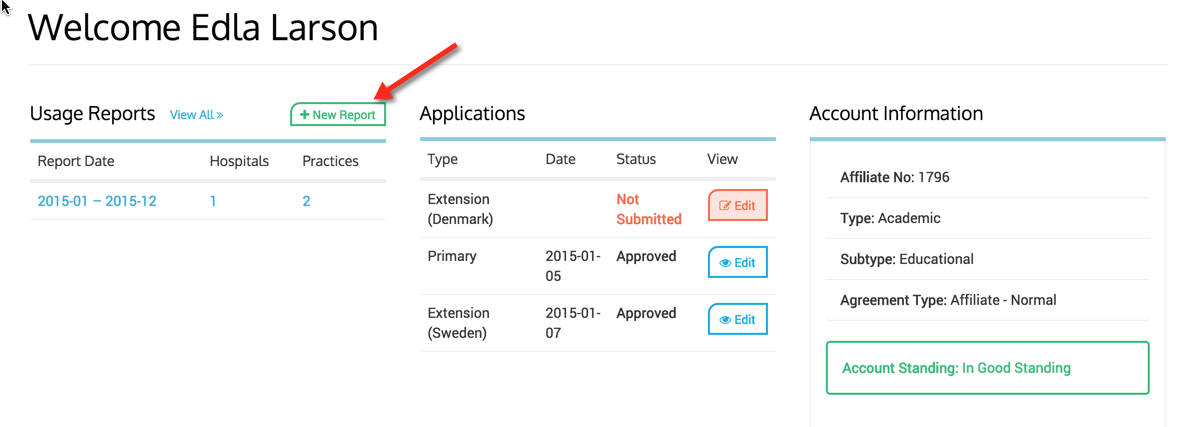
* On your dashboard you will see your previously submitted usage reports, as well as where to create a new usage report.

<figure><img src="/files/cYWqReCdNkXVmXAKJEuZ" alt=""><figcaption><p>* Once you have completed your usage report and it has been submitted, it will be reviewed by IHTSDO staff and, where applicable, an invoice will be sent to you. At this point, your account will be in a 'pending payment' status where you will be unable to download SCT until payment has been received.</p></figcaption></figure>

### 2. Create a Usage Declaration Report

* Click on New Report button.

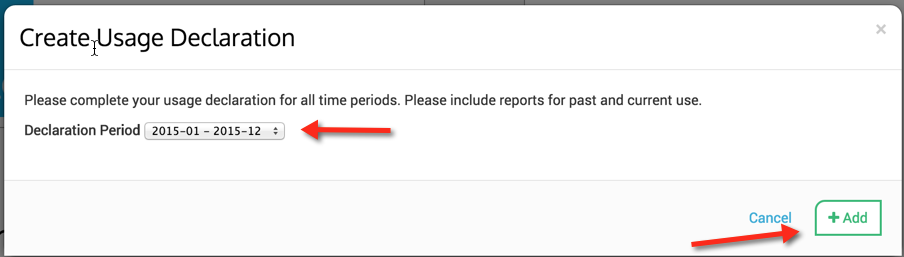
<figure><img src="/files/xTwpneafJTNzGrEds7pW" alt=""><figcaption><p>* Add the time period for the declaration year and click Add button.</p></figcaption></figure>

<figure><img src="/files/jhug6bL7BTIJNm8lwd1H" alt=""><figcaption><p>* Complete the form and please be aware that the form will use the default values of the previously submitted report, make sure to edit accordingly for accuracy of use in the year you are reporting. Remember to click on the Submit Declaration button as show below, located in the bottom left of form page, when you are finished editing the year.</p></figcaption></figure>

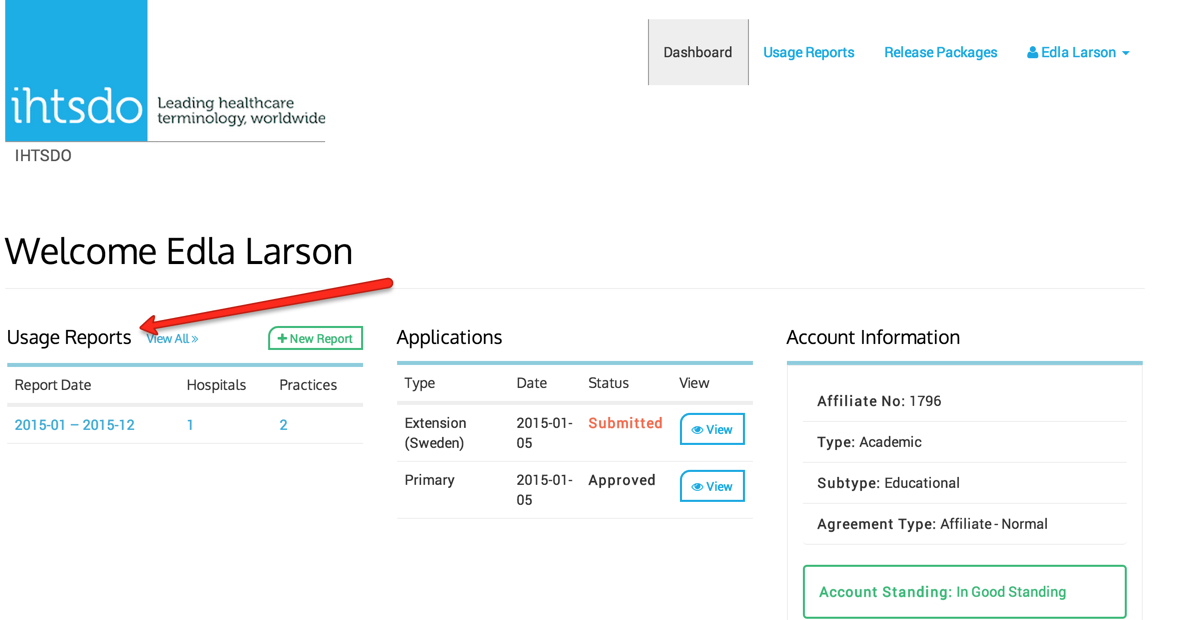
<figure><img src="/files/nCtLUMAMbaOwCOQv8TNN" alt=""><figcaption><p>* Once Submitted you will see your newly added report in the Usage Report list.</p></figcaption></figure>

<figure><img src="/files/gSYrvINzpZRnNhKDzqlQ" alt=""><figcaption></figcaption></figure>

### 3.Retract a Usage Declaration Report

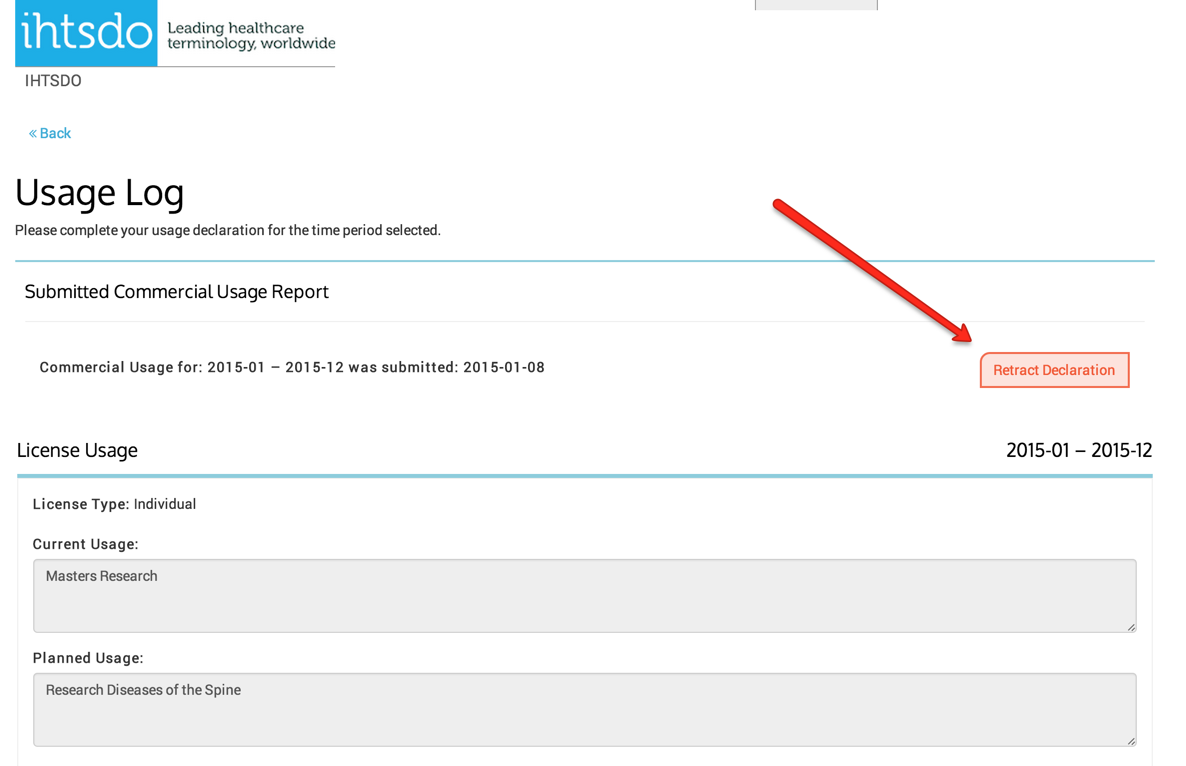
If for some reason an affiliate wants to correct a usage report that has been submitted, they must first retract the usage report. They can do this by clicking on the usage report they wish to change and then click the Retract Declaration Button. They can then amend their changes and submit. Any previously submitted Usage reports for the same time period will be superseded.

<figure><img src="/files/u9jIhnPxIvFtP7k152kL" alt=""><figcaption></figcaption></figure>


---

# Agent Instructions
This documentation is published with GitBook. GitBook is the documentation platform designed so that both humans and AI agents can read, navigate, and reason over technical content effectively. Learn more at gitbook.com.

## Querying This Documentation
If you need additional information that is not directly available in this page, you can query the documentation dynamically by asking a question.

Perform an HTTP GET request on the current page URL with the `ask` query parameter, and the optional `goal` query parameter:

```
GET https://docs.snomed.org/snomed-ct-user-guides/mlds-user-guide/affiliate-user-guide-1/usage-reports.md?ask=<question>&goal=<endgoal>
```

`ask` is the immediate question: it should be specific, self-contained, and written in natural language.
`goal` is optional and describes the broader end goal you are ultimately trying to accomplish on behalf of the user. GitBook uses it to tailor the answer towards what is most useful for that goal.

The response will contain a direct answer to the question and relevant excerpts and sources from the documentation.

Use this mechanism when the answer is not explicitly present in the current page, you need clarification or additional context, or you want to retrieve related documentation sections.