# Find the FSN or PT for a known concept SCTID

| Steps                                                                                                                                                                                                                                                                                                                                                                                                                                                                                                                                                                                                                                                                                                                    | References                                                                                                                                                                                                                                                                                                                                                                                                                                                                                                                                             |
| ------------------------------------------------------------------------------------------------------------------------------------------------------------------------------------------------------------------------------------------------------------------------------------------------------------------------------------------------------------------------------------------------------------------------------------------------------------------------------------------------------------------------------------------------------------------------------------------------------------------------------------------------------------------------------------------------------------------------ | ------------------------------------------------------------------------------------------------------------------------------------------------------------------------------------------------------------------------------------------------------------------------------------------------------------------------------------------------------------------------------------------------------------------------------------------------------------------------------------------------------------------------------------------------------ |
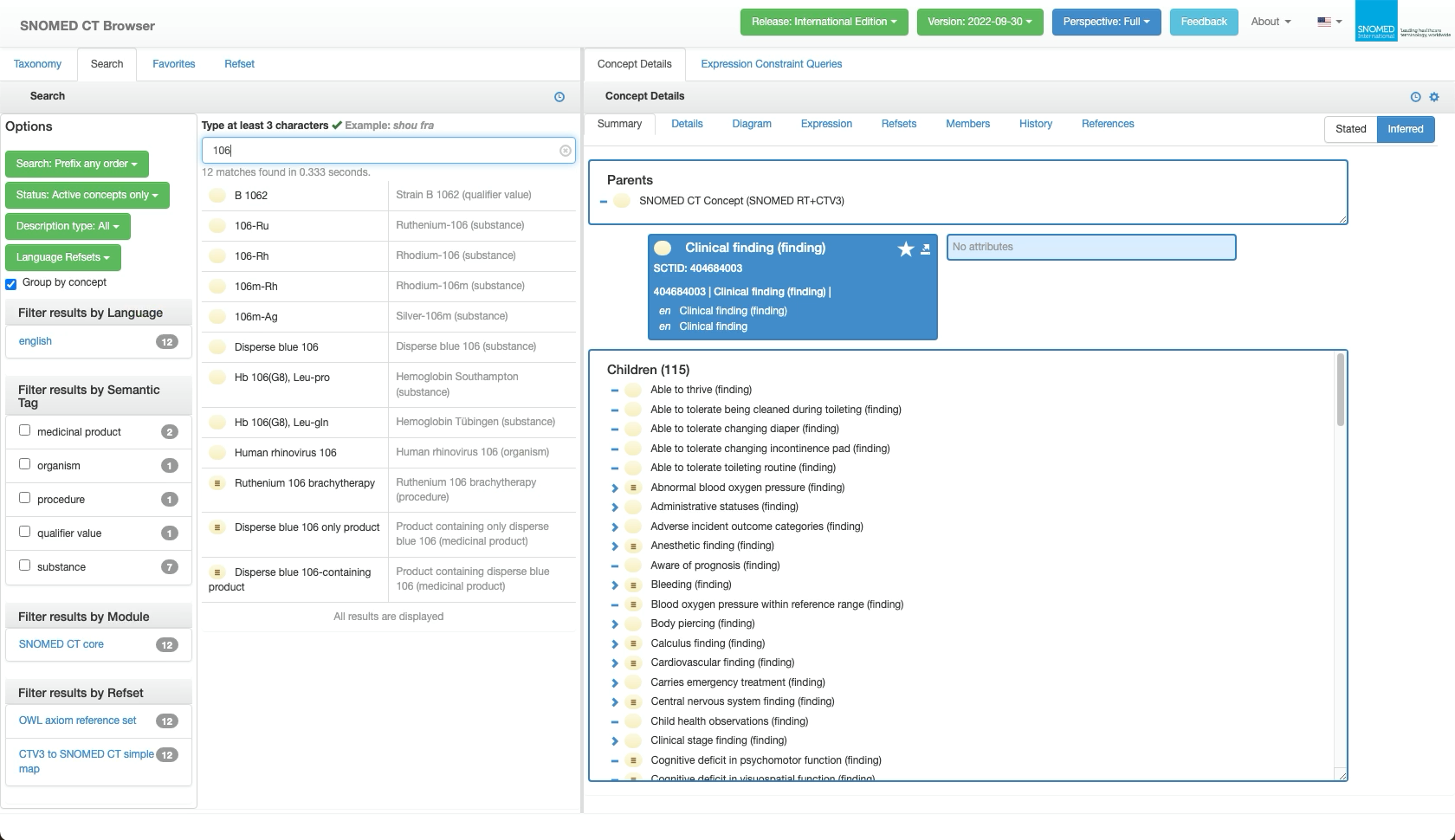
| From the SNOMED CT Browser *Full* perspective, *Search* tab context, enter the SCTID into the `Search...` query box.                                                                                                                                                                                                                                                                                                                                                                                                                                                                                                                                                                                                     | <div><figure><img src="https://4047345178-files.gitbook.io/~/files/v0/b/gitbook-x-prod.appspot.com/o/spaces%2F1kHdBxHtH99oJ85gNaa3%2Fuploads%2Fgit-blob-69e796ae259d571cd07c5be7c9fb9a4016b588b9%2F162728084.png?alt=media" alt=""><figcaption></figcaption></figure></div>                                                                                                                                                                                                                                                                            |
| <p>As shown in the example hint above the <code>Search...</code> query box, for text-based interface languages, after typing 3 characters the search results will begin to dynamically respond to the entered text.Whilst updating, the guide text "Searching..." will appear briefly below the <code>Search...</code> query box until results are returned.<br></p><p>Response time depends on the query and matching results, but typically it is within a few seconds.</p>                                                                                                                                                                                                                                            | <div><figure><img src="https://4047345178-files.gitbook.io/~/files/v0/b/gitbook-x-prod.appspot.com/o/spaces%2F1kHdBxHtH99oJ85gNaa3%2Fuploads%2Fgit-blob-004a8ce4ca12ee0e8b11035b1bbf85bf62942719%2F162728085.png?alt=media" alt=""><figcaption></figcaption></figure></div>                                                                                                                                                                                                                                                                            |
| <p>Search results matching the entered number will be presented below the <code>Search...</code> query box.<br></p><p>The number of matches and response time are displayed above the results list.<br></p><p>The results will not match an SCTID until a valid SCTID number is entered as the query, however other numbers entered may be matched against numeric content in the concept terms.<br></p><p>Each result row represents a SNOMED CT concept matching the search query, with a <em>Definition Status</em> icon followed by any term that pattern matches the query (<em>FSN</em>, <em>Preferred Term</em>, and synonyms) in the first results column; the second column shows the concept <em>FSN</em>.</p> | <div><figure><img src="https://4047345178-files.gitbook.io/~/files/v0/b/gitbook-x-prod.appspot.com/o/spaces%2F1kHdBxHtH99oJ85gNaa3%2Fuploads%2Fgit-blob-efc536327b77729d8f1d3bd2c48459a52feb01ad%2F162728086.png?alt=media" alt=""><figcaption></figcaption></figure></div>                                                                                                                                                                                                                                                                            |
| When the entered query is a valid SCTID a single exact match will be returned, showing the *Preferred Term* in the first column.                                                                                                                                                                                                                                                                                                                                                                                                                                                                                                                                                                                         | <div><figure><img src="https://4047345178-files.gitbook.io/~/files/v0/b/gitbook-x-prod.appspot.com/o/spaces%2F1kHdBxHtH99oJ85gNaa3%2Fuploads%2Fgit-blob-8b79927efa69e1688f769f56bfdada95d688573b%2F162728094.png?alt=media" alt=""><figcaption></figcaption></figure></div>                                                                                                                                                                                                                                                                            |
| <p>Press any of the row elements (icon or text) to focus on that concept and present it in the right hand <em>Concept Details</em> panel, open to the <code>Summary</code> tab.<br></p><p>Alternatively, the screen cursor can be used - click within a row to highlight it, then drag the highlighted into the right hand <em>Concept Details</em> panel, to replace its current focus concept with the row concept.</p>                                                                                                                                                                                                                                                                                                | <div><figure><img src="https://4047345178-files.gitbook.io/~/files/v0/b/gitbook-x-prod.appspot.com/o/spaces%2F1kHdBxHtH99oJ85gNaa3%2Fuploads%2Fgit-blob-636c4254de5aeb174ec3b8af9824861ee537fd99%2F162728103.png?alt=media" alt=""><figcaption></figcaption></figure></div>                                                                                                                                                                                                                                                                            |
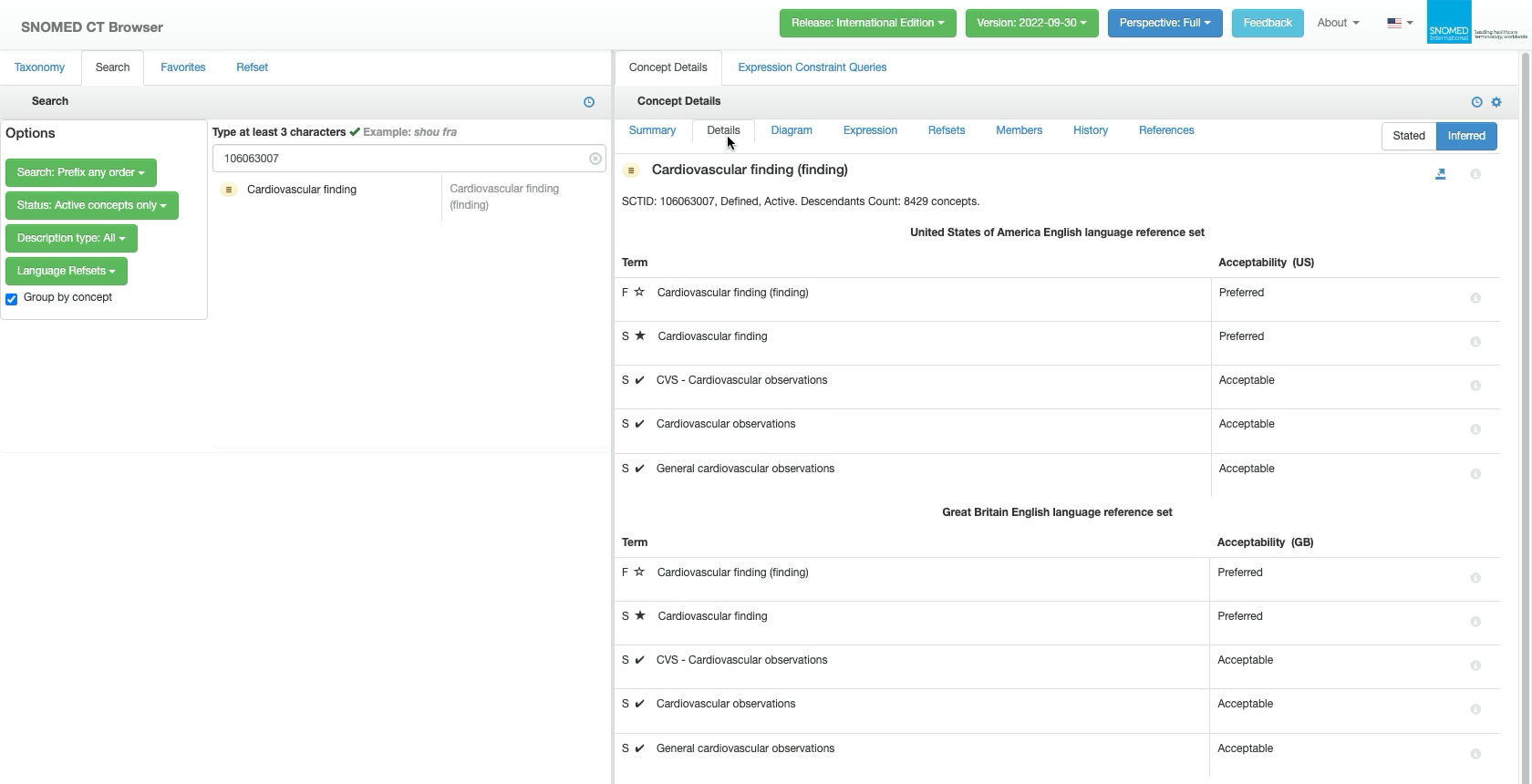
| Press the `Details` tab in the *Concept Details* panel to see detailed information including the concept FSN and Preferred Term in each relevant language reference set.                                                                                                                                                                                                                                                                                                                                                                                                                                                                                                                                                 | <div><figure><img src="https://4047345178-files.gitbook.io/~/files/v0/b/gitbook-x-prod.appspot.com/o/spaces%2F1kHdBxHtH99oJ85gNaa3%2Fuploads%2Fgit-blob-b53e5036c36e1b063f9d04a97c7f5e32c64144c7%2F162728114.png?alt=media" alt=""><figcaption></figcaption></figure></div><div><figure><img src="https://4047345178-files.gitbook.io/~/files/v0/b/gitbook-x-prod.appspot.com/o/spaces%2F1kHdBxHtH99oJ85gNaa3%2Fuploads%2Fgit-blob-0612d11079fc8434f959d5db42a21f2fc88f5653%2F162728115.png?alt=media" alt=""><figcaption></figcaption></figure></div> |
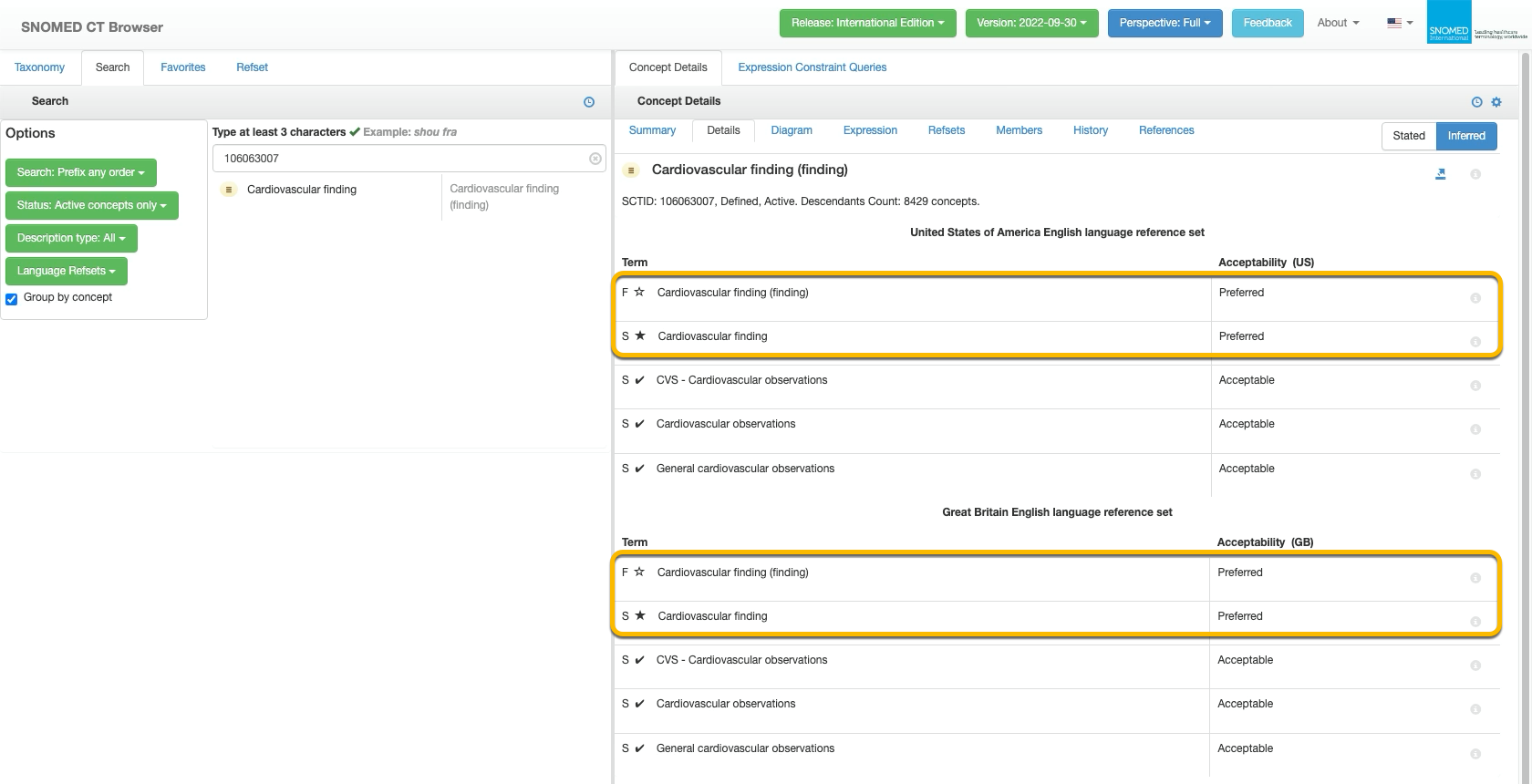
| <p>For each language reference set:<br></p><ul><li>The concept <em>FSN</em> is indicated by an "F" followed by <i class="fa-star">:star:</i> in the <em>Term</em> column, and also the word "Preferred" in the <em>Acceptability</em> column.</li><li>The concept <em>Preferred Term</em> is indicated by an "S" (for Synonym) followed by <i class="fa-star">:star:</i> in the <em>Term</em> column, and also the word "Preferred" in the <em>Acceptability</em> column.</li></ul>                                                                                                                                                                                                                                      | <div><figure><img src="https://4047345178-files.gitbook.io/~/files/v0/b/gitbook-x-prod.appspot.com/o/spaces%2F1kHdBxHtH99oJ85gNaa3%2Fuploads%2Fgit-blob-494f942b6c641fe2d6d3d4aafe19e6345147a8e5%2F162728117.png?alt=media" alt=""><figcaption></figcaption></figure></div>                                                                                                                                                                                                                                                                            |

<a href="https://docs.google.com/forms/d/e/1FAIpQLScTmbZIf0UEQwYDkY27EEWBkaiYkHSbR0_9DmFrMLXoQLyL7Q/viewform?usp=pp_url&#x26;entry.1767247133=Browser+User+Guide&#x26;entry.670899847=Find%20the%20FSN%20or%20PT%20for%20a%20known%20concept%20SCTID" class="button primary">Provide Feedback</a>


---

# Agent Instructions: Querying This Documentation

If you need additional information that is not directly available in this page, you can query the documentation dynamically by asking a question.

Perform an HTTP GET request on the current page URL with the `ask` query parameter:

```
GET https://docs.snomed.org/snomed-ct-user-guides/snomed-ct-browser-guide/how-to/find-the-fsn-or-pt-for-a-known-concept-sctid.md?ask=<question>
```

The question should be specific, self-contained, and written in natural language.
The response will contain a direct answer to the question and relevant excerpts and sources from the documentation.

Use this mechanism when the answer is not explicitly present in the current page, you need clarification or additional context, or you want to retrieve related documentation sections.